機種共通 Online Manual
Touch-enabled Device Users (Windows) For touch actions, you need to replace "right-click" in this document with the action set on the operating
Download 機種共通 Online Manual

Information
Domain:
Source:
Link to this page:
Documents from same domain
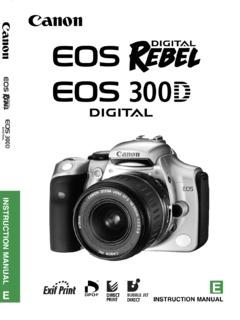
INSTRUCTION MANUAL E INSTRUCTION MANUAL - …
gdlp01.c-wss.com2 Thank you for purchasing a Canon product. The EOS DIGITAL REBEL/EOS 300D DIGITAL is a high-performance, digital AF SLR camera with an ultra-fine CMOS sensor with 6.30 million
CANON INC. 30-2, Shimomaruko 3-chome, Ohta …
gdlp01.c-wss.comE E INSTRUCTION MANUAL CANON INC. 30-2, Shimomaruko 3-chome, Ohta-ku, Tokyo 146-8501, Japan U.S.A. CANON U.S.A. INC. For all inquiries …
はじめに やりたいこと 目次 EOS Utility
gdlp01.c-wss.com2 画像取り込み1 索 引 はじめに カメラ設定2 環境設定4 資 料 リモート撮影3 やりたいこと 目次 はじめに eos イオス
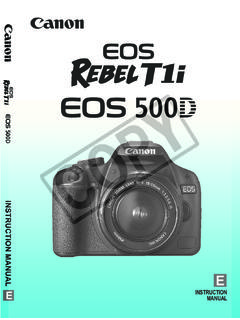
INSTRUCTION MANUAL INSTRUCTION MANUAL - …
gdlp01.c-wss.com11 Make a large size print of the pictureÎ p.70 (73, 83, 1) Take many pictures Î p.70 (76, 86) Focusing Change the point of focus Î p.66 (S AF point selection) ÎShoot a moving subject p.50, 65 (AI Servo AF)
MG3000 series Online Manual - gdlp01.c-wss.com
gdlp01.c-wss.comMG3000 series Online Manual Overview Printing Scanning Frequently Asked Questions English
PIXMA MG3200 series - gdlp01.c-wss.com
gdlp01.c-wss.comNetwork Connection Wireless Connection a Preparation for Connection Before Starting Wireless Connection Setup 1. Make sure that the printer is turned on.

PIXUS MG3200 series - gdlp01.c-wss.com
gdlp01.c-wss.comネットワーク接続 無線lan接続 a 接続の準備 無線lanの設定を始める前に 1. プリンターの電源が入っていることを確認します。

Handbuch Erste Schritte DEUTSCH - gdlp01.c-wss.com
gdlp01.c-wss.com2 Lieferumfang Überprüfen Sie, ob die folgenden Teile im Lieferumfang enthalten sind. Wenden Sie sich an den Kamera-Händler, falls etwas fehlen sollte.
Camera User Guide - gdlp01.c-wss.com
gdlp01.c-wss.com5 Before Use Basic Guide Advanced Guide Camera Basics Auto Mode Other Shooting Modes P Mode Playback Mode Setting Menu Wi-Fi Functions Accessories Appendix

Camera User Guide - gdlp01.c-wss.com
gdlp01.c-wss.comCamera User Guide ENGLISH • Before use, be sure to read this guide, including the safety precautions. • This guide will familiarize you with how to use the camera
Related documents

Adobe Photoshop CS6
ptgmedia.pearsoncmg.comAdobe Photoshop software. ncludes DVD-i rom with lesson files and up to 2 hours of premium video training from Adobe Photoshop CS6: Learn by Video. ... Illustrator, InDesign, Lightroom, Photoshop, and PostScript are either registered trademarks or trade-marks of Adobe Systems Incorporated in the United States and/or other countries. Apple, Mac ...

The Digital Photography Book: The Step-by-Step Secrets for ...
ptgmedia.pearsoncmg.comPhotoshop Book for Digital Photographers, Professional Portrait Retouching Techniques for Photographers Using Photoshop, The Adobe Photoshop Lightroom Book for Digital Photographers, Light It, Shoot It, Retouch It: Learn Step by Step How to Go from Empty Studio to Finished Image, and The iPhone Book.

Release notes - download-center.dxo.com
download-center.dxo.com• There is no guarantee that DNG files from converters other than Adobe Lightroom or Adobe DNG Converter are supported. DNG files corresponding to unsupported packages (whether converted or not) ... • With stripping option enabled, export of images with binary IPTC and Photoshop 3.0 tags will fail.

Managing Color Guide - Epson® Professional Imaging
files.support.epson.comAdobe Photoshop Lightroom®, follow the instructions in these sections for your operating system: “Windows 8 and Windows 7” below “Mac OS X 10.8 and 10.7” on page 20 Windows 8 and Windows 7 Follow the instructions in these sections: “Printing with Adobe Photoshop CC or CS6” below “Printing with Adobe Photoshop CS5” on page 8

TS3100 series Online Manual
gdlp01.c-wss.comSymbols Used in This Document Warning Instructions that, if ignored, could result in death or serious personal injury caused by incorrect operation of the equipment.

Table of Contents - Ilford
ilford.comPHOTOSHOP Setup 1. Select the printer 2. Click on Print Settings and setup as per the Printer driver instructions below. 3. Click on Photoshop Manages Color 4. Select the correct profile for the Paper 5. Select Rendering Intent* and tick 6. Black Point Compensation Set other parameters as required 7. Click on Print to send the image to the ...

Adobe Brand Guidelines
partners.adobe.comAdobe Photoshop CC Photoshop Adobe, Photoshop The "s" in Photoshop is lowercase. Adobe Photoshop Lightroom Classic CC Lightroom Classic CC, Lightroom Classic Adobe, Lightroom, Photoshop Note: the SDK is for Lightroom Classic CC, not Lightroom CC. To avoid confusion, never shorthand to just Lightroom.

Image Editing with Photoshop Image Editing with Photoshop
www.heartland.eduImage Editing with Photoshop c. Where Photoshop stands in the Graphic Design world today The current version of Photoshop is the CS4 or Creative Suite 4 version which corresponds to version 11 in Photoshop’s history dating back to the late 1980s early 1990s. With each version improvements in the tools and

User Manual - X-Rite
www.xrite.comcan be used in Lightroom and Photoshop, as well as any other Adobe Camera RAW (ACR) program. Adobe Camera RAW 4.5 and higher now supports custom DNG profiles, and is supported by Photoshop (CS3 and later) and Elements 7 and up. Using the Lightroom plug-in with Lightroom 2 or higher, you can work seamlessly and