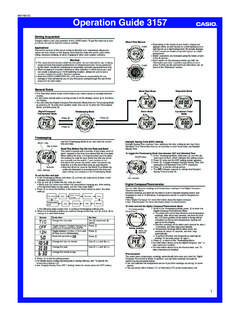
Operation Guide 3157 - CASIO
• The DST indicator appears to indicate that Daylight Saving Time is turned on. DST indicator On/Off status Digital Compass/Thermometer You can take direction readings and temperature readings in the Digital Compass/ Thermometer Mode. Direction readings are taken by the watch’s built-in magnetic bearing sensor and displayed as one of 16 ...
Download Operation Guide 3157 - CASIO

Information
Domain:
Source:
Link to this page:
Documents from same domain

© 2014 CASIO COMPUTER CO., LTD. Operation …
support.casio.comOperation Guide 5146 5425 E-10 3. Press & to change the fl ashing screen content in the sequence shown below to select the other settings. Seconds

© 2016 CASIO COMPUTER CO., LTD. Operation …
support.casio.comOperation Guide 5229 5518 E-9 To set the digital time and date 1. In the Timekeeping Mode, hold down A for about three seconds until the currently selected city code flashes in

fx-570ES PLUS fx-991ES PLUS Users Guide Eng
support.casio.comE fx-570ES PLUS fx-991ES PLUS User’s Guide CASIO Worldwide Education Website http://edu.casio.com CASIO EDUCATIONAL FORUM http://edu.casio.com/forum/

FC-200V 100V Users Guide Eng - CASIO Official …
support.casio.comE-1 About this Manual • This User’s Guide covers use and operation of the CASIO FC-200V and FC-100V. Operations apply to both models, except in cases indicated by the text “FC-200V only”.

START 1. RÜCKSETZEN L HS-70W VORGANG …
support.casio.comENGLISH Timekeeping Mode Stopwatch Mode Recall Mode Press . Press . Year Month Day Second Minute Seconds Time Display Stopwatch Display Minutes

Operation Guide 3054 - support.casio.com
support.casio.comOperation Guide 3054 1 MO0606-EA Getting Acquainted Congratulations upon your selection of this CASIO watch. To get the most out of …

CTK2080 CTK2200 CTK2300 CTK3200 e - …
support.casio.comGeneral Guide E-4 Use the number buttons and the [–] and [+] keys to change the settings of the parameters that appear in the upper left area of the display.

MA1703-EA Operation Guide 5444/5524 - …
support.casio.comOperation Guide 5444/5524 E-29 x You can use the procedure under “To turn auto receive on and off” (page E-34) to enable or disable auto receive.

User's Manual SE-G1 - support.casio.com
support.casio.comE-4 •ongratulations upon your selection of this CASIO product. Be sure to read the C following safety precautions before using it for the first time.

fx-9860GII SD 9860GII 9860G AU PLUS ... - …
support.casio.comSitio web educativo para todo el mundo de CASIO http://edu.casio.com Los manuales están disponibles en varios idiomas en http://world.casio.com/manual/calc
Related documents

Exterior Lighting Control Guidance - Energy
betterbuildingssolutioncenter.energy.govThe input may be manual or automatic (daylight, time, or motion), and the output may be shutoff (switching) or reduction (dimming). Between the two is some type ... Turn the lights ON at dusk, using a light sensor or astronomical time switch. Turn the lights OFF at preset times, using an astronomical time switch or programmable schedule control.
RATIO Series - hubbellcdn
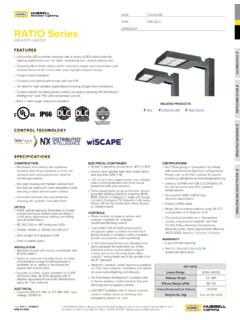
hubbellcdn.comNXSPW_F NX Wireless, PIR Occ. Sensor, Daylight Harvesting 4 NXSP_F NX, PIR Occ. Sensor, Daylight Harvesting 4 Control Options Other SCP-40F Programmable occupancy sensor 3 7PR 7-Pin twist lock receptacle 7PR-SC 7-Pin receptacle with shorting cap 7PR-MD40F Low voltage sensor for 7PR 7PR-TL 7-Pin PCR with photocontrol Sensors BTS_F Bluetooth ...
ERRATA NCHRP Report 797 and NCHRP Web- only Document …
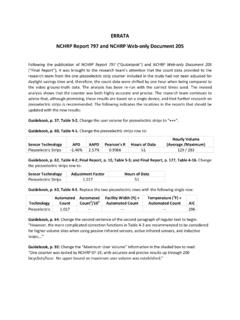
onlinepubs.trb.orgdaylight savings time and, therefore, the count data were shifted by one hour when being compared to the video ground-truth data. The analysis has been re-run with the correct times used. ... “Results from this sensor showed average undercounting of 1.46% and very minimal spread in the accuracy of the device.” Final Report, p. 170.

Lighting Assessment in the Workplace
www.labour.gov.hkThe light sensor of the luxmeter should be placed vertically if the object is read vertically. inclined plane if the object is to be read on such a plane, e.g. an easel. Similarly, the work plane is a vertical plane if the object is to be read vertically. The light sensor of the luxmeter should be placed on the work plane.
Symptom Possible Causes Solution - Lutron Electronics, Inc.
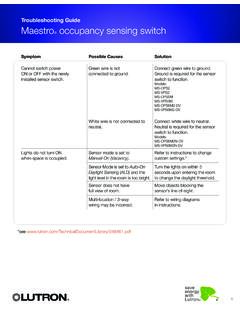
www.lutron.comSensor Mode is set to Auto-On Daylight Sensing (ALD) and the light level in the room is too bright. Turn the lights on within 5 seconds upon entering the room to change the daylight threshold. Sensor does not have full view of room. Move objects blocking the sensor’s line-of-sight. Multi-location / 3-way wiring may be incorrect.
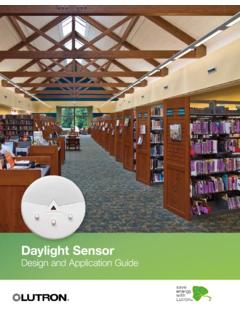
Daylight Sensor Design and Application Guide
www.lutron.comDaylight Row: A group of fixtures adjusted equally based on daylighting readings Daylight Sensor: A device that reads available light and sends a signal to the control system. Daylight Sensor = Photo Cell = Photo Sensor Multiple Row Daylighting: A form of daylighting in which multiple daylight rows are controlled by the same sensor.

The Historic Derecho of June 29, 2012
www.weather.govii . Cover Photograph: Visible satellite image at 5 p.m. Eastern Daylight Time (EDT) June 29, 2012, as the derecho moved across Ohio. National Lightning Data Network (NLDN) Cloud to ground (CG) lightning strikes for the 1-hour period, 4-5 p.m. EDT, are plotted in red.