
Operation Guide 5081 - CASIO
Daylight Saving Time (summer time) advances the time setting by one hour from Standard Time. Remember that not all countries or even local areas use Daylight Saving Time. To change the Daylight Saving Time (summer time) setting 1.In the Timekeeping Mode, hold down A for about three seconds until the city code flashes on the lower right display.
Download Operation Guide 5081 - CASIO

Information
Domain:
Source:
Link to this page:
Documents from same domain

© 2014 CASIO COMPUTER CO., LTD. Operation …
support.casio.comOperation Guide 5146 5425 E-10 3. Press & to change the fl ashing screen content in the sequence shown below to select the other settings. Seconds

© 2016 CASIO COMPUTER CO., LTD. Operation …
support.casio.comOperation Guide 5229 5518 E-9 To set the digital time and date 1. In the Timekeeping Mode, hold down A for about three seconds until the currently selected city code flashes in

fx-570ES PLUS fx-991ES PLUS Users Guide Eng
support.casio.comE fx-570ES PLUS fx-991ES PLUS User’s Guide CASIO Worldwide Education Website http://edu.casio.com CASIO EDUCATIONAL FORUM http://edu.casio.com/forum/

FC-200V 100V Users Guide Eng - CASIO Official …
support.casio.comE-1 About this Manual • This User’s Guide covers use and operation of the CASIO FC-200V and FC-100V. Operations apply to both models, except in cases indicated by the text “FC-200V only”.

START 1. RÜCKSETZEN L HS-70W VORGANG …
support.casio.comENGLISH Timekeeping Mode Stopwatch Mode Recall Mode Press . Press . Year Month Day Second Minute Seconds Time Display Stopwatch Display Minutes

Operation Guide 3054 - support.casio.com
support.casio.comOperation Guide 3054 1 MO0606-EA Getting Acquainted Congratulations upon your selection of this CASIO watch. To get the most out of …

CTK2080 CTK2200 CTK2300 CTK3200 e - …
support.casio.comGeneral Guide E-4 Use the number buttons and the [–] and [+] keys to change the settings of the parameters that appear in the upper left area of the display.

MA1703-EA Operation Guide 5444/5524 - …
support.casio.comOperation Guide 5444/5524 E-29 x You can use the procedure under “To turn auto receive on and off” (page E-34) to enable or disable auto receive.

User's Manual SE-G1 - support.casio.com
support.casio.comE-4 •ongratulations upon your selection of this CASIO product. Be sure to read the C following safety precautions before using it for the first time.

fx-9860GII SD 9860GII 9860G AU PLUS ... - …
support.casio.comSitio web educativo para todo el mundo de CASIO http://edu.casio.com Los manuales están disponibles en varios idiomas en http://world.casio.com/manual/calc
Related documents

The vaccine cold chain - WHO
www.who.intAbout this module e purpose of the vaccine cold chain is to maintain product quality from the time of manufacture until the point of administration by ensuring that vaccines are stored and transported within WHO-recommended temperature ranges. is module provides guidance for workers at health facility level.

Paging: Faster Translations (TLBs)
pages.cs.wisc.eduis the first time the program accesses the array, the TLB improves per-formance due to spatial locality. The elements of the array are packed tightly into pages (i.e., they are close to one another in space), and thus only the first access to an element on a page yields a TLB miss. Also note the role that page size plays in this example.
INTERNAL MEDICINE
www.abim.orgpopulation of internists in age, time spent in direct patient care, and practice setting, provided the blueprint topic ratings. The ABIM Internal Medicine Exam Committee and Internal Medicine Board have used this feedback to update the blueprint for MOC assessments (beginning with the Fall 2015 administration of the 10-year MOC exam).

Module 5b: Pre- and Post-testing for Student Learning
assessment.aa.ufl.eduModule 5b: Pre- and Post-testing for Student Learning Passport to Great Teaching – Creative Assessment ... test scores or performance at these two points in time. Student Learning A primary reason for pre- and post-testing is to determine the degree to which students have
Module 5 Logic Diagrams - NTC Sites
sites.ntc.doe.govTime Delays When logic diagrams are used to represent start/stop/operate circuits, the diagrams must also be able to symbolize the various timing devices found in the actual circuits. There are three major types of timers. They are 1) the Type-One Time Delay Device, 2) the Type-Two Time Delay Device, and 3) The Type-Three Time Delay Device.

Choosing the correct Time Synchronization Protocol and ...
literature.rockwellautomation.comIRIG time codes are another method of time synchronization used in the 1756-TIME module. This module is the only Rockwell Automation product that supports the IRIG standard. For this reason, we typically recommend using NTP or PTP when possible. IRIG also requires additional hardware and cabling, where as the other two methods use Ethernet.
Module 4 Electronic Diagrams and Schematics
sites.ntc.doe.govsymbols as presented in this module. ENABLING OBJECTIVES 1.1 IDENTIFY the symbols used on engineering electronic block diagrams, prints, and schematics, for the following components. ... instant of time. In Figure 5, the current is into the top of …
COMPANY SECRETARIES EXAMINATIONS, DECEMBER, 2021 …
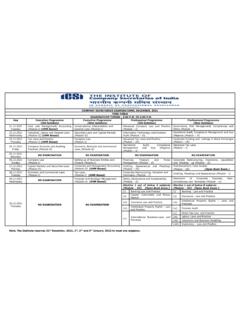
www.icsi.eduDiligence (Module – II) 23.12.2021 Thursday Tax Laws and Practice (Module-I) (OMR Based) Company Law (Module-I) Advanced Tax Laws and Practice (Module – III) Corporate Funding and Listings in Stock Exchanges (Module – III) 24.12.2021 Friday Company Accounts and Auditing Practices (Module-II) Economic, Business and Commercial Laws (Module-II)

u-blox 6 GPS Modules te
www.u-blox.comThe NEO-6 module series is a family of stand-alone GPS receivers featuring the high performance u-blox 6 ... Time Mark functionality can be enabled with the UBX-CFG-TM2 message For details, please refer to the u-blox 6 Receiver Description including Protocol Specification [2].