OPERATION MANUAL Wireless Remote Controller Kit
Thank you for purchasing this Daikin air conditioner. Carefully read this operation manual before using the air conditioner. It will tell you how to use the unit properly and help you if any trouble occurs. After reading the manual, file it away for future reference. 00_CV_3P107422-29P.fm Page 1 Thursday, January 17, 2008 1:28 PM
Download OPERATION MANUAL Wireless Remote Controller Kit

Information
Domain:
Source:
Link to this page:
Documents from same domain
CONTROL PANEL OPERATING MANUAL - Daikin
my.daikin.euThe operator can monitor all critical operating conditions by using the screen located on the main controller. In addition to providing all normal operating controls, the MicroTech III control system will take corrective action if the chiller is operating outside of its normal design conditions.
Installation and operation manual - Daikin
my.daikin.eu1 About the documentation Installation and operation manual 3 RXYTQ8~16T7YF VRV IV system air conditioner 4P388987-1C – 2016.02 14.2.5Symptom: The fan …
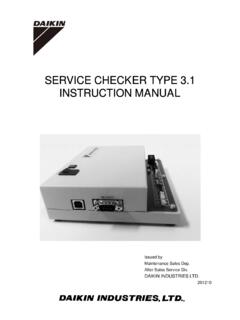
SERVICE CHECKER TYPE 3.1 INSTRUCTION MANUAL
my.daikin.eu5.4 Data transfer -----48 List of applicable models 50 Specifications-----50 ... radiation, inductive and/or capacitive coupling, for the treatment of material or inspection / ... Power switch When switching on, the red lamp is lit.

INSTALLATION MANUAL - Daikin
my.daikin.eu2-way valve) — The thermal protector will close the solenoid 2-way valve (setting 85°C). Both thermal protectors are activated when the temperature becomes too high. When activated, the protectors have to be reset on the domestic hot water tank by pressing the red button (for access, remove the electrical box lid). For EKUHW2WB only ...

OPERATION MANUAL - Daikin
my.daikin.euRefer to the domestic hot water tank installation manual for further details. Solar kit for domestic hot water tank (option) For information concerning the EKSOLHT solar kit, refer to the installation manual of that kit. Digital I/O PCB kit (option) An optional EKRP1HB digital I/O PCB can be connected to the indoor unit and allows: remote alarm ...
OPERATING MANUAL - Daikin
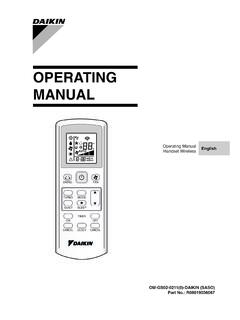
my.daikin.eu• For heat pump unit, the available modes are: AUTO ( ), COOL ( ), DRY ( ), FAN ( ) and HEAT ( ). • The AUTO ( ) mode is unavailable for chilled water system. 6. Automatic air swing • Press the SWING button to activate the automatic air swing function. • To distribute the air to a speci Þ c direction, press the SWING button and wait

R410A Split Series OWNER'S MANUAL
my.daikin.euImproper installation may result in water leakage, electric shocks or f ire. • Install the air conditioner in accordance with the instructions in this installation manual. Improper installation may result in water leakage, electric shocks or fire. • Be sure to use only the specified accessories and parts for installation work.
Manuel d’installation et de maintenance - Daikin
my.daikin.eu1 x Sécurité Daikin Altherma EHS(X/H) Daikin Accumulateur solaire avec appareil interne de pompe à chaleur intégré 008.1420733 – 06/2015
Related documents

Printer User’s Manual
h10032.www1.hp.comThank you for purchasing an HP Photosmart 420 series GoGo Photo Studio! The HP Photosmart GoGo Photo Studio is an innovative pairing of camera and printer in one easy-to-use device. The HP Photosmart 420 series uses HP Real Life technologies, such as red eye removal, to make it easy for you to get better prints with or without a computer.

PULSE OF THE FASHION INDUSTRY - Boston Consulting …
media-publications.bcg.comp. 01 p. 15 p. 03 p. 19 p. 07 p. 20 p. 11 p. 25 introduction priorities to drive fundamental change taking the pulse of the fashion industry endnotes the pulse curve and the roadmap to scale appendix consumer sentiment get in touch content
USER’S GUIDE - Brother
download.brother.comThank you for purchasing the P-touch labeler PT-2030. Your new P-touch labeler is an easy to operate, feature packed labeling system that makes creating professional, high quality labels a breeze. This manual contains various precautions and basic procedures for using this labeler.

Label Printer - Brother
download.brother.comThis application allows you to use a mobile device to download databases and label data, created on a computer with P-touch Editor and saved to a cloud service, and send them to your Label Printer. D017P7001 QL-810W/820NWB Quick Setup Guide (English) Thank you for purchasing model QL-810W/820NWB!

INSTRUCTION MANUAL INSTRUCTION MANUAL
gdlp01.c-wss.comThank you for purchasing a Canon product. The EOS DIGITAL REBEL XTi/EOS 400D DIGITAL is a high- ... (p.10,11) and Handling Precautions (p.12,13). Test the Camera Before Using ... not touch the internal parts due to the possibility of electrical shock.
VEHICLE - Amazon S3
s3-us-west-2.amazonaws.comThank you for purchasing the SiriusXM Onyx Plus with Vehicle Kit! SiriusXM Onyx Plus has these exciting features to enhance your overall experience: • View program and channel information on a full color display featuring album art, channel logos and graphics • Store up to 20 of your favorite channels for one-touch access

VEHICLE - Amazon S3
s3-us-west-2.amazonaws.comFeb 19, 2013 · Thank you for purchasing the XM Onyx EZ with Vehicle Kit! XM Onyx EZ has these exciting features to enhance your overall experience: • Hear SiriusXM through your existing vehicle radio with easy, do-it-yourself installation. • View artist name, song title, and channel information on the large color display.

User Guide - Whirlpool
www.whirlpool.comW10545086A THANK YOU for purchasing this high-quality product. If you should experience a problem not covered in TROUBLESHOOTING, please visit our website at www.whirlpool.com for additional information. If you still need assistance, call us at 1-800-253-1301.

DISHWASHER USER INSTRUCTIONS - Whirlpool
www.whirlpool.comTHANK YOU for purchasing this high-quality product. If you should experience a problem not covered in TROUBLESHOOTING, please visit our website at www.whirlpool.com for additional information. If you still need assistance, call us at 1-800-253-1301. In Canada, visit our website at www.whirlpool.ca or call us at 1-800-807-6777.