
Packet Tracer Modify Your Thing
In the Server-Devices Window click on the Security Camera to expand the device information. Notice the Security Camera is On but not activated. Step 2: Activate the Security Camera. Move the Tablet configuration window out of the way but still visible so that the Packet Tracer workspace is visible.
Download Packet Tracer Modify Your Thing

Information
Domain:
Source:
Link to this page:
Documents from same domain

Packet Tracer - Logical and Physical Mode Exploration
contenthub.netacad.comencounter in Cisco Networking Academy courses will use Logical mode. You can switch between these You can switch between these modes at any time to compare the differences by clicking the Logical (Shift+L) and Physical (Shift+P)

Packet Tracer Configure End Devices
contenthub.netacad.comPacket Tracer – Configure End Devices Objectives Configure various end devices in Packet tracer. Background / Scenario In this activity you will construct a simple Packet Tracer network and complete basic configuration of end devices. Step 1: Launch Packet Tracer. a. Launch Packet Tracer on your PC or laptop computer
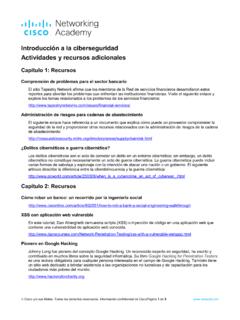
Introducción a la ciberseguridad Actividades y recursos ...
contenthub.netacad.comCisco y/o sus filiales. Todos los derechos reservados. Información confidencial de CiscoPágina 1 de 5 www.netacad.com Introducción a la ciberseguridad . Actividades y recursos adicionales
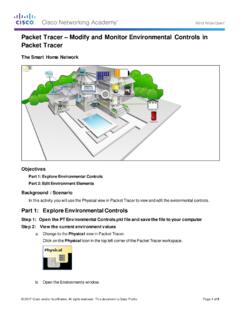
Packet Tracer Modify and Monitor Environmental Controls in ...
contenthub.netacad.comPacket Tracer – Modify and Monitor Environmental Controls in Packet Tracer The Smart Home Network Objectives Part 1: Explore Environmental Controls Part 2: Edit Environment Elements Background / Scenario In this activity you will use the Physical view in Packet Tracer to view and edit the evironmental controls.

Packet Tracer Create a Simple Network Using Packet Tracer
contenthub.netacad.comPart 1: Build a Simple Network in the Logical Topology Workspace Step 1: Launch Packet Tracer. a. Launch Packet Tracer on your PC or laptop computer Double click on the Packet Tracer icon on your desktop or navigate to the directory that contains the Packet Tracer executable file and launch Packet Tracer.
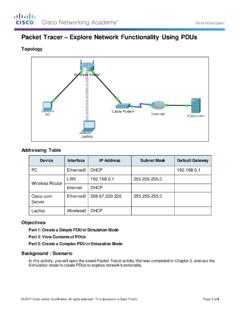
Packet Tracer Explore Network Functionality Using PDUs
contenthub.netacad.comObserve the information in the OSI Model tab. Notice that this is an outbound Layer 3 PDU and the source and destination IPv4 address is shown. Packet Tracer – …

Lab Create a Process Flowchart
contenthub.netacad.comLab – Create a Process Flowchart Objectives Part 1: Recognize Symbols Used in a Flowchart and List Logical Process to Solve a Problem Part 2: Draw the Flowchart to Illustrate the Problem Solving Process Background Flowcharts are diagrams used to represent processes or workflows. Using different shapes, boxes, and

Video Introduction to Packet Tracer
contenthub.netacad.comserver labs, we can see security with AAA, DNS, file servers, secure web browsing, email servers, and even go into IoT registration servers for our IoT devices. For now, we're going to head over to the PC directory, and then the VPN folder. In the VPN folder, there's a VPN Easy file that we can open up.

Lab - Mapping the Internet
contenthub.netacad.comLab - Mapping the Internet © 2018 Cisco and/or its affiliates. All rights reserved. This document is Cisco Public. Page 6 of 12 path, and the return time is measured ...

Packet Tracer Adding IoT Devices to a Smart Home
contenthub.netacad.comof the IoT device window, click the Advanced button. Notice more tabs become visible at the top of the window. Click the I/O Config tab. Change the Network Adapter drop down list to PT-IOT-NM-1W, which is a wireless adapter. f. Configure the Wind Detector for the wireless network.
Related documents
Packet Tracer Configure End Devices
contenthub.netacad.comPacket Tracer – Configure End Devices Objectives Configure various end devices in Packet tracer. Background / Scenario In this activity you will construct a simple Packet Tracer network and complete basic configuration of end devices. Step 1: Launch Packet Tracer. a. Launch Packet Tracer on your PC or laptop computer

Management of Legacy Devices - European Commission
ec.europa.euLegacy Devices are subject to the MDR or IVDR registration requirements with some exceptions such as the assignment of a Basic UDI-DI and a UDI-DI. Even if the assignment of a Basic UDI-DI and UDI-DI is not required for a Legacy Device, in order to keep the

MDCG 2021-13 rev
ec.europa.euLegacy devices: This guidance follows the approach set out in Guidance MDCG 2019-52 according to which ‘legacy devices’ should be understood as devices, which, in accordance with Article 120(3) MDR and Article 110(3) IVDR, are placed on the market after MDR or IVDR dates of application respectively and until 26 May 2024, or
Future Technology Devices International Ltd FT232R USB ...
ftdichip.comthe publication of this document. Future Technology Devices International Ltd, Unit 1, 2 Seaward Place, Centurion Business Park, Glasgow G41 1HH United Kingdom. Scotland Registered Company Number: SC136640 Future Technology Devices International Ltd. FT232R USB UART IC Datasheet The FT232R is a USB to serial UART interface
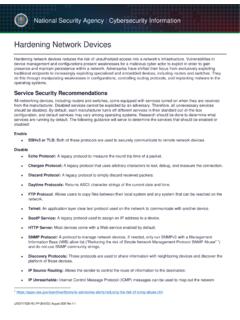
Hardening Network Devices - U.S. Department of Defense
media.defense.govAug 18, 2020 · stability and legacy applications continue to work. Create and enforce the Site Security Policy (SSP) to secure all devices. The SSP should outline roles and responsibilities to manage and monitor devices and services. Each role should only have the lowest privilege access that is required to perform required tasks.

Update Your STARLINK MultimediaSoftware
techinfo.subaru.comLegacy (with 7-inch or 8-inch display) Your Subaru is equipped with over the air “OTA” software update capability. Follow these steps to update your software to improve software performance and functionality. CAUTIONS: • Move the vehicle to an outside location where the engine can be safely started and kept idling during the update process.
Employee Choice Guide for IT - Apple
www.apple.comThe days of monolithic system imaging, complex legacy apps, and disjointed support processes have been replaced by a process centered around the end user that reduces the overall impact for IT. This new model builds on best practices that ... Devices were often preselected, ordered centrally, warehoused until needed, and then distributed to all ...