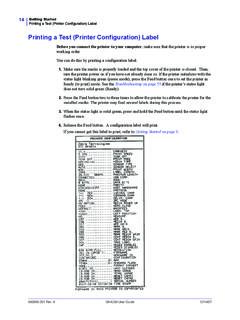
Printing a Test (Printer Configuration) Label
A GK420d User Guide 12/14/07 Printing a Test (Printer Configuration) Label Before you connect the printer to your computer, make sure that the printer is in proper working order. You can do this by printing a configuration label. 1. Make sure the media is properly loaded and the top cover of the printer is closed. Then, turn the printer power ...
Download Printing a Test (Printer Configuration) Label

Information
Domain:
Source:
Link to this page:
Documents from same domain
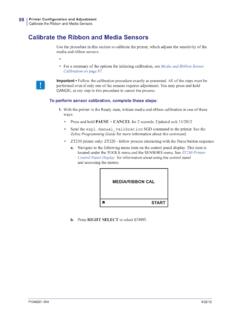
Calibrate the Ribbon and Media Sensors
support.zebra.cominitiate calibration. Printer web page: The calibration procedure can not be initiated through the web pages. See the following web page for settings that are set during sensor calibration: View and Modify Printer Settings > Calibration Important • Do not change these settings unless you are told to do so by Zebra
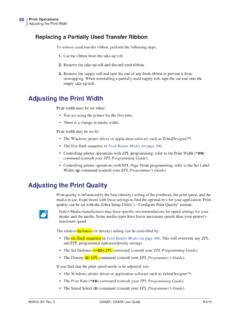
Adjusting the Print Width
support.zebra.comPrint Width Adjustment - Prints a succession of boxes starting at the minimum print width and ending in the printer’s maximum print width in 4mm increments. Press the Feed button once when the printer has reached the desired maximum print width. Note that the printer driver and applications can override this setting. * ** *** **** ***** *****

OCP Error Messages - Zebra Technologies
support.zebra.comISO Specifications. e. Retry writing. 9004 NO MAG STRIPE Magnetic stripe not detected. a. Ensure that you are using the correct card type. b. Check that the cards are loaded ... 17024 LAMINATOR EEPROM DEFAULT The parameters stored in …

Zebra ZP 505™ - Zebra Technologies
support.zebra.comProprietary Statement ... This equipment has been tested and found to comply with the limits for Class B Digital Devices, pursuant to Part 15 of the FCC Rules. These limits are designed to provide ... Telephone: +1 847 634 6700 Toll-free: +1 866 230 9494 Facsimile: +1 847 913 8766

To enable or disable Sleep Mode, send the power.sleep.en ...
support.zebra.comSGD command media.draft_mode (default is “off”), which op-timizes the printer for text-only printing. While in Draft Mode, print speed increases from 4 inches per second (ips) to 5 ips with ap-proximately a 22% reduction in optical density. When a printer is in this user setting, a Draft Mode icon will be displayed. If the
Related documents

Zebra GK420d Label Printer Troubleshooting Guide
referencemanual.aclab.comLabel Printer Troubleshooting Guide p.2 . PRINT QUALITY PROBLEMS . No print on the label • Check to make sure the label roll is loaded correctly. The printed barcode and information does not look right • Clean the printhead using an alcohol wipe. The label is misaligned • Check to make sure the label roll is loaded correctly

Zebra ZD420 Label Printer Troubleshooting Guide
referencemanual.aclab.comLabel Printer Troubleshooting Guide p.2 . PRINT QUALITY PROBLEMS . No print on the label • Check to make sure the label roll is loaded correctly. The printed barcode and information does not look right • Clean the printhead using an alcohol wipe. The label is misaligned • Check to make sure the label roll is loaded correctly
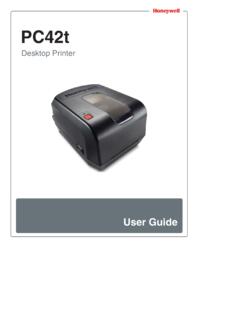
PC42t Desktop Printer User Guide - Honeywellaidc.com
country.honeywellaidc.comChapter 1 — About the Printer 2 PC42t Desktop Printer User Guide About the PC42t Printer The PC42t printer is a lightweight, reliable printer that is easy to use. It is designed to print up to 1000 labels a day. Printer features include: • 203 dpi (8 dots/mm) printing. † print speeds from 2 to 4 ips (inches per second).

PM42 Industrial Label Printer User Manual
country.honeywellaidc.comPM42 Industrial Label Printer User Manual ix Customer Support If you need assistance installing or troubleshooting your product, contact us by using one of these methods: Knowledge Base: www.hsmknowledgebase.com Our Knowledge Base provides thousands of immediate solutions. If the Knowledge Base does not help you solve your problem, log into the

DYMO Label Software User Guide
download.dymo.comThis User Guide provides instructions for DYMO Label Software on the Windows and Macintosh platforms. For the most part, the software operates in the same way on both platforms. Any differences in features, procedures, or commands are noted within the text. Software DYMO Label Software includes many features that ma ke it flexible and easy to ...

LabelWriter Printer User Guide - DYMO
download.dymo.comlabels on the spool and into the printer: • The label spool guide must be pushed flush against the label roll, with no gap. See Figure 2. • The labels must be loaded with the left edge of the label inserted against the left edge of the label feed slot. See Figure 4.

Troubleshooting guide
images-eu.ssl-images-amazon.comTroubleshooting guide HP OfficeJet 6900 Printers - Black or Color Ink Not Printing, Other Print ... On the printer control panel, touch the Ink Level Indicator icon . ... the plastic wrap, the paper label on the top of the ink cartridge tears slightly, which is necessary

Troubleshooting the LabelWriter 4XL Printer
s7d9.scene7.comTroubleshooting the LabelWriter 4XL Printer Labels Do Not Print as Expected If the label does not print as shown in DYMO Label software, make sure the label type and size selected in the software matches the actual labels in the printer. Labels Do Not Feed Correctly If your labels do not feed correctly, check the following: