
Programming and Troubleshooting Guide 1 Mastercode 2
Troubleshooting: Door Jamming and Door Handing The door handing process was not executed during installation. Perform the manual door handing process in the Installation Guide. The hole in the door is misaligned. Disassemble the lock, and reinstall it without the adapter ring on the exterior side of the door. The wrong deadbolt latch is installed.
Download Programming and Troubleshooting Guide 1 Mastercode 2

Information
Domain:
Source:
Link to this page:
Documents from same domain

Installation and User Guide
kwiksetprodstorage.blob.core.windows.netProgramming timeout after five seconds. Attempt programming procedure again. Unsuccessful programming. Keypad flashes red 15 times with 15 beeps* Three incorrect codes entered within one minute. Re-enter code after 60 second keypad lockout. Keypad flashes red with fast beeping sound for three to four seconds. Low battery. Replace batteries.
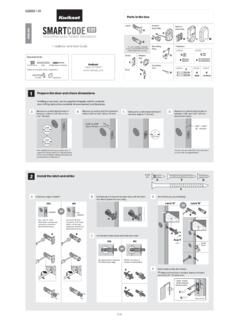
Interior A Assembly ENGLISH F W B Installation and User Guide
kwiksetprodstorage.blob.core.windows.netCAUTION: Prevent unauthorized entry. Since anyone with access to the back panel can change the user codes, you must restrict access to the back panel and routinely check the user codes to ensure they have not been altered without your knowledge. The use of a mastercode can help protect your system’s settings.
Troubleshooting Guide 1 Door Preparation 2
kwiksetprodstorage.blob.core.windows.netHanding, or latch calibration, is the way that the smart lock learns the orientation of your door (left- or right-handed). A1: The first time the battery is inserted, the lock will perform automatic calibration, or “handing.” You will know the handing is taking place when the latch bolt retracts and extends on its own.

Programming and Troubleshooting Guide 1 Mastercode 2
kwiksetprodstorage.blob.core.windows.net1. Keep door open. Press and HOLD the Program button until the keypad flashes green (about 5 seconds). 2. Enter new Mastercode. 3. Press Lock button once. 4. Re-enter Mastercode. 5. Press Lock button once. If programming is successful, the keypad will flash green once with one beep. If programming is unsuccessful, the keypad will flash red ...

Rev 03 Parts List - .NET Framework
kwiksetprodstorage.blob.core.windows.net4 Install exterior assembly A Route the cable below the latch. Insert the torque blade through the horizontal slot in the latch. D G Secure the mounting plate with the supplied screws. IMPORTANT: Hold the exterior assembly on the outside firmly (or have a second

264 Contemporary ENGLISH Electronic Deadbolt
kwiksetprodstorage.blob.core.windows.netIMPORTANT: Make sure the latch bolt is fully retracted (in the unlocked position). A2 Optional: Remove square corner face and replace with round corner face (if needed). Ensure A2 snaps into place. A2 A Install latch in door with supplied screws. 1 / 4 ENGLISH 66882 Rev 02 Installation and User Guide Kwikset Technical Support 1-800-327-5625 www ...

A B C - .NET Framework
kwiksetprodstorage.blob.core.windows.netwant to operate the lock. For new purchases, the current key is the one that was supplied in the box with the purchased lockset. The new key must be the same key type (KW1) as the current key. Consult your local hardware store for more information. Before performing this procedure, make sure the lock is installed on the door. Re-key the lock while
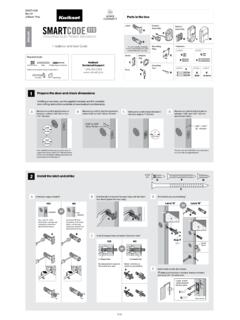
Interior A Assembly F ENGLISH W K L M B Installation and ...
kwiksetprodstorage.blob.core.windows.netand Troubleshooting Guide on the SmartCode 910 page at www.kwikset.com. 2x One green flash with one beep* Three red flashes with three beeps* Two beeps* or or Programming time out. Make sure not to pause for more than 5 seconds during programming. Tip: You can press the Lock button before entering your user code to light up the keypad at night.
Related documents
LS1203 Product Reference Guide - Zebra Technologies
www.zebra.com-01 Rev A 1/2006 Initial release.-02 Rev A 3/2006 Guide format updates. No content changes.-03 Rev A 1/2008 Motorola rebranding, add hands free stand assembly instructions, add new UPC/EAN supplemental options and Bookland ISBN format option.

AT&T Phone Troubleshooting Quick Guide
www.att.comPhone Troubleshooting Quick Guide. If you hear static on the line … This situation could be the result of faulty or missing DSL line filters, or it could be caused by interference from another device. If you hear static on the line … This situation could be …

Infinity Evolution Troubleshooting Guide Rev2
gpsinformation.infoSoftware Revs 3,5,6,8,10, 12 Infinity /Evolution Troubleshooting (Rev. 2) 10-12-2006 6 Intermittent loss of communication If communication errors occur at random intervals, and no system problems can be found by using the troubleshooting …

2021-2022 FIRST Tech Challenge OnBot Java Guide
www.firstinspires.orgREV Robotics Switch, Cable, & Bracket (REV-31-1387). If you are using an approved 12V battery that has an Tamiya connector (like the Tetrix W39057 battery) you will need a >REV Robotics Tamiya to XT30 Adapter Cable (REV-31-1382). If you have a REV Robotics Slim Battery (REV-31-1302) then you will not need this adapter since the REV battery

Zebra GK420d Label Printer Troubleshooting Guide
referencemanual.aclab.comREV.2018.05. If you have any questions, please contact Client Services at 800.800.5655, Option 1. Label Printer Troubleshooting Guide p.2 . PRINT QUALITY PROBLEMS . No print on the label • Check to make sure the label roll is loaded correctly. The printed barcode and information does not look right

Bioanalyzer Maintenance Troubleshooting - Agilent
www.agilent.comMaintenance and Troubleshooting 9 Essential Measurement Practices 1 Tools and Handling Tools and Handling † Always follow the GLP-rules established in the laboratory. † Always wear gloves when handling chips to prevent contamination. † When pipetting sample, use non-filter pipette tips that are of adequate size. Pipette tips that are too large will lead to poor …
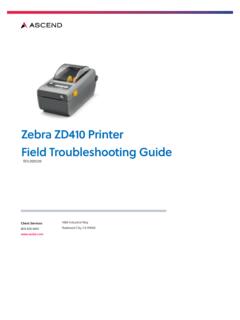
Zebra ZD410 Printer Field Troubleshooting Guide
referencemanual.aclab.comZebra ZD410 Printer Field Troubleshooting Guide REV.2020.09 Client Services 800.800.5655 www.aclab.com 1400 Industrial Way Redwood City, CA 94063

User Guide / Guide de l'utilisateur - EA9200
downloads.linksys.comConnect to the secure wireless name shown in the Quick Start Guide that came with your router. (You can change these details later.) Select the ... Troubleshooting — Lets you diagnose problems with your router and check ... LNKPG-00172 Rev. B00. AC3200 ROUTEUR GIGABIT SANS FIL TRIBANDE GUIDE D'UTILISATION Modèle Nº EA9200. II

Schwintek In-Wall™ Slideout System TROUBLESHOOTING …
www.granddesignrv.comRev: 01.30.2015 Page 4 Lippert In-Wall Troubleshooting Guide Motors and Harnesses 1. Check for proper connections between the motors and harnesses. 2. Visually inspect the exposed harnesses to ensure they are not pinched or damaged. 3. If test harness is available, connect the test harness from the controller to the motor and try to operate
Related search queries
LS1203 Product Reference Guide, Zebra Technologies, GUIDE, AT&T, Troubleshooting, Troubleshooting Guide, OnBot Java Guide, Zebra GK420d Label Printer Troubleshooting Guide, Zebra ZD410 Printer Field Troubleshooting Guide, Zebra ZD410 Printer Field Troubleshooting Guide REV, Slideout System TROUBLESHOOTING