
Quick Start Guide - Asus
Quick Start Guide E14029 Using the TPM-M R2.0 / TPM-L R2.0 card The TPM-M R2.0 / TPM-L R2.0 card securely store keys, digital certificates, passwords, and data. It helps enhance the network security, protects digital identities, and ensures platform integrity. The TPM-M R2.0 / TPM-L R2.0 card only supports the following OS:
Download Quick Start Guide - Asus

Information
Domain:
Source:
Link to this page:
Documents from same domain

MB168B/MB168B+ USB Monitor User Guide
dlcdnets.asus.commonitor cabinet. • If you encounter technical problems with this USB monitor, contact a qualified service technician or your retailer. • This USB monitor is powered by USB port which complies with LPS and SELV circuit according to IEC60950-1:2005.

User Guide - Asus
dlcdnets.asus.comcrystal-clear display, plus a host of features that enhance your viewing experience. With these features, you can enjoy the convenience and delightful visual experience that the monitor brings to you! 1.2 Package contents Check your package for the following items: LCD monitor Monitor base Quick start guide Warranty card Power adapter Power cord
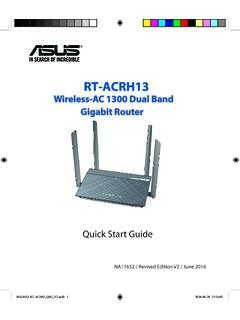
Wireless-AC 1300 Dual Band Gigabit Router - Asus
dlcdnets.asus.com1. Position your wireless router. For the optimal wireless transmission between the wireless router and connect-ed wireless devices, ensure that you: • Place the wireless router in a centralized area for a maximum wireless coverage for the network devices. • Keep the wireless router away from metal obstructions and away from direct sunlight.
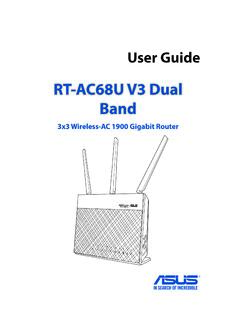
RT-AC68U V3 Dual Band - Asus
dlcdnets.asus.come-mail messages using the 2.4GHz band while simultaneously streaming high-definition audio/video files such as movies or music using the 5GHz band. • Some IEEE 802.11n devices that you want to connect to your network may or may not support 5GHz band. Refer to the device's manual for specifications.
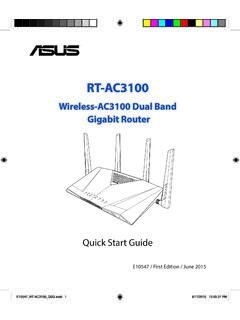
Wireless-AC3100 Dual Band Gigabit Router
dlcdnets.asus.comGUI, refer to the user manual. • Alway check and upgrade firmware to the latest version for better experience. • Visit ASUS Networking video channel for tutorial videos on featured functions. E10547_RT-AC3100_QSG.indd 11 6/17/2015 12:55:33 PM

B250 MINING EXPERT - Asus
dlcdnets.asus.comB250 MINING EXPERT specifications summary (continued on the next page) Package contents Check your motherboard package for the following items. Motherboard ASUS B250 MINING EXPERT motherboard Cables 2 x Serial ATA 6.0 Gb/s cables Accessories 1 x I/O Shield Application DVD 1 x Support DVD Documentation User Guide

ASUS HYPER M.2 X16 Card V2
dlcdnets.asus.comDeutsch ASUSTeK Computer Inc. erklärt hiermit, dass dieses Gerät mit den wesentlichen Anforderungen und anderen relevanten Bestimmungen der zugehörigen Richtlinien übereinstimmt. Der gesamte Text der EU-Konformitätserklärung ist verfügbar unter: Italiano ASUSTeK Computer Inc. con la presente dichiara che questo

Motherboard Pin - Asus
dlcdnets.asus.comMotherboard Pin Definition 1-5 3. USB device wake-up (3-pin USBPWF) Set these jumpers to +5V to wake up the computer from S1 sleep mode (CPU stopped, DRAM refreshed, system running in low power mode) using the connected USB devices. Set to +5VSB to wake up from S3 and S4 sleep modes (no power to CPU, DRAM in slow

ASUS HYPER M.2 X16 Gen 4 Card
dlcdnets.asus.comDeclaration of compliance for product environmental ... EU RoHS This product complies with the EU RoHS Directive. For more details, see ... Full text of EU declaration of conformity is available at: Français AsusTek Computer Inc. déclare par la présente que cet appareil est

Supported Speed DIMM socket support (Optional) Vendors ...
dlcdnets.asus.comJun 25, 2021 · PATRIOT PVR416G413C9K 2x 8GB SS Samsung 19-21-21-41 1.4 4133 4133 ... 5000 G-Series Processors. V-color TL8G41819D-I2PRAAK 8GB …
Related documents

Dell Desktop and Notebooks User's Guide
dl.dell.com• Reference — Computer documentation, details on my computer configuration, product specifications, and white papers. • Downloads — Certified drivers, patches, and software updates. Dell System Software is available on the support site, under the system utilities section. It usually will be named Dell-Utility and

Inspiron 15 3511
dl.dell.comTrusted Platform Module (TPM) security. TPM must be enabled in the BIOS setup program for it to be deployed on the computer. Follow these steps to enable and configure the TPM: 1. Turn on or restart your computer. 2. Press F2 when the Dell logo is displayed on the screen to enter the BIOS setup program. The BIOS setup program is displayed. 3.

Aerohive Security Guide
docs.aerohive.comTPM Security Chip TPM (Trusted Platform Module ) is a standard cryptoprocessor from the Trusted Computing Group consortium for cryptographically securing stored data . Aerohive APs use a TPM security chip to store cryptographic keys securely

Dell EMC PowerEdge VRTX Technical Guide
i.dell.comTrusted Platform Module (TPM) The TPM is used to generate/store keys, protect and authenticate passwords, and create/store digital certificates. It also supports the Intel Xeon TXT functionality. TPM can also be used to enable the BitLocker™ hard drive encryption feature in Windows Server 2008. TPM 1.2 is supported. No