
Quick Start Guide - Sophos
Mount the antennas (for wireless models only) Connect the provided antennas to the connectors on the back of your appliance and align them in a vertical position. Connect the ports to the internal and external networks 1.Connect the port 1/LAN via a switch to the internal network. For this purpose, use the RJ45 Ethernet cable provided.
Download Quick Start Guide - Sophos

Information
Domain:
Source:
Link to this page:
Documents from same domain

SSL VPN User Guide Version 10 - docs.sophos.com
docs.sophos.comCyberoam SSL VPN User Guide 7 Introduction A Virtual Private Network (VPN) is a network that uses public telecommunication infrastructure, such as the Internet, to provide remote offices or traveling users with access to a central
Cyberoam SSL VPN User Guide - iNG Series
docs.sophos.comCyberoam SSL VPN User Guide . Cyberoam SSL VPN User Guide Page 2 of 55 Important Notice Cyberoam Technologies Pvt. Ltd. has supplied this Information believing it to be accurate and reliable at the time of printing, but ... Client Configuration for SSL VPN : ...
User Portal - Sophos
docs.sophos.comDec 14, 2020 · User authentication can be performed using a local database, Active Directory, LDAP, RADIUS, TACACS, eDirectory, NTLM or a combination of these. The Device also supports Single Sign On (SSO) for transparent authentication, whereby Windows credentials can be used to authenticate and a user has to sign in only once to access network resources.

APX 320X - Operating instructions - Sophos
docs.sophos.comThese operating instructions will help you set up your Sophos Central account, ... Please note: Support for the APX 320X will be added in maintenance releases for SFOS v18.x and UTM 9.x at a later date. Please check https://community.sophos. com/kb/en-us/124444 for the …

Managed Threat Response - Sophos
docs.sophos.comJan 01, 2021 · a new OODA Loop is initiated with the previously gathered indicators serving as the new basis for the investigation. If enough information has been gathered, enabling the analyst to answer the key questions in the Decide phase, then the analyst will move forward and take the necessary actions. 5
Sophos XG Firewall Virtual Appliance
docs.sophos.comNov 05, 2021 · VMware vSphere Client. Note In this guide, we are using VMware vSphere client to connect to the ESX/ESXi host server on which the OVF template is to be deployed. a) Go to File > Deploy OVF Template to open the downloaded .ovf file in the vSphere Client. b) Select the sf_virtual file and click Open. 3. To deploy the OVF template:

Operating instructions - SD-RED 20 / SD-RED 60 - Sophos
docs.sophos.comConnecting devices to the SFP port Both SD-RED models provide an SFP port which can be used to connect the unit to the local router/cable modem or other set-top box via fiber or other standard SFP mini-GBICs (transceivers). This port is a combo port shared with the WAN1 port. Therefore, you can only use one of these ports at any time.
Sophos XG Firewall Web Reference and Admin Guide
docs.sophos.comThe log on procedure authenticates the user and creates a session with the Device until the user logs-off. To get the login window, open the browser and type LAN IP Address of the device in browser’s URL box. A dialog box appears prompting you to enter username and password. Below are the screen elements with their description: Username

Administration Guide - SophosUTM
docs.sophos.com4.9SNMP 89 4.9.1Query 89 4.9.2Traps 90 4.10CentralManagement 92 4.10.1SophosUTM Manager 92 4.11SophosMobileControl 94 4.11.1General 95 4.11.2ComplianceOverview 96
Sophos XG Firewall
docs.sophos.comNov 05, 2021 · Chapter 1 1 Introduction Sophos XG Firewall combines the best of both Astaro and Cyberoam technologies, delivering an unprecedented …
Related documents
TELSTRA GATEWAY PRO ™ USER GUIDE
www.telstra.com.auTELSTRA GATEWAY PR™ USER GUIDE 8 1.4.2. Getting to know the back panel Back Panel LED & port description LED Activity Description DSL port None The DSL port is connected for ADSL and VDSL connections FXO port None N/A FXS1 port None Plug an analogue phone / device into this port when voice is enabled on the Gateway
N300 Wireless Gigabit Router Setup Manual
www.downloads.netgear.comJune 2010 208-10443-03 v1.0 NETGEAR, Inc. 350 E. Plumeria Drive San Jose, CA 95134 USA N300 Wireless Gigabit Router Setup Manual
5G Implementation Guidelines - GSMA
www.gsma.comxDSL x Digital Subscriber Line References Ref Title [1] GSMA PRD IR.92, IMS Profile for Voice and [2] “BEREC Report on infrastructure sharing”, BEREC 2018. [3] GSMA PRD IR.65, IMS Roaming and Interworking Guidelines [4] Guidelines GSMA PRD NG.113, 5GS Roaming Note: Document will be available in Q4/2019 [5]

Wireless DSL Gateway - Verizon
www.verizon.comWireless DSL Gateway User Manual 1 Introduction 1.0 Introduction 1.1 System Requirements 1.2 Features 1.3 Important Safety Instructions 1.4 Getting to Know the Gateway 2 Performing a Quick Setup 2.0 Introduction 2.1 Accessing Quick Setup Screens 2.2 Changing the Password 3 Viewing the Gateway’s Status ...
AT&T Internet Wi-Fi® Gateway Self-installation Guide ...
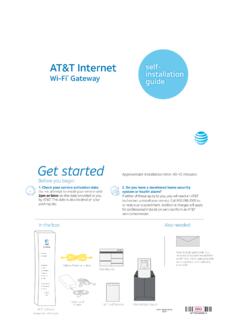
www.att.comWi-Fi Gateway’s DSL Broadband port to your wall jack. B. Connect the yellow Ethernet cable from the ONT port to the Wi-Fi Gateway’s red ONT Broadband port. C. Connect the other yellow Ethernet cable from the . Wi-Fi Gateway’s Ethernet port to your computer. D. Plug the power cord into the Wi-Fi Gateway and into an electrical outlet.
AT&T Internet Wi-Fi Gateway Self-installation guide ...
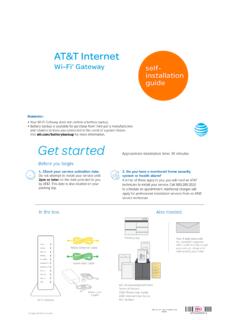
www.att.comConnect the green data cable from the Wi-Fi Gateway’s DSL Broadband port to your wall jack B. Connect the yellow Ethernet cable from one of the Wi-Fi Gateway’s Ethernet ports to your computer C. Plug one end of your phone cable into the Wi-Fi Gateway’s Phone Lines 1 & 2 port and the other end into a standard phone or cordless base station D.
SR400ac Gateway User Manual - Zzoomm
zzoomm.comThe red RJ45 port labeled WAN is used to hard-wire your SR400ac gateway to another network device using a RJ45/Ethernet cable. USB The two USB ports on your 400AC gateway (2.0 port on the back and 3.0 on the left side) are used to connect USB storage devices to your gateway for transferring data. They also provide +5 VDC for charging other devices.