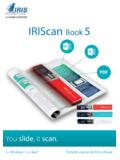
Quick User Guide - irislink.com
Quick User Guide – IRIScan TM Book 5 3. Use the Up/DPI and JPG/PDF/Multi-PDF/Down arrows to select the SD card option. 4. Press the Scan/Power/Enter button. 5. Press the Scan/Power/Enter button and start scanning. When finished, press the …
Download Quick User Guide - irislink.com

Information
Domain:
Source:
Link to this page:
Documents from same domain

Multi-channel capture made easy! - IRISLINK.COM
www.irislink.comMulti-channel capture made easy! Scan, structure, sort, index, OCR, convert and export all your documents as fully searchable electronic files
Readiris Pro 16 - The World leader in OCR, PDF and ...
www.irislink.comReadiris ™ Pro 16 Convert and edit your documents instantly. Readiris™ Pro 16 is a powerful OCR solution designed for private users and self-em-ployed workers.
IRIScan Express 4 - Capture Tool - IRISLINK.COM
www.irislink.com1. Introduction With the Capture Tool, you can perform simple scans and view the captured images. On a Windows PC: 1. Start the Capture Tool from Start>All Programs>IRIScan Express 4 Scanner.
Table of Contents 1. Check the Accessories 2. …
www.irislink.comEnglish English 3 1. Check the Accessories 2. Prepare the Scanner Insert the included batteries 1. Open the battery compartment as shown in the image.

Readiris 15 - IRISLINK.COM
www.irislink.comReadiris 15 RI_15_dgi_05022015_03 . Welcome to the Readiris documentation. The aim of this documentation is to help you get up to speed with using Readiris.
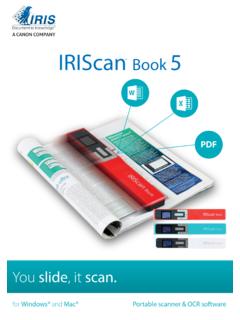
IRIScan Book - irislink.com
www.irislink.com1 Guide de démarrage rapide – IRIScan™ Book 5 Ce guide de démarrage rapide a pour but de vous aider dans l’installation et la mise en route du scanner
IRIScan Book - IRIS - The World leader in OCR, PDF …
www.irislink.comYou slide, it scan. for Windows® and Mac® Portable scanner & OCR software IRIScan ™ Book 5 PDF
IRIScan Wifi - IRIS - The World leader in OCR, PDF …
www.irislink.comYou slide, it scan. for Windows®, Mac®, iOS and Android™ Portable scanner & OCR software IRIScan ™ Book 5 Wifi PDF
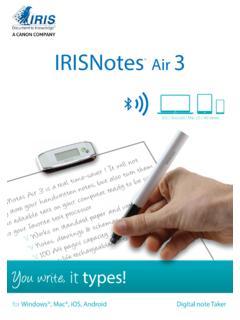
IRISNotes Air 3 - IRISLINK.COM
www.irislink.com1 Quick User Guide – IRISNotes TM Air 3 This Quick User Guide helps you get started with IRISNotes TM Air 3. The descriptions in this documentation are based on the Windows® 10, Mac® OS X Sierra, iOS 9.3.2 and
IRIScan Anywhere 5 Wifi - IRISLINK.COM
www.irislink.com2 Quick User Guide – IRIScan TM Anywhere 5 Wifi FCC Statement Warning: Changes or modifications to this unit not expressly approved by the party responsible for
Related documents

SMC Flex Quick Start - Rockwell Automation
literature.rockwellautomation.comThe Quick Start guide assumes the installer is a qualified person with previous experience and basic understanding of electrical terminology, configuration procedures, required equipment, and safety precautions. ... TM Esc Sel. A C. 6. SMC™ Flex Quick Start. Power Wiring.

QUICK START GUIDE
static.helpjuice.comMicroSDTM cards (up to 32GB) may be purchased separately. NOTE: Power off the device before opening the back cover to install a microSD or replace the NANO SIM card. Step 1. With the device facing down, remove the back cover from the bottom left corner. Use your fingernail to carefully lift the cover away from the device body. Step 2.

Quick Start Bradford Protein Assay - Bio-Rad Laboratories
www.bio-rad.comThe Quick Start Bradford protein assay is a simple and accurate procedure for determining the concentration of protein in solution. It provides ready-to-use convenience by supplying the dye reagent at 1x concentration and two protein assay standards at seven prediluted concentrations. The prediluted standards are conveniently packaged in
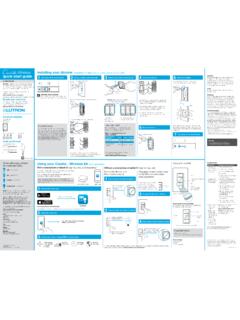
Wireless Installing your dimmer Installation for lights ...
www.casetawireless.comOFF ON x3 x2 Hold for 6 seconds until LEDs start blinking quick-start guide In-wall dimmer Welcome—and thank you for purchasing a Caséta TM Wireless in-wall dimmer.
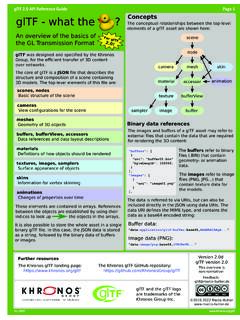
glTF 2.0 Quick Reference Guide Page 1 glTF a e TM T ...
www.khronos.orgEdit the background color only on the Master A Page! Field values are in this area on page 1. glTF 2.0 Quick Reference Guide Page 2 Rev. 0119 www.khronos.org/gltf ees"

QUICK REFERENCE GUIDE MAYTAG ELECTRIC/GAS DRYER
www.maytag.comQUICK REFERENCE GUIDE ... Touch START/PAUSE during a cycle to pause it. Touch again to resume. 5 CYCLE MODIFIERS (Not all modifiers are available on all cycles. See cycle guide for more information.) ... Extra Power. or .. * ® • • • • • TM TM (Timed Dry/Quick Dry ® . ...

2-BASKET AIR FRYER QUICK START GUIDE - NinjaKitchen.com
www.ninjakitchen.com8 NINJA® FOODI® 2-BASKET AIR FRYER ninjakitchen.com 9 Air Fry Cooking Chart *After cutting potatoes, allow raw fries to soak in cold water for at least 30 minutes to remove unnecessary starch. Pat fries dry.
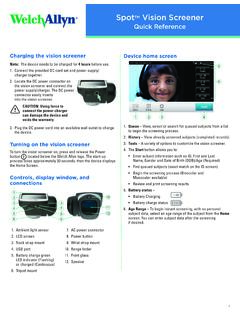
Spot Vision Screener-Quick Reference Guide - Hillrom
www.welchallyn.comSpot TM Vision Screener–Quick Reference 4 System freeze If the vision screener locks up and becomes unresponsive to the touch, perform a hard system reset. CAUTION: This procedure may cause some data loss (for example any printer configuration or subject information).