
R Data Import/Export
The easiest form of data to import into R is a simple text file, and this will often be acceptable for problems of small or medium scale. The primary function to import from a text file isscan, and this underlies most of the more convenient functions discussed in …
Download R Data Import/Export

Information
Domain:
Source:
Link to this page:
Documents from same domain
Package ‘segmented’ - R
cran.r-project.orgPackage ‘segmented’ November 30, 2017 Type Package Title Regression Models with Break-Points / Change-Points Estimation Version 0.5-3.0 Date 2017-11-22
gap: Genetic Analysis Package - R
cran.r-project.org2 gap: Genetic Analysis Package from patients su ering with di erent diseases to identify common genetic variations for each condition. It is hoped that by identifying these genetic signposts, researchers will
Package ‘season’ - R
cran.r-project.orgPackage ‘season’ May 20, 2018 Type Package Title Seasonal Analysis of Health Data Version 0.3.6 Author Adrian Barnett and Peter Baker Maintainer Adrian Barnett <a.barnett@qut.edu.au>

Package ‘medicalrisk’ - The Comprehensive R …
cran.r-project.orgPackage ‘medicalrisk’ ... 2016 Type Package Title Medical Risk and Comorbidity Tools for ICD-9-CM Data Version 1.2 Date 2016-01-23 Description Generates risk estimates and comorbidity flags from ICD-9-CM ... Adapting a clinical comorbidity index for use with ICD-9-CM administrative data: differing perspectives. Journal of clinical ...
Package ‘testthat’ - R
cran.r-project.orgPackage ‘testthat’ December 13, 2017 Title Unit Testing for R Version 2.0.0 Description Software testing is important, but, in part because it is
Package ‘forecast’ - The Comprehensive R Archive …
cran.r-project.orgPackage ‘forecast’ June 21, 2018 Version 8.4 Title Forecasting Functions for Time Series and Linear Models Description Methods and tools for displaying and analysing
Package ‘emma’ - R
cran.r-project.org2 emma-package Index 21 emma-package Designing experiments for process optimization Description The evolutionary model-based multiresponse approach (EMMA) is a procedure for process opti-
Package ‘WeibullR’ - cran.r-project.org
cran.r-project.orgPower" presentations in Appendix D of "The New Weibull Handbook, Fifth Edition". For validity of a 3rd parameter optimization on a given model over its 2 parameter fit, only the Likelihood Ratio Test will be applied. This validity check requires an LRT-P greater than 50 Value
Package ‘maps’ - R
cran.r-project.orgPackage ‘maps’ April 3, 2018 Title Draw Geographical Maps Version 3.3.0 Date 2018-04-03 Author Original S code by Richard A. Becker and Allan R. Wilks.

Package ‘psycho’ - The Comprehensive R Archive Network
cran.r-project.orgPackage ‘psycho’ September 13, 2018 Type Package Title Efficient and Publishing-Oriented Workflow for Psychological Science Version 0.3.7 Maintainer Dominique Makowski <dom.makowski@gmail.com>
Related documents
Data Import
databricks.comDatabricks Data Import How-To Guide Databricks is an integrated workspace that lets you go from ingest to production, using a variety of data sources. Databricks is powered by Apache® Spark™, which can read from Amazon S3, MySQL, HDFS, Cassandra, etc. In this How-To Guide, we are focusing on S3, since it is very

Reading Delimited Text Files into SAS®9
support.sas.comUsing Informats with Data that Contains Delimiters If your data is longer than the default length, you need to use informats. For example, date or time values, names, and addresses can be longer than eight characters. In such cases, you either need to add an INFORMAT statement to the DATA step or add informats directly in the INPUT statement.
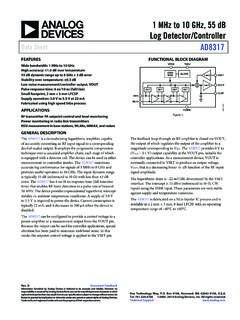
1 MHz to 10 GHz, 55 dB Log Detector/Controller Data Sheet ...
www.analog.comData Sheet AD8317 Rev. D | Page 5 of 19 ABSOLUTE MAXIMUM RATINGS Table 2. Parameter Rating Supply Voltage, V POS 5.7 V V SET Voltage 0 V to V POS Input Power (Single-Ended, Referenced to 50 Ω) 12 dBm Internal Power Dissipation 0.73 W θ JA 55°C/W Maximum Junction Temperature 125°C Operating Temperature Range −40°C to +85°C
Stata: Software for Statistics and Data Science | Stata
www.stata.comimport delimited reads in text data where each data point is separated by a delimiter character. The two most common types of text data to import are comma-space-value (.csv) text files and tab-separated text files. import delimited can automatically detect either a comma or a tab as the delimiter. To import your data, type
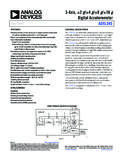
3-Axis, ±2 Data Sheet ADXL345 - Analog Devices
www.analog.com3 Bandwidth is the −3 dB frequency and is half the output data rate, bandwidth = ODR/2. 4 The output format for the 3200 Hz and 1600 Hz ODRs is different than the output format for the remaining ODRs. This difference is described in the Data …

Data import with the tidyverse : : CHEAT SHEET
raw.githubusercontent.comOne of the first steps of a project is to import outside data into R. Data is o!en stored in tabular formats, like csv files or spreadsheets. The front page of this sheet shows how to import and save text files into R using readr. The back page shows how to import spreadsheet data from Excel files using readxl or Google Sheets using googlesheets4.
How Do Exchange Rates Affect Import Prices? Recent ...
www.usitc.govdata for 1999 to 2008, the paper estimates exchange rate pass-through to U.S. import prices for all imports excluding oil, and consumer goods, and for imports fro m Japan, the European Union (EU), Canada, and the

DATA PREPARATION FOR GEPHI: STEP BY STEP
humnviz.blogs.bucknell.eduClick “Data Laboratory.” Then click on “Import Spreadsheet” under the Data Table tab. 2. Choose the Kung I-Chi_Nodes.csv file to import. Make sure you choose “Nodes table” in the “As table” dropdown list. Follow the prompts to finish importing. 9 . …

The End of Day process transmits your shipment …
www.ups.comExport Shipment Data Export Shipment Data using the Import/Export Wizard 5. The Select a File window appears. Browse to and select your data file. Click the Open button. 6. The Import/Export Wizard – Connect Data to WorldShip – Step 3 of 5 window appears again and shows the Datasource Type as determined by the Import/Export Wizard