
Remote OPC DA Quick Start Guide (DCOM)
When remote OPC connections are required, selecting System Service Mode produces the most predictable results. The Runtime is started when the system starts and does
Download Remote OPC DA Quick Start Guide (DCOM)

Information
Domain:
Source:
Link to this page:
Documents from same domain
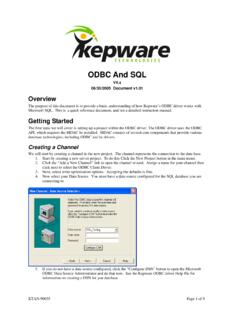
Kepware's KEPServerEX ODBC and SQL
www.kepware.comODBC And SQL V4.x 06/30/2005 Document v1.01 Overview The purpose of this document is to provide a basic understanding of how Kepware’s ODBC driver works with

KEPServerEX - Kepware
www.kepware.comlogic, and math functions for operational communications and analysis. It can link two data tags, set a trigger based on logical states, and calculate new values from raw measures. Executing math, logic, or analysis at the connectivity platform level brings data closer to …

KEPServerEX Client Connectivity Guide for Rockwell ...
www.kepware.comRockwell Software’s FactoryTalk View Studio . 11. Once the HMI starts, it should appear as shown below. Changing data should be visible in the numeric displays. Note: The indirect tag display updates slightly slower than the direct tag display. This is because the indirect tag display must update the FactoryTalk
TIA Portal Exporter Plug-In Help - Kepware
www.kepware.comTIA€Portal€ExporterUtility TableofContents TIA€Portal€ExporterUtility 1 TableofContents 2 TIA€Portal€ExporterUtility 3 InstallTIAPortalExporter 4 UserGuide 5 ... Unable to access the Openness API. The current user is not a member of the Siemens TIA Openness group. ErrorType: Warning
Secure KEPServerEX Deployment - Kepware
www.kepware.comconfiguring user groups and users in a “least privilege” fashion. Finally, the administrator should log out or restart the computer to ensure user permissions are set correctly. 5.1 Application Data User Permissions 5.1.1 Configure the appropriate permissions on the KEPServerEX Application Data directory. This

OPC UA Client and Server Connections - Kepware
www.kepware.comPage 6 of 9 | OPC UA Client and Server Connections EASY UIDE Step 3: Exchange security certificates between the OPC UA client and server Note: Skip this step if “None” was selected in the Security Policies section of the Endpoint dialog in Step 1. If the OPC UA client does not prompt you to exchange certificates with KEPServerEX

KEPServerEX and Microsoft Azure IoT Hub - Kepware
www.kepware.com9. To verify the IoT device has bee n successfully created, find it listed below the Azure IoT Hub extension in the Explorer tree view. 10. The Connection String is part of the Device Info displayed in the Output window in Visual Studio Code. Review the Connection String created for the device and record the following pieces of

OPC UA Configuration Manager - Kepware
www.kepware.comOPC UA Configuration Manager The OPC UA Configuration Manager assists users in administering the UA server configuration settings. OPC UA's security requires that all endpoints participating in UA communication do so over a secure con-nection. To comply with this security requirement, each UA server instance and UA client instance must
Related documents

KRONOS Remote Access Instructions v3 - UW Blogs Network
blogs.uw.eduKRONOS Remote Access Instructions v3.00 . ... 4. If this icon does not appear in the system tray, click on the Start button that is displayed on the screen where it notates Client Application Sessions -Network Connect. 5. ... 5/10/2013 10:30:36 AM ...
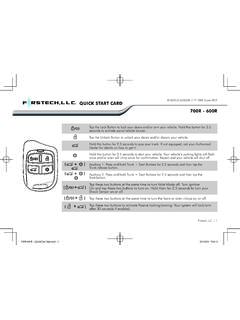
QUICK START CARD 700R - 600R - Compustar | Remote …
www.compustar.coma remote start, your doors will lock when you press the foot brake. If you have an alarm and optional LED(s) installed, it will flash once a second if armed. If your alarm is triggered then the LED(s) will flash ... 700R-600R _QuickCard line.indd 2 2013/6/6 9:02:11.

Installation guide - ecobee
www.ecobee.comRemote Sensor and stand Power Extender Kit (optional) Large trim plate Screws and drywall plugs Information booklets Double-sided adhesives wire labels Installation Guide Quick Start Guide. 5 A B A B Phillips screwdriver Drill for mounting anchors with 3⁄₁₆ inch drill bit Items you’ll need Tip: Review all the instructions before you ...
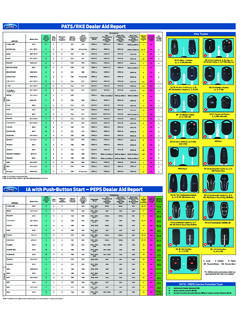
PATS/RKE Dealer Aid Report
www.fordservicecontent.comexpedition 2009-2013 a 8 2 yes 10 seconds pats #4 pats #1 pats #2 pats #3 3 n/a 6 explorer 2011-2013 b 8 2 yes n/a pats #4 pats #1 pats #2 pats #3 3,5 no 4 f-150 2011-2013 b 8 2 yes n/a pats #4 pats #1 pats #2 pats #3 3,4 yes 4 “f-series super duty” 2011-2013 b 8 2 yesn/a pats #4 pats #1 pats #2 pats #3 3,4 4
ROOM AIR CONDITIONER WALL MOUNTED TYPE
www.fujitsu-general.comAnd you can't use both wired remote controller and wireless remote controller simultaneously. (Only one kind can be selected) WIRED REMOTE CONTROLLER (OPTION) 99315345318-03_OM.indb 2315345318-03_OM.indb 2 22/26/2013 11:12:54 AM/26/2013 11:12:54 AM
GENUINE REMOTE ENGINE START - Mazda USA
www.mazdausa.com1. Remote Engine Start features z The Remote Engine Start allows the user to start the engine of a vehicle from a remote location using a remote control. z The user can turn on the air conditioner / heater beforehand so the cabin of the vehicle can be cooled or heated ahead of time.

Remote Door Lock/Unlock - Mopar
www.mopar.comRemote Door Lock/Unlock Lock, or unlock, your vehicle from virtually anywhere using your computer or smartphone App. Description The Remote Door Lock/Unlock feature provides you the ability to lock or unlock the door on your vehicle, without the keys and from virtually any distance. You can send a request to your vehicle in one of three ways:
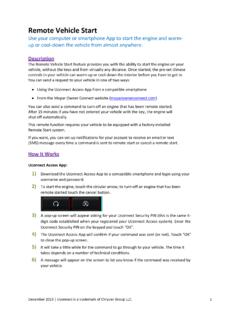
Remote Vehicle Start - Mopar
www.mopar.comRemote Vehicle Start Use your computer or smartphone App to start the engine and warm- up or cool-down the vehicle from almost anywhere. Description The Remote Vehicle Start feature provides you with the ability to start the engine on your vehicle, without the keys and from virtually any distance. Once started, the pre-set climate