
Remote OPC DA Quick Start Guide (DCOM) - Kepware
account. In this example, local and remote permissions are enabled. 19. Repeat the process for all accounts that have been added. Click OK. 20. Select Customize in the Access Permissions group. Here, users and groups can be granted permissions to make calls to the OPC server. These calls include browsing
Download Remote OPC DA Quick Start Guide (DCOM) - Kepware

Information
Domain:
Source:
Link to this page:
Documents from same domain
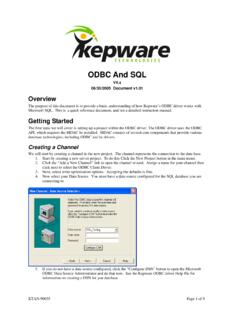
Kepware's KEPServerEX ODBC and SQL
www.kepware.comODBC And SQL V4.x 06/30/2005 Document v1.01 Overview The purpose of this document is to provide a basic understanding of how Kepware’s ODBC driver works with

KEPServerEX - Kepware
www.kepware.comlogic, and math functions for operational communications and analysis. It can link two data tags, set a trigger based on logical states, and calculate new values from raw measures. Executing math, logic, or analysis at the connectivity platform level brings data closer to …

KEPServerEX Client Connectivity Guide for Rockwell ...
www.kepware.comRockwell Software’s FactoryTalk View Studio . 11. Once the HMI starts, it should appear as shown below. Changing data should be visible in the numeric displays. Note: The indirect tag display updates slightly slower than the direct tag display. This is because the indirect tag display must update the FactoryTalk
TIA Portal Exporter Plug-In Help - Kepware
www.kepware.comTIA€Portal€ExporterUtility TableofContents TIA€Portal€ExporterUtility 1 TableofContents 2 TIA€Portal€ExporterUtility 3 InstallTIAPortalExporter 4 UserGuide 5 ... Unable to access the Openness API. The current user is not a member of the Siemens TIA Openness group. ErrorType: Warning
Secure KEPServerEX Deployment - Kepware
www.kepware.comconfiguring user groups and users in a “least privilege” fashion. Finally, the administrator should log out or restart the computer to ensure user permissions are set correctly. 5.1 Application Data User Permissions 5.1.1 Configure the appropriate permissions on the KEPServerEX Application Data directory. This

OPC UA Client and Server Connections - Kepware
www.kepware.comPage 6 of 9 | OPC UA Client and Server Connections EASY UIDE Step 3: Exchange security certificates between the OPC UA client and server Note: Skip this step if “None” was selected in the Security Policies section of the Endpoint dialog in Step 1. If the OPC UA client does not prompt you to exchange certificates with KEPServerEX

KEPServerEX and Microsoft Azure IoT Hub - Kepware
www.kepware.com9. To verify the IoT device has bee n successfully created, find it listed below the Azure IoT Hub extension in the Explorer tree view. 10. The Connection String is part of the Device Info displayed in the Output window in Visual Studio Code. Review the Connection String created for the device and record the following pieces of

OPC UA Configuration Manager - Kepware
www.kepware.comOPC UA Configuration Manager The OPC UA Configuration Manager assists users in administering the UA server configuration settings. OPC UA's security requires that all endpoints participating in UA communication do so over a secure con-nection. To comply with this security requirement, each UA server instance and UA client instance must
Related documents

UTM - Remote Access via IPsec
lists.astaro.comFirst, you configure the UTM to allow remote access. Then, you enable the User Portal of the UTM for the remote access users. The User Portal offers the free Sophos SSL VPN Client software for Windows, including the configuration, the necessary keys, and a configuration guide for remote access users.

Selecting and Hardening Remote Access VPN Solutions
media.defense.govSep 28, 2021 · Selecting and Hardening Remote Access VPN Solutions Virtual Private Networks (VPNs) allow users to remotely connect to a corporate network via a secure tunnel. Through this tunnel, users can take advantage of the internal services and protections normally offered to on-site users, such as email/collaboration

Load Balancing Microsoft Remote Desktop Services
pdfs.loadbalancer.orgAug 09, 2019 · Remote Desktop Services can be used to provide: Access to full remote desktops- this can be either session-based or VM-based and can be provided locally from PC’s, laptops & thin clients or from virtually anywhere using mobile devices Access to applications - RemoteApp can be used to provide users with access to applications running on RD
User Guide Remote Access to VDI/Workplace Using RSA
www.energy.govU. S. Department of Energy | Remote Access to VDI/Workplace Using RSA 5 3 VDI/Workplace Logon instructions using RSA from PC or Mac 1. In the web browser, type https://mydesktop.doe.gov/ and press Enter. 2. Select Access VDI/Workplace using your RSA token to go to the RSA logon page. Enter the following information. a.
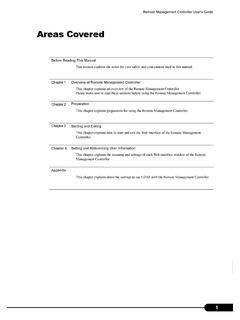
Remote Management Controller User's Guide - Fujitsu
www.fujitsu.comThe Remote Management Controller adds the Remote Service Board (RSB) function to the Baseboard Management Controller (BMC) on the baseboard (On Board). It enables status confirmation and setting of a remotely located server, and also power control. This section describes the Web interface to access the Remote Management
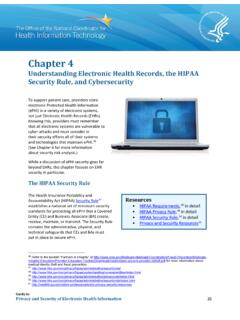
Privacy and Security Guide - Office of the National ...
www.healthit.govthe policies and procedures for its use that protect ePHI and control access to it. 3. Organizational Standards. 55 – These standards require a CE to have contracts or other arrangements with BAs that will have access to the CE’s ePHI . The standards provide the specific criteria required for written contracts or other arrangements. 4.

User Manual - Logitech
www.logitech.comThe Harmony 700’s Remote Assistant appears on the remote screen when you disconnect the remote after syncing, and when you start an Activity. It guides you through the Activity. For example, when you select the Watch TV Activity, the Remote Assistant asks you if the TV is on and if the other devices in the Activity are configured properly.