
RFID Programming Guide 3 - Zebra Technologies
An RFID printer encodes (writes) information on ultra-thin HF or UHF RFID transponders that are embedded in “smart” labels, tickets, and tags. The printer encodes the information; verifies proper encoding; and prints bar codes, graphics, and/or text on the label’s surface. The RFID transponder is sometimes called the RFID tag or an inlay.
Download RFID Programming Guide 3 - Zebra Technologies

Information
Domain:
Source:
Link to this page:
Documents from same domain

NOTICE OF EXPANSION - Zebra Technologies
www.zebra.comPSUs that serve as the power source for ZP models of Zebra printers ... http://www.zebra.com/power-supply-recall. ... It is strongly recommended that …

LS1203 Product Reference Guide - Zebra …
www.zebra.comASCII Character Set for USB ... The LS1203 Product Reference Guide provides general instructions for setting up, operating, maintaining, and

LS2208 PRODUCT REFERENCE GUIDE - Zebra …
www.zebra.comvi LS2208 Product Reference Guide ... ASCII Character Set ..... 5-16 Chapter 6: RS-232 Interface Introduction ...

ZC300 Card Printer - zebra.com
www.zebra.commost sensitive data during printing, such as account numbers. BOOST VALUE WITH NEW CAPABILITIES ... GLOBAL CONTACT DIRECTORY AT WWW.ZEBRA.COM/CONTACT. ... ZC300 CARD PRINTER FOR NORTH AMERICA, EUROPE, MIDDLE EAST AND AFRICA ZC300 Card Printer Specifications Continued on back MEDIA SPECIFICATIONS …

ZXP Series 9 Retransfer Card Printer Spec Sheet
www.zebra.comZXP Series 9 Retransfer Card Printer PAIRING OUTSTANDING PRINT QUALITY WITH THE FASTEST PRINT SPEEDS IN THE INDUSTRY Extending Zebra’s line of card printers, the ZXP Series 9™ is a retransfer card printer specifically engineered for high-security applications.

2022 HOSPITAL VISION STUDY - Zebra Technologies
www.zebra.comdynamic staff workflows 83% ... them with digital solutions that increase the accuracy of patient ... Enriching Staff Communications

3 Overlook Point - Zebra Technologies
www.zebra.com3 Overlook Point Lincolnshire, IL 60069 USA T: +1 847 634 6700 F: +1 847 913 8766 www.zebra.com Zebra Technologies Announces ARM® mbed™ IoT Starter Kit for Zatar IoT Starter Kit To Use Atmel®/ SMART Xplained board and kit

ZT200 Series Parts Catalog - Zebra Technologies
www.zebra.comAmericas Customer Service +01 877‐275‐9327 Page 1 November 29, 2017 ZT200 Series Parts Catalog _____ Outer Casing Components Item Number Description Part Number

ZT400 Series Parts Catalog - Zebra Technologies
www.zebra.comZT400 Series Parts Catalog _____ Replacement Components for Media Rewind Options Item Number Description Part Number Quantity 1 Media Guard for Media Rewind Spindle ZT400 Series P1058930-057 1 2 Media Rewind Spindle (includes Motor and PCBA) ZT410 (This item is only for replacing an existing media rewind spindle on a printer that shipped from ...

Technical Paper: Zebra ZXP Series 3 Linux Printer Driver
www.zebra.comA Zebra Technologies Technical Paper 2 ... language/format of the printer via a series of filters. In this implementation, the CUPS filter converts the document from raster format to a Card printer family specific format. ... required to convert that job into something the printer understands. CUPS includes filter programs for many common ...
Related documents

DYMO Label User Guide
download.dymo.comTapeLabels 13 InsertTab 13 LabelObjects 15 ClipArt 15 AddressBookTab 16 EditArea 16 EditArea-LabelWriterLabel 17 EditArea-TapeLabel 17 PrintArea 17 ZoomingtheWorkspace(Windows) 18
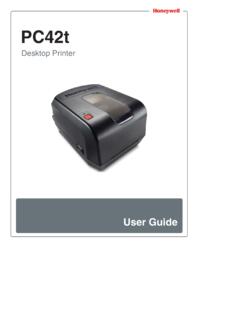
PC42t Desktop Printer User Guide - Honeywellaidc.com
country.honeywellaidc.comconfiguration label, and then lets you select the printer command language: Direct Protocol, ESim, or ZSim. Release the Print button when the printer command language you want to use prints out. Press and hold the Print button for two seconds and then release (when the printer is idle) The printer prints out several labels to calibrate

LW Wireless UserGuide - DYMO
download.dymo.comlabel printer online. During the registration process, you will need the serial number, which is located on the bottom of the label printer. Register your label printer to receive these benefits: Email notification of free software upgrades Special offers and new product announcements Getting to Know the Label Printer

ZP 505 Thermal Printer - FedEx
www.fedex.comThe test label prints and the appropriate printer popup displays. A sample printer popup is Zebra ZP 500 (ZPL). 21. Click Close to close the appropriate printer popup. 22. Click Close to close the Printer properties screen. 23. Close the Devices and Printers screen. 24. When you have completed this process, reboot your computer
Inkjet Laser Label Instr - Office Depot
www.officedepot.comPRINTER LABEL TIPS AND HINTS To promote jam-free performance, sheets of labels should be fed through the printer only once. Feeding labels multiple times through a printer may cause the labels to curl, which could lead to jams and expensive printer repairs. For best results please do the following: