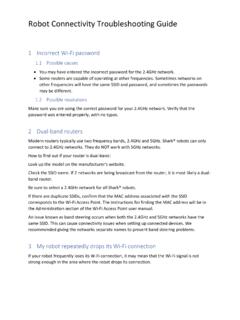
Robot Connectivity Troubleshooting Guide
Robot Connectivity Troubleshooting Guide. 1 Incorrect Wi-Fi password 1.1 Possible causes ... If 2 networks are being broadcast from the router, it is most likely a dual-band router. Be sure to select a 2.4GHz network for all Shark® robots. If there are duplicate SSIDs, confirm that the MAC address associated with the SSID ...
Download Robot Connectivity Troubleshooting Guide

Information
Domain:
Source:
Link to this page:
Documents from same domain
Cordless Rechargeable Sweeper - SharkClean.com
www.sharkclean.com2 NOTE: The cordless sweeper is shipped with the batteries uncharged. Charging of the unit for 20 hours prior to first use is required. Use replacement battery # XBV1925 only.
NV360 Owner’s Guide - SharkClean.com
www.sharkclean.com4 TOLL FREE: 1-800-798-7398 This manual covers model numbers: NV360 26 TECHNICAL SPECIFICATIONS Voltage: 120V., 60Hz Watts:1200W Amps: 10A
Owner’s Guide - SharkClean.com
www.sharkclean.comTOLL REE: -800-798-7398 This manual covers model numbers: NV46 26 TECHNICAL SPECIFICATIONS Voltage: 120V. Watts: 1200W Amps: 10A Hertz: 60Hz Euro-Pro, Shark and Shark Navigator are
NV355 Series Owner’s guide - SharkClean.com
www.sharkclean.comTOLL FREE: 1-800-798-7398 www.sharkclean.com 3 HOSE ATTACHMENTS: 1. DO NOT use if air flow is restricted; if the air paths, the hose, or the accessories become blocked, turn the vacuum cleaner off.
OWNER’S GUIDE SV1100 - SharkClean.com
www.sharkclean.comwww.sharkclean.com 3 SAVE THESE INSTRUCTIONS 34 DO NOT use cordless vacuum cleaner, charging base or charging adapter if it has been dropped, damaged, left outdoors or submerged in water.
NV70 Owner’s Guide - Shark® | Innovative Vacuum ...
www.sharkclean.com2 toll free: 1-800-798-7398 cord.warning: to reduce the risk of electric shock or injury do not use outdoors or on wet surfaces. when using your shark® navigator™ dlx vacuum, basic safety precautions should

REPLACEMENT INSTRUCTIONS - Shark® | Innovative …
www.sharkclean.com16 1 1 REPLACEMENT INSTRUCTIO NS REMOV ING THE BOTT OM PLA TE Set the vacuum cleaner to the parallel position and turn it over . REATTACHING THE BOTT OM PLATE
ION ROBOT - SharkClean.com
www.sharkclean.comor Shark ION ROBOT™ with wet hands. 5 Keep charging dock away from heated surfaces. DO NOT expose unit or battery to fire or excessive temperature. Exposure to fire or temperature above 265°F (130°C) may cause explosion. 6 Use only Shark® chargers and batteries for your robot. Other types of batteries may burst, causing injury and damage.
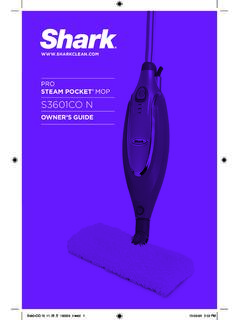
OWNER’S GUIDE - SharkClean.com
www.sharkclean.comthem, so you get a quality Shark® Pro Steam Pocket® Mop. h Quick Release Swivel Cord Wrap i Cord Clips j Water Tank Cap k Water Tank l ON/Standby Switch m Mop Head Release Button *Phillips or flat head screwdriver can be used. Screwdriver not included. k j l a All-Purpose Mop Head (1), XL Mop Head (1) and Triangle Mop Head (1) b Steam Mop ...
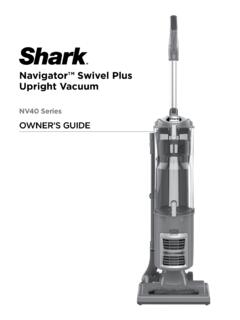
Navigator™ Swivel Plus Upright Vacuum
www.sharkclean.comInsert the extension wand into the top of the nozzle hose. Store the dusting brush on the tool caddy on the back of the vacuum. 6. Attach the flexible hose: a) Snap hose into swivel connector b) Route hose through anti-tip hook to prevent vacuum from tipping c) Run hose over upper holder d) Insert hose securely into extension wand
Related documents
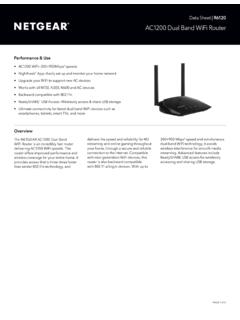
AC1200 Dual Band WiFi Router - Netgear
www.netgear.comAC1200 Dual Band WiFi Router provides WiFi connectivity throughout your home for all your Internet-enabled devices. Stay connected—with your devices, your media, and your friends. Simultaneous dual band WiFi provides two separate WiFi networks—2.4GHz for legacy devices and 5GHz which is less interference-prone for media streaming.
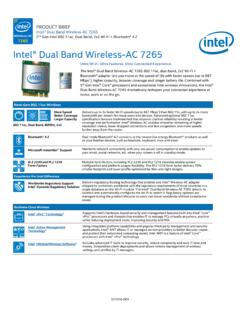
Intel® Dual Band Wireless-AC 7265 Brief
www.intel.comThe Intel® Dual Band Wireless -AC 7265 802.11ac, dual band, 2x2 Wi-Fi + Bluetooth® adapter lets you move at the speed of life with faster speeds (up to 867 ... Maintains network connectivity with very low power consumption to enable updates to your email, social networks, etc. when your screen is off in standby mode. M.2 2230 and M.2 1216

N600 Wireless Dual Band Router WNDR3400v2 User Manual
www.downloads.netgear.comN600 Wireless Dual Band Router WNDR3400v2 . 2. Set up your N600 Wireless Dual Band Router by inserting the tabs of the stand (supplied with your router) into the slots on the bottom of your router as shown. 3. Place your router in an area suitable for installation (near an AC power outlet and accessible to the Ethernet cables for your wired ...
Datasheet | MR33 - Cisco Meraki
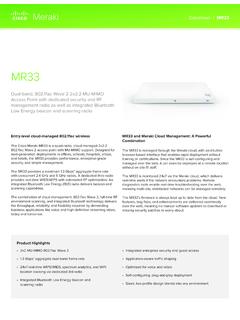
meraki.cisco.comcombined dual-radio aggregate frame rate of 1.3 Gbps*, with up to 866 Mbps in the 5 GHz band thanks to 802.11ac Wave 2 and 400 Mbps in the 2.4 GHz band. Multi User Multiple Input Multiple Output (MU-MIMO) With support for the 802.11ac Wave 2 standard, the MR33 offers MU-MIMO for more efficient transmission to multiple clients.

Help me choose - Dell Technologies
www.delltechnologies.comConnectivity Connectivity port on laptop WD19S WD19TBS WD19DCS D6000S USB-C P Thunderbolt P Dual USB-C P USB-A P PUSB-C / DP Alt mode Docking PThunderbolt Alt mode Docking PDisplayLink Technology PDual USB-C Docking Select Dell Precision mobile workstations support 4 lanes of DP over dual connectors.
ThinkPad X1 Extreme (2nd Gen) Reference - Lenovo
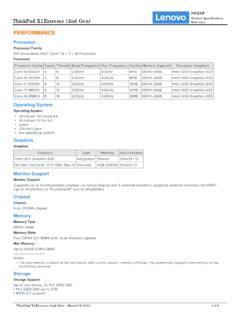
psref.lenovo.comTwo DDR4 SO-DIMM slots, dual-channel capable Max Memory[1] Up to 64GB DDR4-2666 Notes: The max memory is based on the test results with current Lenovo® memory offerings. The system may support more memory as the technology develops. 1. Storage Storage Support Up to two drives, 2x M.2 2280 SSD • M.2 2280 SSD up to 2TB • RAID 0/1 support

Cisco SD-WAN: Enabling Direct Internet Access
www.cisco.com• Dual-router remote site with MPLS WAN services and Internet connectivity using TLOC extension, known as the dual-router hybrid design model. • Single-router remote site with dual-Internet connections to different Internet Service Providers (ISPs), known as the single-router dual-Internet design model.