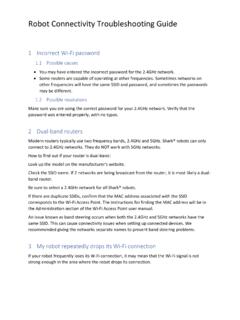
Robot Connectivity Troubleshooting Guide
• Ensure your robot is turned on and you hear an audio prompt. • Do not use a VPN or a proxy server. • Make sure Wi-Fi isolation is turned off on the router. There may be instances where your Shark® robot may lose connectivity while operating, due to . weak Wi-Fi signal, or from entering a Wi-Fi dead zone.
Download Robot Connectivity Troubleshooting Guide

Information
Domain:
Source:
Link to this page:
Documents from same domain
Cordless Rechargeable Sweeper - SharkClean.com
www.sharkclean.com2 NOTE: The cordless sweeper is shipped with the batteries uncharged. Charging of the unit for 20 hours prior to first use is required. Use replacement battery # XBV1925 only.
NV360 Owner’s Guide - SharkClean.com
www.sharkclean.com4 TOLL FREE: 1-800-798-7398 This manual covers model numbers: NV360 26 TECHNICAL SPECIFICATIONS Voltage: 120V., 60Hz Watts:1200W Amps: 10A
Owner’s Guide - SharkClean.com
www.sharkclean.comTOLL REE: -800-798-7398 This manual covers model numbers: NV46 26 TECHNICAL SPECIFICATIONS Voltage: 120V. Watts: 1200W Amps: 10A Hertz: 60Hz Euro-Pro, Shark and Shark Navigator are
NV355 Series Owner’s guide - SharkClean.com
www.sharkclean.comTOLL FREE: 1-800-798-7398 www.sharkclean.com 3 HOSE ATTACHMENTS: 1. DO NOT use if air flow is restricted; if the air paths, the hose, or the accessories become blocked, turn the vacuum cleaner off.
OWNER’S GUIDE SV1100 - SharkClean.com
www.sharkclean.comwww.sharkclean.com 3 SAVE THESE INSTRUCTIONS 34 DO NOT use cordless vacuum cleaner, charging base or charging adapter if it has been dropped, damaged, left outdoors or submerged in water.
NV70 Owner’s Guide - Shark® | Innovative Vacuum ...
www.sharkclean.com2 toll free: 1-800-798-7398 cord.warning: to reduce the risk of electric shock or injury do not use outdoors or on wet surfaces. when using your shark® navigator™ dlx vacuum, basic safety precautions should

REPLACEMENT INSTRUCTIONS - Shark® | Innovative …
www.sharkclean.com16 1 1 REPLACEMENT INSTRUCTIO NS REMOV ING THE BOTT OM PLA TE Set the vacuum cleaner to the parallel position and turn it over . REATTACHING THE BOTT OM PLATE
ION ROBOT - SharkClean.com
www.sharkclean.comor Shark ION ROBOT™ with wet hands. 5 Keep charging dock away from heated surfaces. DO NOT expose unit or battery to fire or excessive temperature. Exposure to fire or temperature above 265°F (130°C) may cause explosion. 6 Use only Shark® chargers and batteries for your robot. Other types of batteries may burst, causing injury and damage.
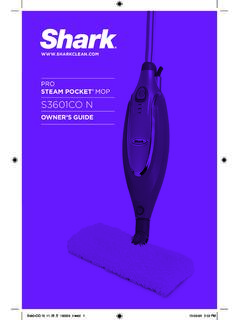
OWNER’S GUIDE - SharkClean.com
www.sharkclean.comthem, so you get a quality Shark® Pro Steam Pocket® Mop. h Quick Release Swivel Cord Wrap i Cord Clips j Water Tank Cap k Water Tank l ON/Standby Switch m Mop Head Release Button *Phillips or flat head screwdriver can be used. Screwdriver not included. k j l a All-Purpose Mop Head (1), XL Mop Head (1) and Triangle Mop Head (1) b Steam Mop ...
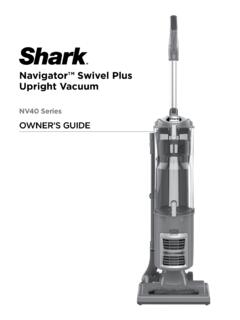
Navigator™ Swivel Plus Upright Vacuum
www.sharkclean.comInsert the extension wand into the top of the nozzle hose. Store the dusting brush on the tool caddy on the back of the vacuum. 6. Attach the flexible hose: a) Snap hose into swivel connector b) Route hose through anti-tip hook to prevent vacuum from tipping c) Run hose over upper holder d) Insert hose securely into extension wand
Related documents

TV Connector - Phonak
www.phonak.com• No audio input available Make sure the audio cable is plugged into the audio OUT plug of the audio source (e.g. TV) • Switch on the audio device and the TV Connector • Test the connection of the TV Connector to the hearing aids • Go through the steps described in chapter 3.5 • Test the connection of TV Connector to the audio

ASUS 600 Motherboards
www.asus.comConnectivity SATA 6Gb/s M.2 Front Panel Type-C Connector USB 4 (Thunderbolt 4) USB 3.2 Gen 2x2 USB 3.2 Gen 2 USB 3.2 Gen 1 USB 2.0 Audio Cooling AI Overclocking AI Cooling AI Networking (GameFirst VI) Two-Way AI Noise-Cancelation Aura Sync DIY Friendly RGB Header CPU Power Connector COM SPI / TPM Exclusive Features Audio Codec Impedence sense ...