
Solution 1 Problem - South Dakota
Solution 1: Check make sure the map has been installed. 1. Plug Nuvi into computer 2. Click My Computer 3. From My computer select and double-click the Garmin nuvi drive 4. If the map upload was successful then there should be a “Map” folder in your Garmin 5. Double-click the “Map” Folder and you should see one file in the folder named ...
Download Solution 1 Problem - South Dakota

Information
Domain:
Source:
Link to this page:
Documents from same domain

South Dakota Bald Eagle (Haliaeetus leucocephalus
gfp.sd.goveagle numbers, with bald eagles now occupying the state year-round. In this plan, South Dakota commits to on-going protection and management of the bald eagle throughout the state.

GPS FILE DOWNLOAD INSTRUCTIONS - South Dakota
gfp.sd.gov2 Windows Download Garmin NUVI GPS Unit ***These units already have a roads layer thats used for navigation, so click the file without roads. Other Garmin GPS Unit

MOUNTAIN LION - South Dakota
gfp.sd.gov1 MOUNTAIN LION The 2017/18 Black Hills season opened on December 26, 2017 and ended on March 31, 2018. The harvest limit was 60 total or 40 female lions.

VT CUSTER - gfp.sd.gov
gfp.sd.gov8 7 6e 9 4e 3e 5e 2e 1e 10e w 11e 12e 15e 13e14e 16e 17e 21e22e23e stockade lake drive w hc north ss3 ss10 ss9 ss6 ss5 ss11 ss12 ss13 ss7 ss4 ss2 ss1 19e 20e 18e w vt ...
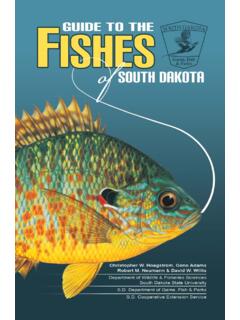
FISHES OF SOUTH DAKOTA - gfp.sd.gov
gfp.sd.gov3 Introduction South Dakota is home to more than 100 fi sh species. Included in this guide are tips for identi fi cation, distribution maps, and brief

2019 ANTELOPE - gfp.sd.gov
gfp.sd.govSuccessful Applicants Successful applicants for limited licenses are selected at random by computer lottery. Unsuccessful Applicants Unsuccessful applicants will receive a refund check from the State of
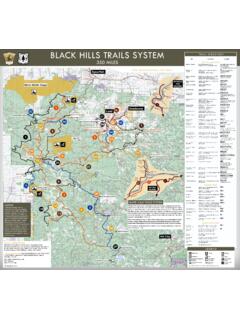
BLACK HILLS TRAILS SYSTEM TRAIL DIRECTORY
gfp.sd.govBLACK HILLS TRAILS SYSTEM 350 MILES The Black Hills Snowmobile Trails System is maintained through a cooperative effort of South Dakota Game, Fish and Parks, the USDA Forest Service, Bureau of Land Management, Barrick Mining Co., Wharf Resources, Inc. and numerous private landowners. The 1.2 million-acre Black
2021 DEER APPLICATIONS - South Dakota
gfp.sd.govDec 01, 2021 · • Any foreign exchange student over 16 years of age attending a public or private high school who has resided in the state for 30 days or more preceding the application; • Any foreign exchange student who is between the ages of 12 and 16 who has completed the GFP course of instruction in the safe handling

gfp.sd.gov
gfp.sd.govprogram if the weather patterns hold, we should expect fantastic bird numbers for the 2021 pheasant season.” Kevin Robling, GFP Secretary Pheasant Distribution Primary pheasant range is in central and eastern South Dakota, though there are pockets of excellent pheasant hunting in the western part of the state.

Bear Butte State Park PO Box 688 Sturgis, SD 57785 Bureau ...
gfp.sd.govHorse riders will require extra space. Bikes yield to hikers; hikers yield to horses. Feedback We need your comments on your Centennial Trail ... Legion Lake View of Bear Butte Custer and his officers TRAIL HIGHLIGHTS Bighorn sheep XXXX XXXX X X X XXXX X XX XX X XXX X XXX XX X XX X X X XXXXXXXXXX XX X XXX X X XXXX XX XX XX X
Related documents
Nüvi - download.audible.com
download.audible.comGarmin Nüvi Audible User Guide. Garmin Nüvi • Only Win XP, with SP 1 or higher • Audible formats: 2, 3 & 4 • JPEG picture viewer • Up to 8 hours of battery life I. Playing Audible Files on Garmin Nüvi From the Main Menu after powering on the Nüvi, select Travel Kit > Audible Book
nüvi 610/660/670 - Garmin International
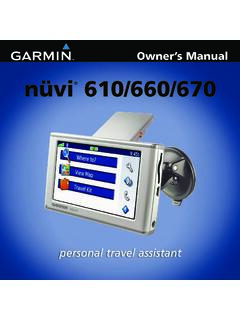
static.garmin.comnüvi 610/660/670 Owner’s Manual iii Preface Preface Thank you for purchasing the Garmin ® nüvi . This manual includes information for nüvi 610, nüvi 660, and nüvi 670 products.
nüvi 300/350 - Garmin International
static.garmin.comVisit the Garmin Web site (www.garmin.com) for current updates and supplemental information concerning the use and operation of this and other Garmin products. Garmin ® and MapSource ® are registered trademarks and nüvi ™ , MyGarmin ™ , Garmin Travel Guide ™ , Garmin TourGuide ™ , and
nüvi 705 series - static.highspeedbackbone.net
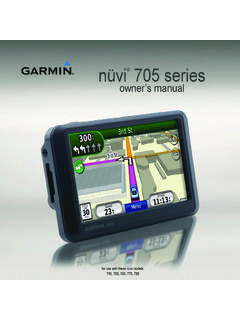
static.highspeedbackbone.netnüvi 705 Series Owner’s Manual i Introduction Introduction Manual Conventions When you are instructed to “touch” something, use your finger to touch an
nüvi 200W Series - static.highspeedbackbone.net
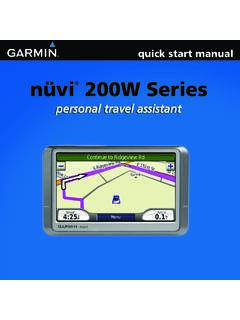
static.highspeedbackbone.netnüvi ® 200W Series personal travel assistant nüvi 00W Series quick start manual GettinG Started What Is in the Box? nüvi unit Suction cup mount to mount the nüvi to your windshield. ... Garmin dashboard or friction mounting options should be used. See page 12 for more details.
nüvi 200/250/270 - TRAMsoft
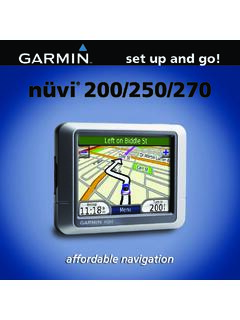
tramsoft.chnüvi ® 200/250/270 affordable navigation set up and go! nüvi 00/ 50/ 70 set up and go! guide GettinG Started What Is in the Box? nüvi unit Suction cup mount to mount the nüvi to your windshield. Vehicle power cable to charge/power your nüvi using a vehicle power outlet. ... Garmin. • • • Garmin ...

WORKAROUND FOR PROBLEMS WITH UPDATING GARMIN …
www.aztcs.org3 SUMMARY Garmin's GPS devices are some of best that are available. However, the two software utilities that they provide for updating the firmware and maps in their
nüvi 310/360 - gawisp.com
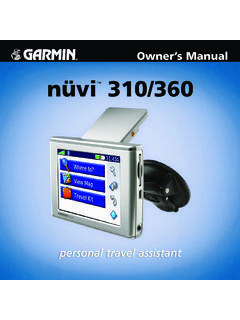
www.gawisp.comnüvi 310/360 Owner’s Manual iii IntroductIon Preface Thank you for purchasing the Garmin® nüvi™.This manual includes information for nüvi 310 and nüvi 360 products.
Garmin Drive 40/50/60 - GfK Etilize
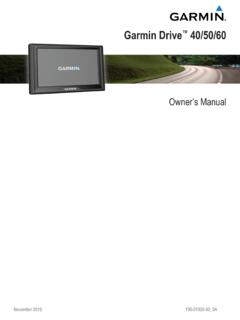
content.etilize.comGarmin Drive 60 Device Overview À Power key Á Mini-USB power and data port  Map and data memory card slot Connecting the Device to Vehicle Power WARNING This product contains a …
GPS FILE DOWNLOAD INSTRUCTIONS - South Dakota
gfp.sd.gov2 Windows Download Garmin NUVI GPS Unit ***These units already have a roads layer thats used for navigation, so click the file without roads. Other Garmin GPS Unit