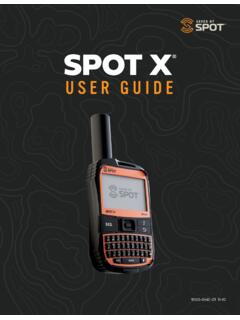
Download SPOT X

Information
Domain:
Source:
Link to this page:
Documents from same domain

TM - findmespot.com
www.findmespot.com1 GPS SATELLITE SYSTEM 2 SPOT GEN4 3 GLOBALSTAR SATELLITE 4 ANTENNAS 5 MESSAGING SERVICES. 2 SECTION 1: WELCOME SPOT Gen4 gives you a critical, life-saving line of communication when you travel beyond the boundaries of reliable cellular service. SPOT Gen4 lets family, friends, and colleagues know you are OK, or if the

SPOT TRACE - findmespot.com
www.findmespot.comWith SPOT Trace, you can track your asset in near real-time, providing a virtual breadcrumb trail of your asset’s location. GPS locations will be sent on predetermined tracking intervals based on your selection in your SPOT Trace account. Get the most out of SPOT Trace and track every 2½ minutes for maximum asset security.

USER GUIDE - findmespot.com
www.findmespot.com• GEOS Reference Guide • S.O.S. Mirrored Sticker CHARGING YOUR SPOT X Connect the Micro USB Data/Power Cable to the SPOT X USB Data/Power Port and connect to either a computer or an AC Power Adapter. The battery with the lightning bolt icon will be …

Spot X Firmware Update Instructions - findmespot.com
www.findmespot.com• If an update is available, the “Update to Latest Firmware” button will be blue and selectable. Otherwise it will be greyed-out. • Once selected, the update will begin. DO NOT DISCONNECT DEVICE UNTIL PROMPTED TO DO SO 7. Sync your SPOT device • Sync will update your device with the selected contacts from MyAccount

SPOT GEN3 - findmespot.com
www.findmespot.com3. SERIAL NUMBER (ESN) Install 4 AAA Energizer® Ultimate Lithium 8x batteries or NiMH rechargeable batteries. 4. Replace cover, tighten screws with a screwdriver or coin. It is important that you fully tighten the battery cover to maintain SPOT's waterproof seal. 5. Keep your batteries installed, even when using line power, to ensure proper system
Related documents
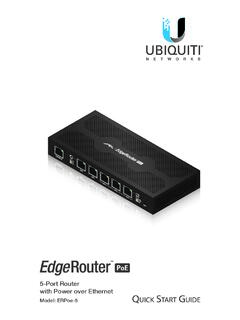
5-Port Router with Power over Ethernet - Ubiquiti
dl.ubnt.comThis Quick Start Guide is designed to guide you through installation and also includes warranty terms. Package Contents EdgeRouter ERPoe-5 Power Adapter (48V, 1.25A) Power Cord Screws (Qty. 2) Screw Anchors (Qty. 2) TERMS OF USE: All Ethernet cabling runs must use CAT5 (or above). It is the professional

XP3 USER GUIDE - Sonim Technologies
www.sonimtech.comThis user guide covers Sonim XP3 phone with the model number XP3800. SONIM SUPPORT INFORMATION For additional product and support information, visit www.sonimtech.com. OPTIONS COMMONLY USED ACROSS MENU ITEMS The following are common actions used across various menu items: OK Confirms an action. Use the Center selection key to perform …
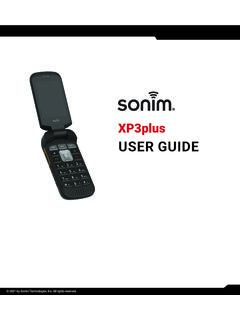
USER GUIDE - sonimtech.com
www.sonimtech.comThis user guide covers Sonim XP3plus phone with the model number XP3900. SONIM SUPPORT INFORMATION For additional product and support information, visit www.sonimtech.com or contact our Sonim Customer Experience Center at 1-833-MY-SONIM (1-833-697-6646), 24-hours a day, Monday to Friday (eastern time). GENERAL INFORMATION

8-Port Router with 2 Combination SFP/RJ45 Ports - Ubiquiti
dl.ubnt.comFCC Changes or modifications not expressly approved by the party responsible for compliance could void the user’s authority to operate the equipment. This device complies with Part 15 of the FCC Rules. Operation is subject to the following two conditions: 1. This device may not cause harmful interference, and 2.