Suunto Core
Oct 05, 2021 · Suunto Core brings together an altimeter, barometer and an electronic compass in one package. It also has clock, stopwatch and calendar functions. This User Guide explains the features, how they work, and how you access them. In addition, we have included examples of how you can use them in real life situations.
Download Suunto Core

Information
Domain:
Source:
Link to this page:
Documents from same domain
SUUNTO CORE USER GUIDE
ns.suunto.comThis User Guide explains the Suunto Core features, how they work, and how you access them. In addition, we have included examples of how you can use
SUUNTO AMBIT3 PEAK 2
ns.suunto.comSUUNTO AMBIT3 PEAK 2.4 USER GUIDE 2016-11-30. ... Pair with Suunto Movescount App (see 3.22 Movescount mobile app) by pressing [Start Stop] or skip by pressing [Next]. 9. 5. Follow the startup wizard to complete initial settings. ... You can change the settings of your Suunto Ambit3 Peak directly in the watch, through Movescount, or on the go ...

SUUNTO AMBIT 2.5 Guide d’utilisation
ns.suunto.comavertissement: rÉservÉ À une utilisation de loisir. avertissement: ne vous fiez pas totalement au gps ou À la durÉe de vie de la batterie. pour votre sÉcuritÉ, utilisez toujours des cartes et autre matÉriel de secours. attention: n'appliquez aucun solvant de quelque type que ce soit sur le produit, au risque …

Suunto 7
ns.suunto.comSuunto 7 은 장갑을 끼고 있거나 물속에 있을 때에도 우수한 스포츠 경험을 제공하도 록 설계된 터치 스크린과 4개의 하드웨어 버튼이 있습니다. 1.전원 버튼 2.Suunto Wear 앱 / Suunto Wear 앱 탐색 및 운동 조절 3.Suunto Wear 앱 탐색 및 운동 조절 4.Suunto Wear 앱 탐색 및 운동 ...

Suunto 9
ns.suunto.com2.3. Suunto app 通过 Suunto app,可以进一步丰富 Suunto 9 体验。将腕表与此移动应用程序配对,以同步 活动、获得手机通知、洞察以及其他更多特性。 注释 如果飞行模式启用,无法配对任何内容。配对前应关闭飞行模式。 若要将腕表与 Suunto app 配对: 1.

Suunto 9
ns.suunto.comSep 27, 2021 · 1. SAFETY Types of safety precautions WARNING: - is used in connection with a procedure or situation that may result in serious injury or death. CAUTION: - is used in connection with a procedure or situation that will result in damage to the product. NOTE: - is used to emphasize important information. TIP: - is used for extra tips on how to utilize the features and …
Related documents

COMPASS Quick Reference Guide
www.compass.state.pa.usopportunity to log in to COMPASS or to register for a COMPASS login. Who to call for log in issues: HELPLINE at 1-800-692-7462 between 8:30 a.m. and 4:45 p.m., Monday through Friday This Quick Reference Guide is designed to assist you in the use of COMPASS online services.

Compass for Windows User Guide - Pearson VUE
certiport.pearsonvue.comhave various options for mass deploying Compass to multiple workstations. See the Compass Mass Deployment for Windows document for details (for advanced users only). 1. Locate the Compass_Setup.exe file on the desktop and hit the Enter key on the keyboard or double-click it to launch the executable. 2. Click Yes in the User Account Control ...

AC 43-215 - Standardized Procedures for Performing ...
www.faa.gov• Barfield SC 063 Sight Compass User Instruction Manual, Document Number 56-1-1-01200, Revision E, November 7, 2014. • Firstmark Aerospace Standby Compass Calibrator Overview at

PSAT User Percentiles - Compass Education Group
downloads.compassprep.comUser Percentiles How Compass can help College Board provides two types of percentile ranks: National Representative Sample and User. The User Percentile presents a more accurate picture of how a student compares to other college-bound students. These percentiles reflect the percentage of students at or below each score.

MySTAFF User Reference Guide
mystaff.compassmanager.comSteps to Grant MySTAFF Access 1. Click the Maintenancetab 2. Click on User Setup -Assign Security Group and Team Permission Detaillink 3. Next, click on theMagnifying Glass beside Associate(s) field to locate user needing security group assignment 4. Click the Find button to pull up theuser 5. Click Edit to access the record and make the appropriatechanges 6. ...

Benefit Enrollment User Guide - Compass Group
www.altogethergreat.comFirst Time User - Step 3. 4. bswift takes the security of your information very seriously. That's why we use security questions to help verify that you're the only person who can access or make changes to your account. These security questions allow you to reset your password, without having to call the Benefit Service Center.
The EU’s Strategic Compass for security and defence
www.clingendael.orgCompass should define what the EU and its member states mean by resilience and its various elements. Article 42.7 (mutual defence clause) could be activated by an EU member state in case of armed attack, be it most likely consisting of cyberattacks or of other hybrid intrusion in member states’ domestic situation. An EU Joint Cyber

T-Touch, multifonctions User’s manual
www.tissotwatches.comThe COMPASS function, as any other compass, must not be used near a metal or magnetic object. Thanks to its rotating bezel, you can use the compass of your T-Touch watch to orient a map. The bezel ring is graduated with the following values: - 30°between two points; - 15°between a cardinal point (N,E,W,S) and the closest points.
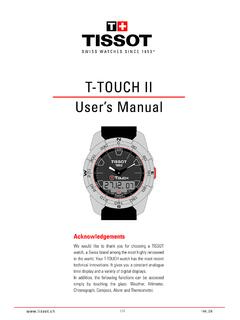
T-TOUCH II User’s Manual
www.tissotwatches.comIn compass mode, the digital screen displays the angle between 12 o'clock and the minutes hand. This angle is called azimuth and is used to obtain your heading shown at 12 o’clock on the T-TOUCH. 1 sec. Activate glass. Compass . display User compass calibration Back to . compass. display. SETTING > COMPASS > MAGNETIC DECLINATION. Compass ...