Understanding “Arc Flash”
This material was produced under grant number SH-16615-07-60-F-12 from the Occupational Safety and Health Administration, U.S. Department of Labor.
Download Understanding “Arc Flash”

Information
Domain:
Source:
Link to this page:
Documents from same domain
Motor Vehicles Safe Driving Practices for Employees
www.osha.govMotor Vehicles Safe Driving Practices for Employees You are your employer’s most valuable asset! The way that you drive says everything about you and your
U. S. Department of Labor Occupational Safety and …
www.osha.govU. S. Department of Labor Occupational Safety and Health Administration Notice of Alleged Safety or Health Hazards . For the General Public: This form is provided for the assistance of any complainant and is not intended to constitute the exclusive means by
Controlling Hazardous Fume and - osha.gov
www.osha.govFactSheet Controlling Hazardous Fume and Gases during Welding Welding joins materials together by melting a metal work piece along with a …
OSHA 3220-10N 2004
www.osha.govWORKER SAFETY SERIES WAREHOUSING 11 Hazards & Solutions Warehouse operations can present a wide variety of potential hazards for the worker. For warehousing establishments, the
Job Safety and Health - osha.gov
www.osha.govJob Safety and Health. IT’S THE LAW! All workers have the right to: A safe workplace. Raise a safety or health concern with your employer or OSHA, or report a work-
Year 20 Log of Work-Related Injuries and Illnesses
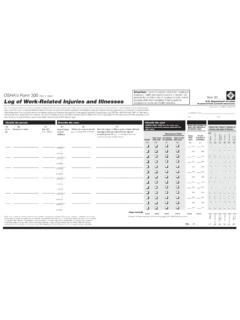
www.osha.govU.S. Department of Labor Occupational Safety and Health Administration OSHA’s Form 300 (Rev. 01/2004) Year 20__ __ Log of Work-Related Injuries and Illnesses You must record information about every work-related death and about every work-related injury or illness that involves loss of consciousness, restricted work activity or job transfer,
DEPARTMENT OF LABOR 29 CFR Part 1904
www.osha.gov2 The final rule also revises the requirements for reporting work-related fatality, injury, and illness information to OSHA. The current regulation requires employers to report …
CRANES AND DERRICKS IN CONSTRUCTION FINAL …
www.osha.govOSHA is making this document, the regulatory text, available for informational purposes only. This action does not affect the effective date of the final rule on Cranes and Derricks in Construction, which will be 90
Preventing Mold-Related Problems in the Indoor …
www.osha.govIntroduction This guide provides basic information about mold, mold sources, and building-related illnesses. Brief discussions are included on building design considerations for healthy indoor air,
HazardCommunicationGuidancefor CombustibleDusts
www.osha.govU.S.DepartmentofLabor OccupationalSafetyandHealthAdministration OSHA3371-08 2009 HazardCommunicationGuidancefor CombustibleDusts Occupational Safety and Health Act of 1970
Related documents

Operation Guide 5081 - CASIO
support.casio.comflashes in the lower left display. • This is the distance value setting mode. 3. Press C to move the flashing between the values on the left side and right side of the distance value digit decimal point. 4. While either the left or right distance value is flashing, use D (+) and B (–) to change it.

www.intermatic.com ST01/ST01K/EI600
dtrermj9469s.cloudfront.netevent number flashes on the display. Note: If this is the first event, you will see 01. 3. Press ON/OFF to confirm the event number. An event type flashes on the display. 4. Use + to select the event type. • ON - sets an ON event • SKIP - stops the event • OFF - sets an OFF event 5.for the continental United States.

HIPAA Security - HHS.gov
www.hhs.govVolume 2 /Paper 1 3 11/2004:rev. 3/2007 1 Security 101 for Covered Entities NOTE: Security is not a one-time project, but rather an on-going, dynamic process that will …
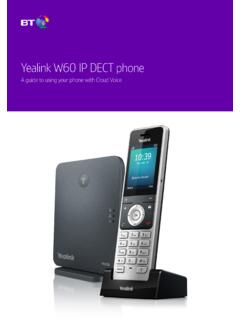
Yealink W60 IP DECT phone - BT
business.bt.com• Fast red flashes = there’s an incoming call. • Slow red flashes = you have a voicemail or missed call. • Solid red light = the handset’s battery is charging. 3 Find out more about the screen from page 9. 4 These soft keys help you use the phone’s features. 5 The message button opens your voicemail and missed calls. 6

DirecTV RC65 Remote Control - AT&T
www.att.comflashes twice, then release both keys. 5. Using the number keys enter the 5-digit code for your brand of TV. If performed correctly, the green light under TV flashed twice. 6. Aim the remote at your TV and press the PWR key once. Your TV should turn off. If it does not turn off, repeat steps 3 and 4, trying each code for your brand

Cisco RV320/RV325 Quick Start Guide
www.cisco.comFlashes green when the port is sending or receiving data. RESET—Reboot or reboot and restore defaults: • To reboot the unit and retain the current configuration, press and hold RESET for at least 3, but no more than 10 seconds, by using a paper clip or a pen tip.

VARIA REARVIEW RADAR RTL515/ Owner’s Manual RTL516
www8.garmin.comSolid (default) High None Light flashes Peloton (group ride) Moderate None Light flashes softly Night Flash High Slow Light flashes quickly Day Flash Maximum Occasional Light flashes quickly Standby None None The device does not detect vehicles. The Varia 516 has the solid mode only and the light does not flash when a vehicle approaches.

Treating Hot Flashes - North American Menopause Society
www.menopause.orgHot flashes get better with time. Although most women have hot flashes for a few years, some women have them for decades. It is not known why some women have severe hot flashes for many years while others have no hot flashes or mild ones that resolve quickly. If your hot flashes are mild or moderate, you may find relief by changing your ...
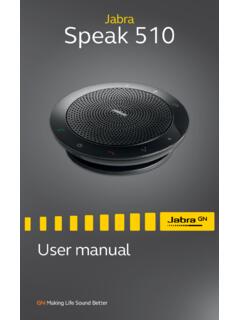
Jabra Speak 510
www.jabra.comlight flashes blue. Release the button when you hear the connection instructions. 2.Enable Bluetooth on your mobile device, and select the Jabra Speak 510 from the list of available Bluetooth devices. If prompted for a password enter 0000.