
UniFi Cloud Key Gen2 Plus Datasheet
management of your camera surveillance system, the UniFi Protect Controller allows you to set up, configure, and monitor your UniFi cameras using a graphical user interface. As one of the built-in apps on the Cloud Key Gen2 Plus, there are no separate software, licensing, hosting, or support fees. Features Easy Setup Using a standard web browser
Download UniFi Cloud Key Gen2 Plus Datasheet

Information
Domain:
Source:
Link to this page:
Documents from same domain

Datasheet - Ubiquiti Networks
dl.ubnt.comDatasheet www.ubnt.com/airmax 3 Software airOS is an intuitive, versatile, highly developed Ubiquiti firmware technology. It is exceptionally intuitive and …

802.11ac Dual Radio Access Point
dl.ubnt.comThis Quick Start Guide is designed to guide you through ... 802.11ac Dual Radio Access Point Model: UAP-AC-LITE Gigabit PoE* (24V, 0.5A) with Mounting Bracket

Advanced Gigabit Ethernet Router - Ubiquiti …
dl.ubnt.comThis Quick Start Guide is designed to guide ... Advanced Gigabit Ethernet Router Model: ER-X EdgeRouter X Power Adapter (12V, 0.5A) Quick Start Guide

UniFi AC AP Datasheet - dl.ubnt.com
dl.ubnt.com3 D atasheet UniFi Controller Packed with Features Use the UniFi Controller to provision thousands of UniFi APs, map out networks, quickly manage

Wide-Angle 1080p Dome IP Camera with Infrared
dl.ubnt.comIntroduction Thank you for purchasing the Ubiquiti Networks® UniFi® Video Camera G3 Dome. This Quick Start Guide is designed to guide you through installation and includes warranty terms.

TOUGHCable PRO Quick Start Guide - Ubiquiti Networks
dl.ubnt.com2 TOUGHCable™ PRO Quick Start Guide TOUGHCable Box The Tension Knob is set to High by default. If necessary, the tension can be set to to Low or None. Tension Knob TOUGHCable PRO Cross-Section Conductor Insulation ESD Drain Wire

U-Installer Quick Start Guide - Ubiquiti Networks
dl.ubnt.comLEDs Wi-Fi Lights blue if the U-Installer has a Wi-Fi connection to your mobile device. Battery Four blue LEDs indicate the internal battery’s charge level: Full charge Low charge* * Recharge the battery by connecting a power source,

1080p Wireless IP Security Camera with Infrared
dl.ubnt.comIntroduction Thank you for purchasing the Ubiquiti Networks® UniFi® Video Camera G3 Micro. This Quick Start Guide is designed to guide you through installation and also includes warranty terms.

802.11n Wi-Fi Access Point - Ubiquiti Networks
dl.ubnt.comHardware Installation The UniFi AP can be mounted to the wall or ceiling. Perform the steps for the appropriate installation: Wall Mount 1. Position the Mounting Bracket at the desired location on the wall with the cable feed slot pointed towards the floor.

Rocket ac Datasheet - Ubiquiti Networks
dl.ubnt.comD atasheet 4 Technology Unlike standard Wi-Fi protocol, Ubiquiti’s Time Division Multiple Access (TDMA) airMAX ac protocol allows each client to send and receive
Related documents

The Fundamentals of Camera and Image Sensor Technology
www.visiononline.orgAug 10, 2012 · Digital Camera Principals Camera Interface Standards Camera Types and When to Use Digital Cameras: Basic Course . ... reference flange to the image plane is standard. The lens thread is 1-32 UN-2A. Diameter is 1 inch. The flange back distance in air is 17.526 mm for C-mount. For CS-mount it is 12.526 mm.

HP CONNECTOR CHART
h71036.www7.hp.comstandard, audio adapter, and 2.0 (high-speed). Example: A keyboard to a PC. Mini-USB Transmits data and has one small, square tip. Example: A digital camera to a printer. Transmits video and comes in standard-definition and high-definition (HD). Higher quality than S-video and composite. Example: A TV to a DVD player. Transmits video.

T490s and X390 User Guide
download.lenovo.com4. Camera* Take pictures or record videos by clicking Camera from the Start menu. The indicator next to the camera is on when the camera is in use. If you use other apps that support photographing, video chatting, and video conference, the camera starts automatically when you enable the camera- required feature from the app. 5. Multi-touch screen*
Camera Serial Interface - MIPI Alliance
www.mipi.org• I2C based control interface • Line based transmission – Easy implementation – Low gate count – Matched data rates for sensor and link • In-band interrupts • RGB, YUV, RAW, JPEG • Embedded Data • CRC/ECC for payload and header protection CSI-3 1.1 • M-PHY 3.0 • 32 Virtual Channels • In-band control • Packet based ...
Evolving CSI-2 Speci˜ cation - MIPI Alliance
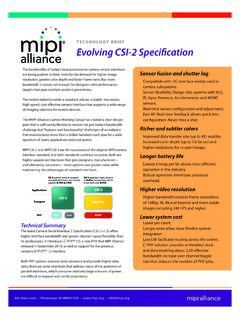
www.mipi.orgThe camera control interface for both physical layer options is bi-directional and compatible with the I2C standard. The CSI-2 Speci˝ cation de˝ nes standard data transmission and control interfaces between the camera as a peripheral device and a host processor, which is typically a baseband, application engine.
X1 Yoga and X1 Carbon User Guide - Lenovo
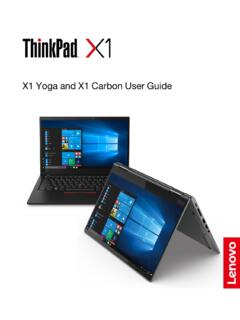
download.lenovo.com5. Camera Take pictures or record videos by clicking Camera from the Start menu. The indicator next to the camera is on when the camera is in use. If you use other apps that support photographing, video chatting, and video conference, the camera starts automatically when you enable the camera- required feature from the app. 6. Multi-touch screen*

IS 500
www.lexus.comStandard features: ... Backup camera28 with dynamic gridlines 10 standard airbags29 ... Vehicle user interface is a product of Google and its terms and privacy statement apply. Requires compatible smartphone connected with an approved data cable into the USB media port and data plan rates apply. Apps and

FPD-Link III -- doing more with less
www.ti.comFlat panel display link III, better known as FPD-Link III, is an interface used in many automotive applications to transport video from point to point. This interface enables the transport of high-definition digital video, as well as a bidirectional control channel, over a low-cost cable, either twisted pair or coax.