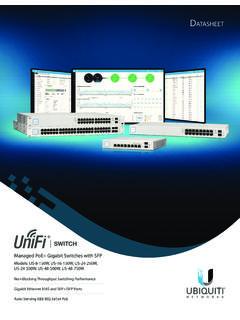
UniFi PoE Switch Datasheet
Build and expand your network with Ubiquiti Networks® UniFi® Switch, part of the UniFi line of products. The UniFi Switch is a fully managed, PoE+ Gigabit switch, delivering robust performance and intelligent switching for growing networks. Switching Performance The UniFi Switch offers the forwarding capacity to simultaneously process
Download UniFi PoE Switch Datasheet

Information
Domain:
Source:
Link to this page:
Documents from same domain

Datasheet - Ubiquiti Networks
dl.ubnt.comDatasheet www.ubnt.com/airmax 3 Software airOS is an intuitive, versatile, highly developed Ubiquiti firmware technology. It is exceptionally intuitive and …

802.11ac Dual Radio Access Point
dl.ubnt.comThis Quick Start Guide is designed to guide you through ... 802.11ac Dual Radio Access Point Model: UAP-AC-LITE Gigabit PoE* (24V, 0.5A) with Mounting Bracket

Advanced Gigabit Ethernet Router - Ubiquiti …
dl.ubnt.comThis Quick Start Guide is designed to guide ... Advanced Gigabit Ethernet Router Model: ER-X EdgeRouter X Power Adapter (12V, 0.5A) Quick Start Guide

UniFi AC AP Datasheet - dl.ubnt.com
dl.ubnt.com3 D atasheet UniFi Controller Packed with Features Use the UniFi Controller to provision thousands of UniFi APs, map out networks, quickly manage

Wide-Angle 1080p Dome IP Camera with Infrared
dl.ubnt.comIntroduction Thank you for purchasing the Ubiquiti Networks® UniFi® Video Camera G3 Dome. This Quick Start Guide is designed to guide you through installation and includes warranty terms.

TOUGHCable PRO Quick Start Guide - Ubiquiti Networks
dl.ubnt.com2 TOUGHCable™ PRO Quick Start Guide TOUGHCable Box The Tension Knob is set to High by default. If necessary, the tension can be set to to Low or None. Tension Knob TOUGHCable PRO Cross-Section Conductor Insulation ESD Drain Wire

U-Installer Quick Start Guide - Ubiquiti Networks
dl.ubnt.comLEDs Wi-Fi Lights blue if the U-Installer has a Wi-Fi connection to your mobile device. Battery Four blue LEDs indicate the internal battery’s charge level: Full charge Low charge* * Recharge the battery by connecting a power source,

1080p Wireless IP Security Camera with Infrared
dl.ubnt.comIntroduction Thank you for purchasing the Ubiquiti Networks® UniFi® Video Camera G3 Micro. This Quick Start Guide is designed to guide you through installation and also includes warranty terms.

802.11n Wi-Fi Access Point - Ubiquiti Networks
dl.ubnt.comHardware Installation The UniFi AP can be mounted to the wall or ceiling. Perform the steps for the appropriate installation: Wall Mount 1. Position the Mounting Bracket at the desired location on the wall with the cable feed slot pointed towards the floor.

Rocket ac Datasheet - Ubiquiti Networks
dl.ubnt.comD atasheet 4 Technology Unlike standard Wi-Fi protocol, Ubiquiti’s Time Division Multiple Access (TDMA) airMAX ac protocol allows each client to send and receive
Related documents

Dell Wireless Mouse and Keyboard KM717
downloads.dell.com1 Slide the connection-mode switch on your keyboard to select the third-Bluetooth connection. 2 In Windows Search, type Bluetooth. 3 From the list that appears, click Bluetooth Settings. 4 Ensure that Bluetooth is enabled. 5 From the list of devices, click Dell WK717 → Pair. NOTE: If Dell WK717 is not listed, press the Bluetooth-pairing ...

Virtual Workspace Services Portal
portal.bankofamerica.comOnce your HVD is migrated to VMware Horizon, you will connect by using the Chrome browser to navigate to portal.corporateofamerica.com and open your Horizon HVD resource, but your HVD session will automatically switch to use the VMware Horizon Client on your non-corporate-owned Chrome OS device instead of Citrix Workspace. 3. The first time you

DGS-1100 Series EasySmart Switch User Manual B1 v1
support.dlink.comseconds to reset the Switch back to the default settings. The LED will light up solid amber for 2 seconds. When pressing the Reset button for longer than 10 seconds, the device will enter loader mode and the LED will light up solid green for 2 seconds. If the device cannot reboot, it will automatically enter loader mode.

Installation & Setup of your Access Networks Ruckus ...
www.accessnetworks.comHow to install your Access Networks Ruckus Wireless system 1. Connect either of the network ports on the front of your ZoneDirector to an Ethe rnet switch on your wired network, and power the ZoneDirector with the included AC power adapt er. The ZoneDirector will be assigned a DHCP IP address by your DHCP server (most likely your router).

Catalyst 2960-S Switch Getting Started Guide (English)
www.cisco.comStep 9 Disconnect the switch from the PC, and install the switch in your network. See the “Rack-Mounting” section on page 18. Step 10 If you changed the static IP address on your PC in Step 2, change it back to the previously configured static IP address. Step 11 You can now manage the switch by using Cisco Network Assistant, Device Manager ...
Configuring Switch Ports and VLAN Interfaces for the …
www.cisco.comInterfaces for Your License” section for more information about the maximum VLAN interfaces. VLAN interfaces let you divide your equipment in to separate VLANs, for example, home, business, and Internet VLANs. To segregate the switch ports into separate VLANs, you assign each switch port to a VLAN interface.

The all-in-one proximity sensor and limit switch.
www.emerson.comTopWorx™ GO™ Switch is the most versatile sensing solution. It detects like a proximity switch and functions like a limit switch, providing higher reliability when conventional switches fail. The all-in-one proximity sensor and limit switch. 1 A global leader in valve control and

Platinum Wireless Headset - PlayStation
www.playstation.com3 Slide the power/audio mode switch on the headset to position “1” or “2”. Using your headset with your PS4™ system The headset is compatible with PS4™ system software version 4.00 or later. More than one headset can be used with your PS4™ system. Status display When you connect your headset to your PS4™ system, and

How to Switch Birth Control Methods
www.reproductiveaccess.orgswitching. You can stop taking your pill at any point in the pack. If you are switching to pills, you should start by taking the first pill in the pack. You may have changes in your period after switching. This is normal and safe.