
UNIVERSAL REMOTE SETUP - Vizio
Use the following directions to program your viZio Universal remote control. Manually turn on your TV (or device you want to control) Press the TV (or device) button and hold for 5 seconds until the LED flashes twice. LED will remain lit. Find the programming code for your TV (or device) in the code list and enter it using the Number Buttons. The
Download UNIVERSAL REMOTE SETUP - Vizio

Information
Domain:
Source:
Link to this page:
Documents from same domain
MANUEL DE L’UTILISATEUR - cdn.vizio.com
cdn.vizio.coma pour but d'avertir l'utilisateur de la présence d'une tension dangereuse non isolée dans la TV, qui peut être d'une magnitude suffisante pour constituer un risque de …
MANUEL DE L’UTILISATEUR - cdn.vizio.com
cdn.vizio.comNe jamais renverser de liquide sur votre téléviseur. • Votre téléviseur ne devrait être utilisé seulement qu'avec le type de source d'alimentation indiqué sur l'étiquette.
E470VLE - user manual - VIZIO
cdn.vizio.comE470VLE - user manual 47” CLASS LCD HDTV . ... warranty service plan, visit www.VIZIO.com. When Reading this Manual When you see this symbol, please read the accompanying important warning or notice. It is intended to alert you to the presence of ... E470VLE to rain or moisture, does not operate normally or has been dropped.
10-0110 E420VL E470VL E550VL Manual Draft 3 - VIZIO
cdn.vizio.comVIZIO E420VL / E470VL / E550VL User Manual Version 2/12/2010 1 www.VIZIO.com Dear VIZIO Customer, ... VIZIO offers on-site extended warranty service plans. These plans give additional coverage during the standard warranty period. Visit our website or call us to purchase a plan.
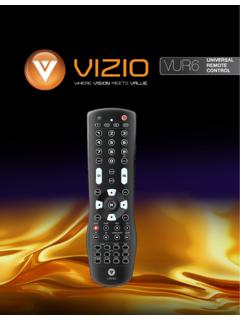
VIZIO VUR6Universal Remote User Manual
cdn.vizio.comVIZIO VUR6Universal Remote User Manual 3 www.VIZIO.com 1.1 VIZIO Universal Remote ControlVIZIO Universal Remote Control The VIZIO Universal Remote Control is a comprehensive remote that can be used to control up to four
XRU9M OM 2-6-10 - VIZIO
cdn.vizio.comthis Universal Remote Control. With this Universal Remote, juggling multiple remote controls is a thing of the past! Your new remote controls up to 4 devices, ... and on, the user is encouraged to try to correct the interference by one or more of the following measures:
VIZIO
cdn.vizio.comBEST HDMI CABLE HDMI cables send Video (Out) and receive Audio from the TV. See the Connecting with HDMI section for more information. Do not use HDMI IN for First-Time Setup.
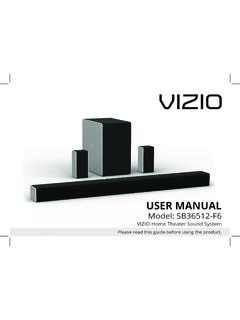
USER MANUAL - Vizio
cdn.vizio.comThe lighting flash with arrowhead symbol within an equilateral triangle is intended to alert the user to the presence of not isolated dangerous voltage within the product that may be sufficient magnitude to constitute a risk of shock to persons. The exclamation point within an equilateral triangle is intended to alert
USER MANUAL - Vizio
cdn.vizio.comThe lighting flash with arrowhead symbol within an equilateral triangle is intended to alert the user to the presence of not isolated dangerous voltage within the product that may be sufficient magnitude to constitute a risk of shock to persons. The exclamation point within an equilateral triangle is intended to alert the user to
D-Series™ User Manual
cdn.vizio.comColor Text — This is the TV menu feature you should be selecting. Grey Text — This is an action for you to complete, such as entering in a name. > — The arrow sign shows the flow of the steps you should take. 1. Lists additional steps you can take for each setting. • Bullets give more detailed information about each feature. TIP:
Related documents
Maintenance and Service Guide
h10032.www1.hp.comSupports CUDA, Optimus, PhysX, GPU Boost 2.0 Panel 39.6 cm (15.6-inch), HD (1366 × 768), LED backlight, anti glare, SVA, 220 nits, 45% CG, eDP, slim No camera HD camera, 1 WLAN antenna HD camera, 2 WLAN antennas HD+ IR camera, 2 WLAN antennas HD camera, 2 WLAN antennas, for WWAN

Relay User Guide
dfz3xbn3chdu5.cloudfront.netPost Office Instructions 1. Ensure you at the correct Post Office by verifying the address. 2. Verify the Post Office location on the label and remove the correct pallets and any loose oversized boxes. 3. Scan the pallets and scan the any loose oversized boxes …
User Guide - Lenovo
download.lenovo.comUsing the NVIDIA Optimus Graphics feature . 42 ... • Use a quality carrying case that provides adequate cushioning and protection. ... risks, follow the instructions included with your product, observe all warnings on the product and in the operating instructions, and review the information included in this document carefully. ...

User Guide - Lenovo
download.lenovo.comrisks, follow the instructions included with your product, observe all warnings on the product and in the operating instructions, and review the information included in this document carefully. By carefully following the information contained in this document and provided with your product, you can help protect yourself
OWNER’S MANUAL - .NET Framework
mymarshall.blob.core.windows.netWARNING! IMPORTANT SAFETY INSTRUCTIONS 1) Read these instructions. 2) Keep these instructions. 3) Heed all warnings. 4) Follow all instructions. 5) Do not use this apparatus near water. 6) Clean only with dry cloth. 7) Do not install near any heat sources such as radiators, heat registers, stoves, or other apparatus (including amplifiers) that
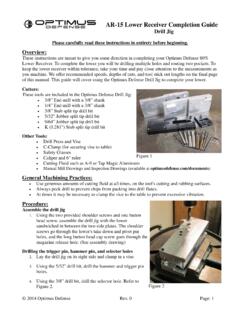
AR-15 Lower Receiver Completion Guide Drill Jig
optimusdefense.comof this manual. This guide will cover using the Optimus Defense Drill Jig to complete your lower. Cutters: These tools are included in the Optimus Defense Drill Jig: 3/8” End-mill with a 3/8” shank 1/4” End-mill with a 3/8” shank 3/8” Stub split tip drill bit 5/32” Jobber split tip drill bit
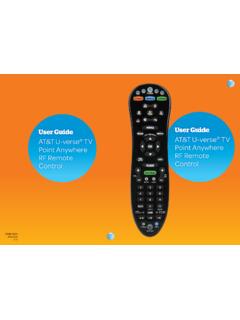
User Guide TV AT&T U-verse TV Control
www.att.comTest volume control – Use the volume buttons to verify that the remote control is controlling your device’s volume. If it does not work properly, go back to Step 2 and try again. NOTE: Repeat this process for other devices (DVD, Blu-ray, home theater receiver, or sound bar). Step 7: Press the AT&T mode key for normal operation.

TOTAL CONTROL - remotecodelist.com
www.remotecodelist.com- To set up your other devices, follow the same instructions above, only press the appropriate device key during step 2. - Write your code in the boxes provided in the battery compartment and on page 8, for quick, easy reference. Devices can be found under the following keys: - To set up a second TV, VCR/DVD or SAT see page 9.