
User Guide - TP-Link
Use the Powerline Wi-Fi Kit to set up a new secure wireless network in my house. For example, I have a wireless router in my house, but the wireless signal cannot each r every corner. So I bought a Powerline Wi-Fi Kit to extend the wireless network. The Powerline Wi-Fi Kit includes a powerline adapter and a powerline extender. 1.
Download User Guide - TP-Link

Information
Domain:
Source:
Link to this page:
Documents from same domain
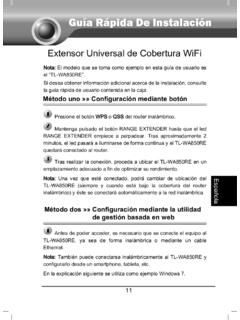
Guía Rápida De Instalación - static.tp-link.com
static.tp-link.com11 E s p a ñ o l a M Extensor Universal de Cobertura WiFi Nota: El modelo que se toma como ejemplo en esta guía de usuario es el “TL-WA850RE”. Si desea obtener información adicional acerca de la instalación, consulte

TL-WR841N TL-WR841ND 300Mbps Wireless N Router - TP …
static.tp-link.comThe 300Mbps Wireless N Router delivers exceptional range and speed, which can fully meet the need of Small Office/Home Office (SOHO) networks and the users demanding higher networking performance.
TL-WR841N TL-WR841ND 300Mbps Wireless N Router
static.tp-link.comPowered by 2x2 MIMO technology, the 300Mbps Wireless N Router delivers exceptional range and speed, which can fully meet the need of Small Office/Home Office (SOHO) networks and the users demanding higher networking performance.
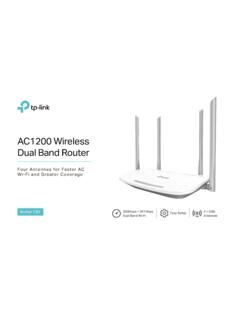
AC1200 Wireless Dual Band Router - TP-Link
static.tp-link.comAC1200 Wireless Dual Band Router Archer C50 300Mbps + 867Mbps Easy Setup Dual Band Wi-Fi 4 × 5dBi Antennas ... AC1200 (300Mbps on 2.4GHz + 867Mbps on 5GHz) Wi-Fi for reliable connections. 5GHz 867Mbps ... Cable or DSL Modem Subscription with an …
Quick Installation Guide - static.tp-link.com
static.tp-link.comEnglish 1 1 Power on Plug the extender into an electrical outlet near your router and press the power button if it has one. 2 Connect your computer to the extender
Installation Guide - TP-Link
static.tp-link.comThis guide is applicable to products including CPE210, CPE220, CPE510 and CPE520. • Package Contents Installation Guide Outdoor CPE CPE210 / CPE220 / CPE510 / C PE520 Pharos CPE Passive PoE Adapter Pole Mounting Straps Mounting Bracket Plastic Wall …
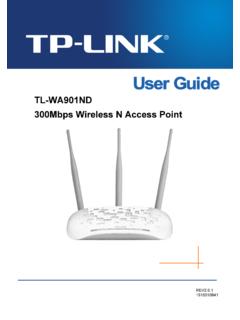
TL-WA901ND 300Mbps Wireless N Access Point - TP-Link
static.tp-link.comTL-WA901ND 300Mbps Wireless N Access Point User Guide 1 Package Contents The following items should be found in your package: One TL-WA901ND 300Mbps Wireless N Access Point

Quick Installation Guide - TP-Link
static.tp-link.comQuick Installation Guide AC1750 Wireless Dual Band Gigabit Router Connect the Hardware 7106505288 REV3.0.0 Verify that the following LEDs are

How to configure VPN function on TP-LINK Routers
static.tp-link.com3 2. How to configure LAN-to-LAN IPsec VPN on TP-LINK Router Suitable for: TL-ER6120, TL-ER6020, TL-ER604W, TL-R600VPN To setup an IPsec VPN tunnel …

How to configure VPN function on TP-LINK Routers
static.tp-link.com3 2. How to configure LAN-to-LAN IPsec VPN on TP-LINK Router Suitable for: TL-ER6120, TL-ER6020, TL-ER604W, TL-R600VPN To setup an IPsec VPN tunnel …
Related documents
The Atmel-ICE Debugger - Microchip Technology
ww1.microchip.comAtmel-ICE Adapter Kit Contents Figure 2-5. Atmel-ICE Cable Kit Contents 2.5. Kit Overview ... To assemble your Atmel-ICE into its default configuration, connect the 10-pin 50-mil IDC cable to the unit as shown below. Be sure to orient the cable so that the red wire (pin 1) on the cable aligns with the ... Anti-static precautions should be taken.
Agilent FID Maintenance Kit Instructions
www.agilent.comFID Maintenance Kit Instructions 15 If you have an adaptable FID base – remove the capillary adapter with a 9/16-inch wrench, and clean any graphite out of the adapter out with a wire. Optionally, sonicate the part. Re-install the adapter with a new 1/4-inch Swagelok nut and graphite/Vespel ferrule or brass front and back ferrule.

Intel® NUC 11 Enthusiast Kit - NUC11PHKi7C Intel® NUC 11 ...
www.intel.comserial numbers, installed options, and configuration information. • Electrostatic discharge (ESD) can damage components. Perform the ... Intel® NUC 11 Enthusiast Kit - NUC11PHKi7C and Intel® NUC 11 Enthusiast Mini PC - ... adapter is a C13 type connector. RNUC11PHKi7C001 RNUC11PHKi7CAA1 US power cord included.
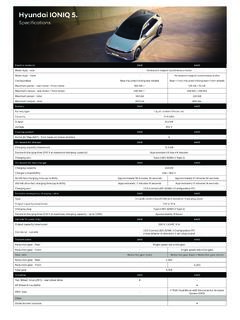
Hyundai IONIQ 5.
www.hyundai.comSpare wheel type Tyre Mobility Kit (TMK) Electric vehicle functions IONIQ 5 iPedal mode - intelligent one pedal driving mode Smart regenerative braking mode 2.0 - traffic & navigation based Regenerative braking control - via paddle shifters Vehicle to Load (V2L) connection (outside) - 2-way adapter to domestic 3-pin plug output

Product Catalog Packaged Rooftop Air Conditioners ...
www.trane.comconfiguration to the Carrier configuration by simply changing the return air opening plate. This design allows for easy field conversion and eliminates the need for costly adapter curbs. 6 RT-PRC060M-EN Features and Benefits Crankcase Heaters (15 - 20 Tons) These band heaters provide improved compressor reliability by warming the oil to prevent
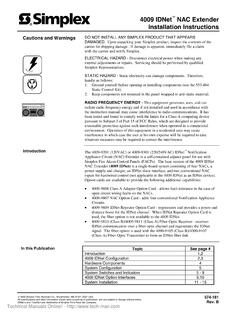
4009 IDNet NAC Extender Installation Instructions
www.firealarmresources.comStatic Control Kit). 2. ... • 4009-9808 Class A Adapter Option Card - allows fault tolerance in the case of open circuit wiring faults on the NACs. ... 4009 IDNet Configuration 2,3 Hardware Components 4 System Configuration 5 System Switches and Indicators 5 - 9
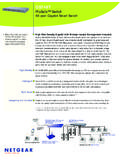
GS748T - Netgear
www.downloads.netgear.com-IEEE 802.1Q Tag VLAN (up to 64 Static VLAN groups) - Port-based VLAN (up to 48 groups) - IEEE 802.1p (Class of Service) - Port-based QoS (options High/Normal) - Port Trunking - Manual as per IEEE802.3ad Link Aggregation - DHCP client function - Port setting-Web-based configuration, anywhere on the network - Smart Wizard Discovery Utility ...

Intel® NUC Kit NUC10i7FNH Intel® NUC Kit NUC10i5FNH …
www.intel.com5. Holding the module by the edges, lift it away from the socket, and store it in an anti-static package. 6. Reinstall and reconnect any parts you removed or disconnected to reach the memory sockets. 7. Replace the computer’s cover and reconnect the power cord. Install an M.2 SSD or Intel® Optane™ Memory Module

Yealink W80 Datasheet
www.yealink.com> IP assignment: static/DHCP > Support outbound proxy server backup Security > Open VPN > Transport Layer Security (TLS1.0/TLS1.1/TLS1.2) > HTTPS (server/client), SRTP > Digest authentication > Secure configuration file via AES encryption > Support SHA256/SHA512/SHA384 DECT > Frequency bands: 1880 – 1900 MHz (Europe), 1920 – 1930 …