
User Guide - TP-Link
Sep 30, 2020 · If you can’t install the driver successfully, disable the antivirus software and firewall, then try again. 3 When the following screen appears, the driver has been installed successfully. 8 Chapter 3 Windows. ... 2 TP-Link Utility will pop up. Click the Profiles button to open the Profiles
Download User Guide - TP-Link

Information
Domain:
Source:
Link to this page:
Documents from same domain

Guía Rápida De Instalación - static.tp-link.com
static.tp-link.com11 E s p a ñ o l a M Extensor Universal de Cobertura WiFi Nota: El modelo que se toma como ejemplo en esta guía de usuario es el “TL-WA850RE”. Si desea obtener información adicional acerca de la instalación, consulte

TL-WR841N TL-WR841ND 300Mbps Wireless N Router - TP …
static.tp-link.comThe 300Mbps Wireless N Router delivers exceptional range and speed, which can fully meet the need of Small Office/Home Office (SOHO) networks and the users demanding higher networking performance.

TL-WR841N TL-WR841ND 300Mbps Wireless N Router
static.tp-link.comPowered by 2x2 MIMO technology, the 300Mbps Wireless N Router delivers exceptional range and speed, which can fully meet the need of Small Office/Home Office (SOHO) networks and the users demanding higher networking performance.

AC1200 Wireless Dual Band Router - TP-Link
static.tp-link.comAC1200 Wireless Dual Band Router Archer C50 300Mbps + 867Mbps Easy Setup Dual Band Wi-Fi 4 × 5dBi Antennas ... AC1200 (300Mbps on 2.4GHz + 867Mbps on 5GHz) Wi-Fi for reliable connections. 5GHz 867Mbps ... Cable or DSL Modem Subscription with an …

Quick Installation Guide - static.tp-link.com
static.tp-link.comEnglish 1 1 Power on Plug the extender into an electrical outlet near your router and press the power button if it has one. 2 Connect your computer to the extender

Installation Guide - TP-Link
static.tp-link.comThis guide is applicable to products including CPE210, CPE220, CPE510 and CPE520. • Package Contents Installation Guide Outdoor CPE CPE210 / CPE220 / CPE510 / C PE520 Pharos CPE Passive PoE Adapter Pole Mounting Straps Mounting Bracket Plastic Wall …

TL-WA901ND 300Mbps Wireless N Access Point - TP-Link
static.tp-link.comTL-WA901ND 300Mbps Wireless N Access Point User Guide 1 Package Contents The following items should be found in your package: One TL-WA901ND 300Mbps Wireless N Access Point

Quick Installation Guide - TP-Link
static.tp-link.comQuick Installation Guide AC1750 Wireless Dual Band Gigabit Router Connect the Hardware 7106505288 REV3.0.0 Verify that the following LEDs are

How to configure VPN function on TP-LINK Routers
static.tp-link.com3 2. How to configure LAN-to-LAN IPsec VPN on TP-LINK Router Suitable for: TL-ER6120, TL-ER6020, TL-ER604W, TL-R600VPN To setup an IPsec VPN tunnel …

How to configure VPN function on TP-LINK Routers
static.tp-link.com3 2. How to configure LAN-to-LAN IPsec VPN on TP-LINK Router Suitable for: TL-ER6120, TL-ER6020, TL-ER604W, TL-R600VPN To setup an IPsec VPN tunnel …
Related documents

AirPrint Guide - Brother
download.brother.com5 Select your Brother machine, and then select AirPrint from the Use pop-up menu. 6 Click Add. ... A standard web browser can be used to enable and disable the machine's AirPrint feature (it is enabled by default). a Confirm that the machine is …
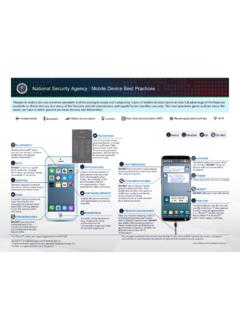
National Security Agency | Mobile Device Best Practices
media.defense.govJul 28, 2020 · Unexpected pop-ups like this are usually malicious. If one appears, forcibly close all applications (i.e., iPhone®2: double tap the Home button* or Android®3: click “recent apps” soft key). Only use original charging cords or charging accessories purchased from a trusted manufacturer. DO NOT use public USB charging stations.

Liquor Authority Mapping Project www.lamp.sla.ny
sla.ny.govDisable pop-up. Move down - to rearrange layers View in Attribute Table - table view of a particular layer. Show item details - not applicable (must be signed into ArcGIS online). Note: This option will be removed in the final version.

Catalyst 2960-S Switch Getting Started Guide (English)
www.cisco.comNote Before running Express Setup, disable any pop-up blockers or proxy settings in your browser software and any wireless client running on your PC. Step 1 Make sure that nothing is connected to the switch. Step 2 During Express Setup, the switch acts as a DHCP server. If your PC has a static IP address,

ProSAFE Plus Configuration Utility - Netgear
www.downloads.netgear.comTemporarily disable the firewall, Internet security, antivirus programs, or all of these programs. 5. To change the language, do the following: a. ... the Registration pop-up window during the previous session. 7. If the Registration pop-up window displays, select one of …
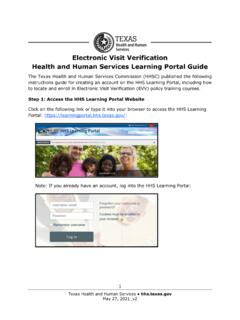
EVV HHS Learning Portal Guide
www.hhs.texas.gov3 Texas Health and Human Services hhs.texas.gov Complete all the required fields, which have exclamation point icons, in the New account screen. When all required information is entered, click the Create My New Account button at the bottom of the page: The HHS Learning Portal will send an email to the email address that was entered
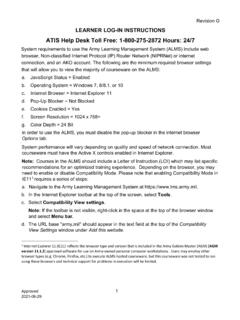
ATIS Help Desk Toll Free: 1-800-275-2872 Hours: 24/7
www.pdmatis.army.mild. Pop-Up Blocker = Not Blocked e. Cookies Enabled = Yes f. Screen Resolution = 1024 x 768+ g. Color Depth = 24 Bit In order to use the ALMS, you must disable the pop-up blocker in the internet browser . Options. tab. System performance will vary depending on quality and speed of network connection. Most

1. Update the BIOS from Window (SuperDoctor 5.0/SD5)
www.supermicro.com1 . The Three Different Methods To Reflash Your BIOS on SuperMicro C7 Motherboards . 1. Update the BIOS from Window (SuperDoctor 5.0/SD5) SuperDoctor 5 (SD5) is a system agent that runs on monitored hosts designed by Supermicro to provide