
User Guide - TP-Link
With the web-based utility, it is easy to configure and manage the router. The web-based utility can be used on any Windows, Macintosh or UNIX OS with a Web browser, such as Microsoft the Internet Explorer, Mozilla Firefox or Apple Safari. Follow the steps below to log into your router. 1.
Download User Guide - TP-Link

Information
Domain:
Source:
Link to this page:
Documents from same domain

Guía Rápida De Instalación - static.tp-link.com
static.tp-link.com11 E s p a ñ o l a M Extensor Universal de Cobertura WiFi Nota: El modelo que se toma como ejemplo en esta guía de usuario es el “TL-WA850RE”. Si desea obtener información adicional acerca de la instalación, consulte

TL-WR841N TL-WR841ND 300Mbps Wireless N Router - TP …
static.tp-link.comThe 300Mbps Wireless N Router delivers exceptional range and speed, which can fully meet the need of Small Office/Home Office (SOHO) networks and the users demanding higher networking performance.

TL-WR841N TL-WR841ND 300Mbps Wireless N Router
static.tp-link.comPowered by 2x2 MIMO technology, the 300Mbps Wireless N Router delivers exceptional range and speed, which can fully meet the need of Small Office/Home Office (SOHO) networks and the users demanding higher networking performance.

AC1200 Wireless Dual Band Router - TP-Link
static.tp-link.comAC1200 Wireless Dual Band Router Archer C50 300Mbps + 867Mbps Easy Setup Dual Band Wi-Fi 4 × 5dBi Antennas ... AC1200 (300Mbps on 2.4GHz + 867Mbps on 5GHz) Wi-Fi for reliable connections. 5GHz 867Mbps ... Cable or DSL Modem Subscription with an …

Quick Installation Guide - static.tp-link.com
static.tp-link.comEnglish 1 1 Power on Plug the extender into an electrical outlet near your router and press the power button if it has one. 2 Connect your computer to the extender

Installation Guide - TP-Link
static.tp-link.comThis guide is applicable to products including CPE210, CPE220, CPE510 and CPE520. • Package Contents Installation Guide Outdoor CPE CPE210 / CPE220 / CPE510 / C PE520 Pharos CPE Passive PoE Adapter Pole Mounting Straps Mounting Bracket Plastic Wall …

TL-WA901ND 300Mbps Wireless N Access Point - TP-Link
static.tp-link.comTL-WA901ND 300Mbps Wireless N Access Point User Guide 1 Package Contents The following items should be found in your package: One TL-WA901ND 300Mbps Wireless N Access Point

Quick Installation Guide - TP-Link
static.tp-link.comQuick Installation Guide AC1750 Wireless Dual Band Gigabit Router Connect the Hardware 7106505288 REV3.0.0 Verify that the following LEDs are

How to configure VPN function on TP-LINK Routers
static.tp-link.com3 2. How to configure LAN-to-LAN IPsec VPN on TP-LINK Router Suitable for: TL-ER6120, TL-ER6020, TL-ER604W, TL-R600VPN To setup an IPsec VPN tunnel …

How to configure VPN function on TP-LINK Routers
static.tp-link.com3 2. How to configure LAN-to-LAN IPsec VPN on TP-LINK Router Suitable for: TL-ER6120, TL-ER6020, TL-ER604W, TL-R600VPN To setup an IPsec VPN tunnel …
Related documents
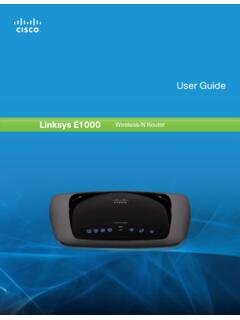
Linksys E1000 User Guide
downloads.linksys.comguest access (Guest access option) . Computers and devices with local access will have access to the Internet and to other devices on your local network, including shared computers and printers that are connected to the Router . Local access can be given to a wired or wireless device . Refer to Computers and Other Devices, page 6 for more ...

DiskStation DS918+ - Synology
global.download.synology.com• Windows ACL support provides fine-grained access control and efficient privilege settings, allowing DS918+ to fit seamlessly into current infrastructure. • Internet file access is simplified by the encrypted FTP server and Synology File Station, a web-based file explorer. HTTPS, firewall, and IP auto-block support ensure file sharing
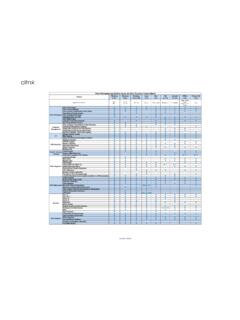
Citrix Workspace app Feature Matrix
www.citrix.comJan 09, 2022 · Controls access to available applications through the use of Gateway policies and filters. Provides users with secure access to enterprise applications, virtual desktops, and data anywhere without a VPN Access to hosted applications or virtual desktops using a browser. Enables use on IPV6 networks. DTLS is a derivation of SSL protocol.
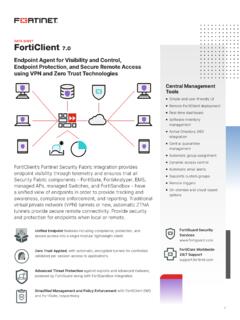
FortiClient Data Sheet
www.fortinet.comThe above list is based on the latest OS for each platform. FORTICLIENT Supported Operating Systems* Microsoft Windows 7 (32-bit and 64-bit) Microsoft Windows 8, 8.1 (32-bit and 64-bit) Microsoft Windows 10 (32-bit and 64-bit) Microsoft Windows Server 2012 or later macOS 11+, 10.15, 10.14 iOS 9.0 or later Android 5.0 or later

Go-Remote Access Service
www.gorasregistration.gov.on.caOnly Government-issued computing devices should be used for remote access to the ... which is located in your “Start” menu under “OPS Remote Access Service.” For Windows 10, you will find OPS Remote Access Service under òAll apps ó in the Start menu (See ... • Under òRequest Type ó select: Add New VPN Service access