
User Guide - TP-Link
For example, Wireless > MAC Filter means the MAC Filter function page is under the Wireless menu. Note: Ignoring this type of note might result in a malfunction or damage to the device. Tips: Indicates important information that helps you make better use of your device. Symbols on the web page • click to edit the corresponding entry.
Download User Guide - TP-Link

Information
Domain:
Source:
Link to this page:
Documents from same domain

Guía Rápida De Instalación - static.tp-link.com
static.tp-link.com11 E s p a ñ o l a M Extensor Universal de Cobertura WiFi Nota: El modelo que se toma como ejemplo en esta guía de usuario es el “TL-WA850RE”. Si desea obtener información adicional acerca de la instalación, consulte

TL-WR841N TL-WR841ND 300Mbps Wireless N Router - TP …
static.tp-link.comThe 300Mbps Wireless N Router delivers exceptional range and speed, which can fully meet the need of Small Office/Home Office (SOHO) networks and the users demanding higher networking performance.

TL-WR841N TL-WR841ND 300Mbps Wireless N Router
static.tp-link.comPowered by 2x2 MIMO technology, the 300Mbps Wireless N Router delivers exceptional range and speed, which can fully meet the need of Small Office/Home Office (SOHO) networks and the users demanding higher networking performance.

AC1200 Wireless Dual Band Router - TP-Link
static.tp-link.comAC1200 Wireless Dual Band Router Archer C50 300Mbps + 867Mbps Easy Setup Dual Band Wi-Fi 4 × 5dBi Antennas ... AC1200 (300Mbps on 2.4GHz + 867Mbps on 5GHz) Wi-Fi for reliable connections. 5GHz 867Mbps ... Cable or DSL Modem Subscription with an …

Quick Installation Guide - static.tp-link.com
static.tp-link.comEnglish 1 1 Power on Plug the extender into an electrical outlet near your router and press the power button if it has one. 2 Connect your computer to the extender

Installation Guide - TP-Link
static.tp-link.comThis guide is applicable to products including CPE210, CPE220, CPE510 and CPE520. • Package Contents Installation Guide Outdoor CPE CPE210 / CPE220 / CPE510 / C PE520 Pharos CPE Passive PoE Adapter Pole Mounting Straps Mounting Bracket Plastic Wall …

TL-WA901ND 300Mbps Wireless N Access Point - TP-Link
static.tp-link.comTL-WA901ND 300Mbps Wireless N Access Point User Guide 1 Package Contents The following items should be found in your package: One TL-WA901ND 300Mbps Wireless N Access Point

Quick Installation Guide - TP-Link
static.tp-link.comQuick Installation Guide AC1750 Wireless Dual Band Gigabit Router Connect the Hardware 7106505288 REV3.0.0 Verify that the following LEDs are

How to configure VPN function on TP-LINK Routers
static.tp-link.com3 2. How to configure LAN-to-LAN IPsec VPN on TP-LINK Router Suitable for: TL-ER6120, TL-ER6020, TL-ER604W, TL-R600VPN To setup an IPsec VPN tunnel …

How to configure VPN function on TP-LINK Routers
static.tp-link.com3 2. How to configure LAN-to-LAN IPsec VPN on TP-LINK Router Suitable for: TL-ER6120, TL-ER6020, TL-ER604W, TL-R600VPN To setup an IPsec VPN tunnel …
Related documents
Internet and Phone Connection Guide - Optimum
www.optimum.netTo set up a wired connection, connect a second Ethernet cable to one of the four open LAN ports on the back of your router, and connect the other end to your computer. Computer Ethernet cable IN OUT Modem Router > To set up your wireless internet connection, go to page 18. 14 15 Your modem must be set up and working in order to activate a router.
Wireless-AC3100 Dual Band Gigabit Router - Asus
dlcdnets.asus.comConnect to the wireless network There are two ways for your wireless clients (notebook, tablet PC, smartphone and so on) to connect to RT-AC3100’s wireless network. Connect to the wireless network manually To connect to the wireless network manually: 1. Enable the Wi-Fi function on your wireless client to scan for available wireless networks. 2.

How do I configure the wireless printer using a USB or ...
www.brother-usa.comcable from a wireless computer connected to the wireless network). C. If you are using MAC (Media Access Control) Filtering/MAC Address Access Control on your router, add the printer’s MAC Address to the table. The MAC Address is available on the last page of the Printer Settings (press the GO button 3 times to print the Printer Settings).

User Guide - Linksys Router EA6900
downloads.linksys.com• Router—Connects your wireless and wired network devices to each other and to the modem (and to your ISP). • Switch—Allows you to connect several wired network devices to your home network. Your router has a built-in network switch (the Ethernet ports). If you have more wired network devices than available Ethernet

4 - Configuring the Access Point for the First Time - Cisco
www.cisco.com– Provide your network administrator with the wireless device Media Access Control (MAC) address. Your network administrator will query the DHCP server using the MAC address to identify the IP address. The acce ss point MAC address is on label attached to the bottom of the access point. Default IP Address Behavior When you connect a 1040 ...
SMART INSTALL - HP
www.hp.comconnect a USB cable from your computer to the product in order to launch HP Smart Install and set up wireless printing. (The product obtains the necessary wireless credentials via your computer.) How to launch HP Smart Install over a wired or wireless network: 1. Print a Configuration Page to view the product’s IP address.

HL‑L5000D / HL‑L5100DN / HL‑L5200DW / HL ... - Brother
download.brother.comscreen appears, listing all machines in your network. If you cannot find this information, ask your network administrator or wireless access point/router manufacturer. The LCD displays [Connected] Find your SSID: XXXXXXX Network key: XXXX To use with your mobile device, go to Print using your mobile device (not available for HL‑L5000D).
2.4 Wireless-G - Linksys
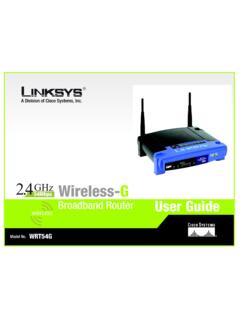
downloads.linksys.comChapter 2: Planning your Wireless Network Network Topology A wireless LAN is a group of computers, each equipped with one Linksys wireless adapter. Computers in a wireless LAN must be configured to share the same radio channel. The Linksys wireless adapters provide access to a wired LAN for wireless workstations. An integrated wireless

Wireless Installation Guide - L395
files.support.epson.comThe wireless router or access point can be connected to your computer over a wireless or wired network. 1 Epson product 2 Wireless router or access point 3 Computer with a wireless interface 4 Computer 5 Internet 6 Ethernet cable (used only for wired connection to the wireless router or access point) Setting Up Your Product with Wi-Fi Auto Connect