Example: stock market
Wireless Installation Guide - L395
The wireless router or access point can be connected to your computer over a wireless or wired network. 1 Epson product 2 Wireless router or access point 3 Computer with a wireless interface 4 Computer 5 Internet 6 Ethernet cable (used only for wired connection to the wireless router or access point) Setting Up Your Product with Wi-Fi Auto Connect
Tags:
Information
Domain:
Source:
Link to this page:
Documents from same domain

User's Guide - XP-410 - Epson
files.support.epson.comChanging or Updating Network Connections ..... 34 Accessing the Web Config Utility..... 35

WF-2630 User's Guide - Epson
files.support.epson.comUsing WPS to Connect to a Network..... 35 Printing a Network Status Sheet..... 36

Manual del usuario L575 - files.support.epson.com
files.support.epson.com3 Contenido Manual del usuario L575..... 13

Manual del usuario de la L555 - …
files.support.epson.comCómo escanear utilizando el panel de control del producto..... 74 Cómo cambiar los ajustes predeterminados de los botones de escaneo ..... 75

User's Guide - WF-100 - Epson
files.support.epson.comWF-100 User's Guide Welcome to the WF-100 User's Guide. For a printable PDF copy of this guide, click here. 9. Product Basics

User Manual - PowerLite S18+/W15+/W18+/X24+
files.support.epson.comCorrección de la forma de la imagen con los botones de corrección trapezoidal ..... 72 Corrección de la forma de la imagen con Quick Corner ..... 74

2 Guía de instalación OK - files.support.epson.com
files.support.epson.com2 Introduzca el CD del producto o descargue y ejecute el paquete de software del producto: global.latin.epson.com/Soporte/L575 3 …

Manual do usuário - files.support.epson.com
files.support.epson.com2 L Todos os direitos reservados. Nenhuma parte desta publicação pode ser reproduzida, armazenada em sistemas de recuperação ou transmitida de alguma forma ou meio

XP-310 User's Guide - Epson
files.support.epson.comAvailable EPSON Papers ... XP-310 User's Guide Welcome to the XP-310 User's Guide. For a printable PDF copy of this guide, click here. 11. Product Basics

User's Guide - WF-7610/WF-7620 - Epson
files.support.epson.comAvailable Epson Papers ... Welcome to the WF-7610/WF-7620 User's Guide. For a printable PDF copy of this guide, click here. 13. Product Basics
Related documents
2.4 Wireless-G - Linksys
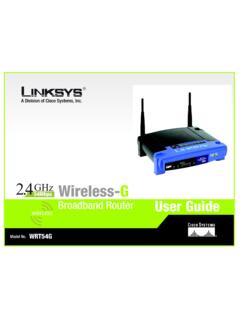
downloads.linksys.comChapter 2: Planning your Wireless Network Network Topology A wireless LAN is a group of computers, each equipped with one Linksys wireless adapter. Computers in a wireless LAN must be configured to share the same radio channel. The Linksys wireless adapters provide access to a wired LAN for wireless workstations. An integrated wireless

User Guide - Linksys Router EA6900
downloads.linksys.com• Router—Connects your wireless and wired network devices to each other and to the modem (and to your ISP). • Switch—Allows you to connect several wired network devices to your home network. Your router has a built-in network switch (the Ethernet ports). If you have more wired network devices than available Ethernet

HL‑L5000D / HL‑L5100DN / HL‑L5200DW / HL ... - Brother
download.brother.comscreen appears, listing all machines in your network. If you cannot find this information, ask your network administrator or wireless access point/router manufacturer. The LCD displays [Connected] Find your SSID: XXXXXXX Network key: XXXX To use with your mobile device, go to Print using your mobile device (not available for HL‑L5000D).
Internet and Phone Connection Guide - Optimum
www.optimum.netTo set up a wired connection, connect a second Ethernet cable to one of the four open LAN ports on the back of your router, and connect the other end to your computer. Computer Ethernet cable IN OUT Modem Router > To set up your wireless internet connection, go to page 18. 14 15 Your modem must be set up and working in order to activate a router.
SMART INSTALL - HP
www.hp.comconnect a USB cable from your computer to the product in order to launch HP Smart Install and set up wireless printing. (The product obtains the necessary wireless credentials via your computer.) How to launch HP Smart Install over a wired or wireless network: 1. Print a Configuration Page to view the product’s IP address.

How do I configure the wireless printer using a USB or ...
www.brother-usa.comcable from a wireless computer connected to the wireless network). C. If you are using MAC (Media Access Control) Filtering/MAC Address Access Control on your router, add the printer’s MAC Address to the table. The MAC Address is available on the last page of the Printer Settings (press the GO button 3 times to print the Printer Settings).

User Guide - TP-Link
static.tp-link.comFor example, Wireless > MAC Filter means the MAC Filter function page is under the Wireless menu. Note: Ignoring this type of note might result in a malfunction or damage to the device. Tips: Indicates important information that helps you make better use of your device. Symbols on the web page • click to edit the corresponding entry.

4 - Configuring the Access Point for the First Time - Cisco
www.cisco.com– Provide your network administrator with the wireless device Media Access Control (MAC) address. Your network administrator will query the DHCP server using the MAC address to identify the IP address. The acce ss point MAC address is on label attached to the bottom of the access point. Default IP Address Behavior When you connect a 1040 ...
Wireless-AC3100 Dual Band Gigabit Router - Asus
dlcdnets.asus.comConnect to the wireless network There are two ways for your wireless clients (notebook, tablet PC, smartphone and so on) to connect to RT-AC3100’s wireless network. Connect to the wireless network manually To connect to the wireless network manually: 1. Enable the Wi-Fi function on your wireless client to scan for available wireless networks. 2.