VMDR Getting Started Guide - Qualys
1. Go to Prioritization > Reports and click Create Report. If you are generating the report for the first time, click on the Prioritization tab. 2. Select the Asset tags to narrow down your prioritized list to vulnerabilities associated with the assets you select. Before you start generating the prioritization report, ensure that:
Download VMDR Getting Started Guide - Qualys

Information
Domain:
Source:
Link to this page:
Documents from same domain
Qualys API Quick Reference
www.qualys.comQualys API Quick Reference Guide Vulnerability Management and Policy Compliance API 8 Notes: “title” is required for a create request. “ids” is required for an update and delete request. comments={value}&
Windows Authentication - Qualys
www.qualys.com“qualys_scanner” user to the “Domain Admins” group. Click OK to save the change. Group Policy Settings Best practice Group Policy settings for authenticated scanning of Windows systems are described below. Please consult your network administrator before making changes to
Scan VMware ESXi Hosts on vCenter User Guide
www.qualys.comScan ESXi hosts on vCenter Get Started Launch scans Now you are ready to launch a scan on your ESXi hosts through vCenter. Launch a scan like any other scan and for your target hosts choose your ESXi assets by selecting IP addresses, asset groups, asset tags. The authenticated scanning occurs for the
Qualys Patch Management Getting Started Guide
www.qualys.comInstalling Cloud Agents on Assets Downloading Installer 9 As you can see, you can provision the same key for any of the other applications in your account. Downloading Installer Click Install instructions next to Windows (.exe) or Linux (.rpm).
Qualys SAML and Azure Active Directory Integration
www.qualys.comApr 07, 2021 · Tutorial: Azure Active Directory Integration with Qualys Cloud Platform using SAML SSO In this tutorial we’ll show you how to integrate Microsoft Azure Active Directory (Azure AD) with Qualys Cloud Platform using SAML 2.0 SP-initiated SSO. Integrating Qualys Cloud Platform with Azure AD provides you with these benefits:
Web Application Scanning API - Qualys
www.qualys.comNov 12, 2021 · The Qualys Cloud Platform and its integrated Cloud Apps deliver businesses critical security in telligence continuously, enabling them to automate the full spectrum of auditing, compliance and protection for IT systems and web applications on pre mises, on endpoints and elastic clouds. For more information, please visit
Qualys CloudView User Guide
www.qualys.comapplies to EC2/VPC services and Security Group Resource Service A service is the high level grouping by functional area. Each service consists of different entities or resources. Resource A resource is an entity that you can work with. Examples include an Amazon EC2 instance, IAM User, Security Group.
Unix Authentication - Qualys
www.qualys.comJul 28, 2020 · Using Private Keys / Certificates For successful authentication, the user account must be add ed to all target hosts along with the public key, which will be appended to the “.ssh/authorized_keys2” file in the user’s home directory. Our service must have full access to the target hosts during scanning. It ’s possible that
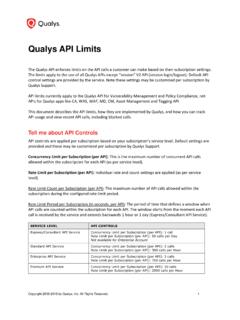
Qualys API Limits
www.qualys.comExample: 300 API calls were received starting April 12 at 2 PM. The first blocked API call was received on April 12 at 2:30 PM. Users could not run API calls for 30 minutes. The next time an API can be received and run is April 12 at 3 PM, assuming there is a maximum of 1 API call instance currently running at that time.
Qualys Gateway Service User Guide
www.qualys.comQualys Gateway Service User Interface Module 8 Qualys Gateway Service User Interface Module Qualys Gateway Service has a user interface module on the Qualys Platform. Customers with purchased or trial accounts see the QGS module in the module picker. Use the QGS UI to create, configure, monitor, disable, and delete QGS appliances deployed
Related documents
Vulnerability Index - Service Prioritization Decision ...
pehgc.orgThe Service Prioritization Decision Assistance Tool (SPDAT) was developed as an assessment tool for front-line workers at agencies that work with homeless clients to prioritize which of those clients should receive assistance !rst. The SPDAT tools are also designed to help guide case management and improve housing stability outcomes.

Task Management Guide - CentriQS
www.centriqs.bizGuide. Task Management . Your projects, business processes, schedules, daily routine and any other kinds of work are made of tasks, ... prioritization depending on the method chosen. Priority leveling is the most popular and simple way to set task priority. Numeric priority can be

A Practice Guide for Teaching Executive Skills to ...
challengingbehavior.cbcs.usf.eduNov 05, 2019 · A Practice Guide for Teaching Executive Skills to Preschoolers through the Pyramid Model 7 Pyramid Model Practices Executive Functions that are Promoted Executive Skills being Strengthened Teaching children to use and follow a schedule so that they anticipate activities • Organization • Planning/prioritization • Time management
User Guide - Linksys
downloads.linksys.com1. Reset button-----Press and hold until the light on top of the node turns red, fades and flashes bright red again to reset the router to its factory defaults. 2. Ethernet ports-----Connect Ethernet cables to these Gigabit thernet (10/100/1000) poE rts and to other wired devices on our ney twork. If you have more than one node in your Velop

USER GUIDE - Linksys
downloads.linksys.comDevice Prioritization Choose up to three devices for priority usage of your internet connection. Those devices – wired and/or wireless – always will have the best access when connected. Velop runs a speed check to determine how to best distribute Wi-Fi to prioritized devices. Other devices will share the leftover capacity.
Guide to Prioritization Techniques - NACCHO
www.naccho.orgGuide to Prioritization Techniques Introduction Despite the many accomplishments of local public health, we continue to see emerging population-wide health threats as we forge ahead into to the 21st Century. We are in an economic climate where LHD personnel are facing dire budget cutbacks while simultaneously dealing with issues like H1N1, chronic
White Paper: A Nurse’s Guide to the Use of Social Media
www.ncsbn.orgAug 17, 2011 · White Paper: A Nurse’s Guide to the Use of Social Media August 2011 Introduction The use of social media and other electronic communication is increasing exponentially with growing numbers of social media outlets, platforms and applications, including blogs, social networking sites, video sites, and online chat rooms and forums. Nurses

Digital Imager Scanner Product Reference Guide
www.zebra.comiv DS6707 Digital Imager Scanner Product Reference Guide-09 Rev A 6/2013 Added: - To Timeout Between Decodes, Same Symbol - The bar code must be out of the field of view for the timeout period before the scanner reads the same consecutive symbol - PDF Prioritization - PDF Prioritization Timeout - Video Mode Format Selector