VMDR Getting Started Guide - Qualys
4. Click Prioritize Now to enable the threat intelligence to prioritize the riskiest vulnerabilities on your network for the assets you selected. Once you generate the report, you could procee d with patching the vulnerabilities (if Patch Management app is enabled in your subscription), export the report in the form of a
Download VMDR Getting Started Guide - Qualys

Information
Domain:
Source:
Link to this page:
Documents from same domain
Qualys API Quick Reference
www.qualys.comQualys API Quick Reference Guide Vulnerability Management and Policy Compliance API 8 Notes: “title” is required for a create request. “ids” is required for an update and delete request. comments={value}&
Windows Authentication - Qualys
www.qualys.com“qualys_scanner” user to the “Domain Admins” group. Click OK to save the change. Group Policy Settings Best practice Group Policy settings for authenticated scanning of Windows systems are described below. Please consult your network administrator before making changes to
Scan VMware ESXi Hosts on vCenter User Guide
www.qualys.comScan ESXi hosts on vCenter Get Started Launch scans Now you are ready to launch a scan on your ESXi hosts through vCenter. Launch a scan like any other scan and for your target hosts choose your ESXi assets by selecting IP addresses, asset groups, asset tags. The authenticated scanning occurs for the
Qualys Patch Management Getting Started Guide
www.qualys.comInstalling Cloud Agents on Assets Downloading Installer 9 As you can see, you can provision the same key for any of the other applications in your account. Downloading Installer Click Install instructions next to Windows (.exe) or Linux (.rpm).
Qualys SAML and Azure Active Directory Integration
www.qualys.comApr 07, 2021 · Tutorial: Azure Active Directory Integration with Qualys Cloud Platform using SAML SSO In this tutorial we’ll show you how to integrate Microsoft Azure Active Directory (Azure AD) with Qualys Cloud Platform using SAML 2.0 SP-initiated SSO. Integrating Qualys Cloud Platform with Azure AD provides you with these benefits:
Web Application Scanning API - Qualys
www.qualys.comNov 12, 2021 · The Qualys Cloud Platform and its integrated Cloud Apps deliver businesses critical security in telligence continuously, enabling them to automate the full spectrum of auditing, compliance and protection for IT systems and web applications on pre mises, on endpoints and elastic clouds. For more information, please visit
Qualys CloudView User Guide
www.qualys.comapplies to EC2/VPC services and Security Group Resource Service A service is the high level grouping by functional area. Each service consists of different entities or resources. Resource A resource is an entity that you can work with. Examples include an Amazon EC2 instance, IAM User, Security Group.
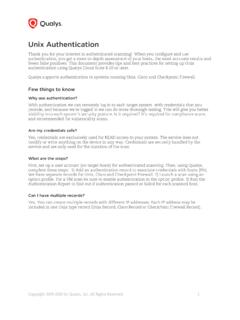
Unix Authentication - Qualys
www.qualys.comJul 28, 2020 · Using Private Keys / Certificates For successful authentication, the user account must be add ed to all target hosts along with the public key, which will be appended to the “.ssh/authorized_keys2” file in the user’s home directory. Our service must have full access to the target hosts during scanning. It ’s possible that
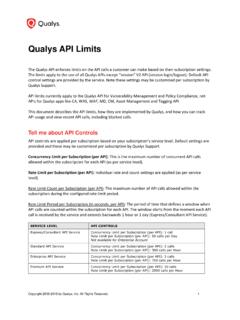
Qualys API Limits
www.qualys.comExample: 300 API calls were received starting April 12 at 2 PM. The first blocked API call was received on April 12 at 2:30 PM. Users could not run API calls for 30 minutes. The next time an API can be received and run is April 12 at 3 PM, assuming there is a maximum of 1 API call instance currently running at that time.
Qualys Gateway Service User Guide
www.qualys.comQualys Gateway Service User Interface Module 8 Qualys Gateway Service User Interface Module Qualys Gateway Service has a user interface module on the Qualys Platform. Customers with purchased or trial accounts see the QGS module in the module picker. Use the QGS UI to create, configure, monitor, disable, and delete QGS appliances deployed
Related documents

EXECUTIVE ORDER - - - - - - - CERTAIN COMPANIES OF THE ...
home.treasury.govADDRESSING THE THREAT FROM SECURITIES INVESTMENTS THAT FINANCE CERTAIN COMPANIES OF THE PEOPLE'S REPUBLIC OF CHINA By the authority vested in me as President by the Constitution and the laws of the United States of America, including the International Emergency Economic Powers Act (50 U.S.C. 1701 et seq.) (IEEPA), the National …

Emergency Planning - Emergency Management Institute
training.fema.govmanagement, radiological emergency management, the role of the emergency manager, hazardous materials, disaster assistance, the role of the Emergency Operations Center (EOC), and an orientation to community disaster exercises.

White-Tailed Deer Population Management
www.dec.ny.govManagement poses no threat to the existence of deer and can reduce conflicts between deer and other species. Ecological, economic, and human health interests all provide reasons to manage deer. Nearly everywhere the white-tailed deer occurs, laws have been

Operational Risk Management Guide - USDA
www.fs.usda.govFeb 26, 2020 · Management (ORM) process to better plan for and address the inherent risks that our employees face. ... Often the words ‘Hazard’ and ‘Threat’ are used interchangeably. Exposure: A term used to assess the amount of time a resource or a value is proximally in a position to be harmed by a hazard. Exposure is a tool used by risk managers to ...