
Weather Thermometer …
possible product performance, please read this manual in its entirety . and retain it for future reference. Unpacking Instructions . Remove the protective film that is applied to the LCD screen prior to using this product. Locate the tab and peel off to remove. Package Contents . 1. Display unit 2. Outdoor sensor 3. Instruction Manual. IMPORTANT
Download Weather Thermometer …

Information
Domain:
Source:
Link to this page:
Documents from same domain

Professional Weather Center - acurite.com
www.acurite.comweather reports for newspapers and websites. Its information comes from the National Weather Service, and over 250,000 personal weather stations. About Weather UndergroundTM Wi-Fi Setup for Weather UndergroundTM This weather station features wireless Internet connectivity in order to connect and send your data to Weather UndergroundTM. If you ...

SAVE THIS MANUAL FOR FUTURE REFERENCE. - AcuRite
www.acurite.comUsing the Weather Station Precision Weather Forecasting AcuRite’s Precision Forecasting provides your personal forecast of morning, noon & night (4 hour, 4 to 8 hour and 8 to 12 hour) weather conditions. The patent-pending technology combines regional weather patterns with data measured by a sensor in your yard. It generates a forecast with ...
Display for 5-in-1 Weather Sensor model 06016RM Instructions
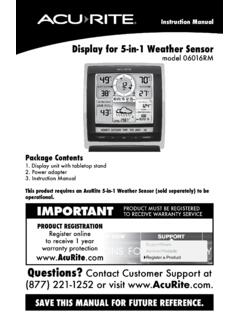
www.acurite.comInstruction Manual Display for 5-in-1 Weather Sensor model 06016RM Package Contents . 1. Display unit with tabletop stand Power adapter 3. Instruction Manual . This product requires an AcuRite 5-in-1 Weather Sensor (sold separately) to be operational. IMPORTANT. PRODUCT MUST BE REGISTERED TO RECEIVE WARRANTY SERVICE
High Resolution Weather Station Display model 06058
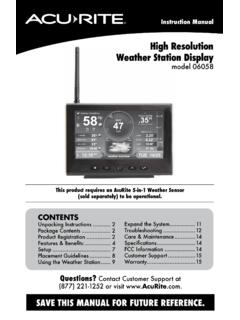
www.acurite.comCongratulations on your new AcuRite product. To ensure the best possible product performance, please read this manual in its entirety and retain it for future reference.
Professional Weather Center - AcuRite
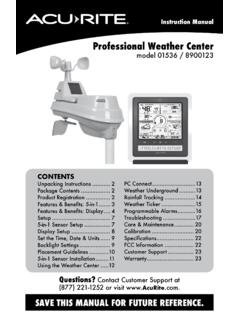
www.acurite.comThis weather station’s color display features three different lighting settings: High (100%) brightness, Medium (60%) brightness and Low (15%) brightness. Using battery power alone, the backlight is available momentarily for 10 seconds by pressing the “
Professional Weather Display - AcuRite
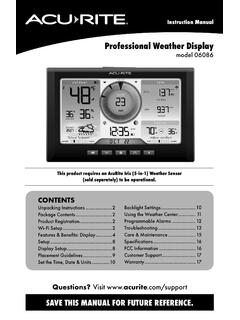
www.acurite.com** This weather station display only supports 2.4 GHz wireless networks. About Weather Underground Weather Underground is a commercial weather service providing real-time weather information via the internet. Weather Underground provides weather reports for most major cities worldwide and local weather reports for newspapers and websites.
PCConnect for Windows Instruction Manual
www.acurite.compublication may be reproduced, stored in a retrieval system, or transmitted in any form or by any. means, electronic, mechanical or otherwise, for any purpose, without the prior written. permission of Chaney Instrument Co.. Chaney Instrument Co. 965 Wells Street. Lake Geneva WI 53147. Web: www.acurite.com. Phone: + 1 844 228 5465. Fax: +1 262 ...
00591W Wireless Thermometer with Sensor
www.acurite.comThe remote temperature will be displayed after installing batteries into the remote sensor. Remote sensor: C/ F Select C & F mode display TX Manually Transmit Temperature. Intended for outdoor use. Maybe used indoors. Will display temperature of immediate location. The sensors can transmit up to 100 feet distance in open area.

AcuRite Iris (5-in-1) Weather Station with Color Display ...
www.acurite.com5. Backup Battery Compartment 6. A-B-C Switch ID code that must match AcuRite Iris sensor’s A-B-C switch to ensure units synchronize. 7. CLEAR RECORD / RESET Button Press and HOLD for 8 seconds to clear all records. Press and HOLD for 10 seconds for full reset to factory defaults. 8. Power Adapter 9. USB Cable for PC Connection 10.

Professional Weather Center - AcuRite
www.acurite.comPackage Contents ..... 2 Product Registration ..... 2 Features & Benefits: 5-in-1 Features & Benefits: Display ... For easy wall mounting. 2. Button . Dimmer control while using power adapter. Activates momentary ... air conditioners, chimneys, exhaust vents, asphalt and concrete (surfaces that radiate heat). ...
Related documents
Wireless Weather Station Instruction Manual Page
www.foshk.comThank you for purchasing this Professional Weather Center Designed for everyday use, the weather station will prove to be an asset of great value for your personal use in the home or office. Please read this instruction manual thoroughly to fully understand the correct operation of your weather station and benefit from its unique features. 2.

FIRE CAPTAIN JOB DESCRIPTION
apps.mesaaz.govpre-fire planning, fire and life safety education, and station-based training activities. Incumbents are required to supervise and participate in the care and maintenance of a fire station, apparatus, equipment, and grounds. A Fire Captain must also be skilled in and capable of performing firefighting duties, and perform these duties as necessary.

SAINLOGIC PROFESSIONAL WEATHER STATION Operation …
m.media-amazon.comyour weather station mounting pole. Never install the weather station in a storm. Warning: Installing your weather station in a high location may result in injury or death. Perform as much of the initial check and operation on the ground and inside a building or home. Only install the weather station on a clear, dry day. 3. Quick Start Guide

Part 107 Test Study Guide and Practice Exams - 3D Insider
www.3dinsider.comcertain level of knowledge on factors that affect the operation of UAVs. These factors include the different features of the NAS, safety, weather, coordination with local airports, air traffic control, potential hazards, and occasional emergencies. As a result, the FAA promulgated the Small Unmanned Aircraft Regulations (sUAS) (Part 107
Display for 5-in-1 Weather Sensor model 06016RM Instructions
www.acurite.comInstruction Manual Display for 5-in-1 Weather Sensor model 06016RM Package Contents . 1. Display unit with tabletop stand Power adapter 3. Instruction Manual . This product requires an AcuRite 5-in-1 Weather Sensor (sold separately) to be operational. IMPORTANT. PRODUCT MUST BE REGISTERED TO RECEIVE WARRANTY SERVICE

Android System User Manual - Xtrons
xtrons.comNotes: Please read this user manual carefully before operation. ... station. 6. Replace fuse with a new one in the same size (current grade); it is ... deleted,such as weather information, short-cut icons,etc APK icon adding to main interface,as the below picture: