
Wireless Keypad Instructions STEP 1) …
38832.503493 Wireless Keypad Instructions It is recommended to complete programming before mounting keypad Keypad Up/Down˜Key (enter) Program˜Key
Download Wireless Keypad Instructions STEP 1) …

Information
Domain:
Source:
Link to this page:
Documents from same domain
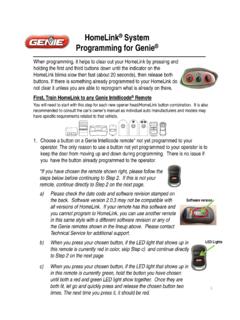
HomeLink System Programming for Genie
www.geniecompany.comHomeLink® System Programming for Genie ® First, Train HomeLink to any Genie Intellicode® Remote You will need to start with this step for each new opener head/HomeLink button combination.
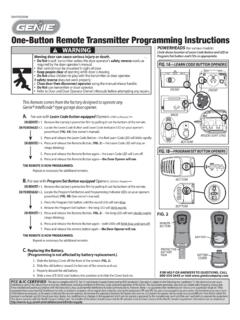
One-Button Remote Transmitter Programming …
www.geniecompany.comPOWERHEADS (for various models) 38499502048 BATTERY REMOTE BUTTON BATTERY COVER FOR HELP OR ANSWERS TO QUESTIONS, CALL 800˜354˜3643 or visit www.geniecompany.com Circle shows location of Learn Code Button and LED or

BELT/CHAIN DRIVE GARAGE DOOR OPENER MODELS
www.geniecompany.com4 SAFETY NOTIFICATIONS & INSTRUCTIONS IMPORTANT SAFETY INSTRUCTIONS OVERVIEW OF POTENTIAL HAZARDS READ THIS SAFETY INFORMATION Garage doors are large, heavy objects that move with the help of …

Compatible Genie openers* for Aladdin Connect
www.geniecompany.comThe Genie Company • One Door Drive, Mt. Hope, Ohio 44660 Aladdin Connect Customer Care: 866-599-4995 • www.GenieCompany.com/AladdinConnect (Rev 10/04/16) © 2016 ...
Automatic Chain Drive/Belt Drive Garage Door …
www.geniecompany.comAutomatic Chain Drive/Belt Drive Garage Door Operator System Owner’s Manual SAVE FOR FUTURE REFERENCE Customer Service CALL: 1-800-354-3643 VISIT: WWW.GENIECOMPANY.com

www.geniecompany.com
www.geniecompany.comHANG NEAR DOOR OPERATOR G, GXL Series Automatic ScrewDrive Garage Door0perator System Non-Contact Optical Sensor System …

IS, ISL, IC, H - Genie Garage Door Openers | Systems ...
www.geniecompany.com2 Things to consider if you are planning to “do-it-yourself.” Whether you are replacing an existing garage door operator or installing an operator in your

Programming Wireless Keyless Entry Pad Model …
www.geniecompany.comProgramming Quick Reference Card For help, refer to the owner’s manual or call 1-800-35-GENIE. WARNING: The door could move during programming. Stay clear of door

SAFETY FIRST PRE-1993 OPENERS SHOULD BE …
www.geniecompany.comNEWS RELEASE SAFETY FIRST PRE-1993 OPENERS SHOULD BE REPLACED – NOT REPAIRED MT. HOPE, OH – The Genie Company is committed to the highest standards of product safety.
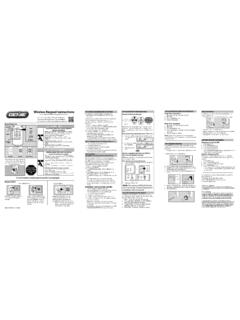
OPE RATING INST UCTIONS - The Genie Company
www.geniecompany.comST EP 1: S TTINGYOUR WIRELESS K YPAD PIN (PERSONAL IDENTIFICATION NUMBER) A Activ ate programming mode. •Press (in order) . – Red LED blinks -once per second. •Enter your PIN (3 to 8 characters). •Press . – Red LED blinks - …
Related documents

Pin Cushion Mice - Bustle & Sew
bustleandsew.com1 (c) Bustle & Sew 2013 Pin Cushion Mice A Bustle & Sew classic, I originally released my take on this old-fashioned method of making these little mice back in March 2011.

Using a Microphone with the iPad
speechrecsolutions.comUsing a Microphone with the iPad Jon Wahrenberger, MD Although most interactions with the Apple iPad occur by direct physical interaction with the touch-

SSD Form Factor
www.ssdformfactor.orgenterprise ssd form factor 1.0a 2 intellectual property disclaimer this specification is provided “as is” with no warranties whatsoever including

256 10 GX, MX, TX, and SX Device Family Pin …
www.intel.comContents Intel ® Stratix 10 GX, MX, TX, and SX Device Family Pin Connection Guidelines.....4 Intel ® Stratix 10 GX Pin Connection Guidelines.....5