
Xerox Device Agent User Guide
Memory • 512 MB RAM (1 GB Recommended) for Windows® XP and Windows Server® 2003 • 1 GB RAM (1.5 GB Recommended) for Windows Vista®, Windows® 7 Professional, Windows® 8, Windows Server® 2008, 2008 R2, 2012, and Windows® 2003, 2008, 2008 r2 Processor • 1.7 GHz processor or better
Download Xerox Device Agent User Guide

Information
Domain:
Source:
Link to this page:
Documents from same domain

January 20, 2014 - Xerox
www.office.xerox.comJanuary 20, 2014 Helpful Hints for Printing in Citrix® Using Xerox® Print Drivers Customer Tip

Phaser 3610 Printer and WorkCentre 3615 …
www.office.xerox.comXerox ® Phaser ® 3610 Printer and Xerox ® WorkCentre ® 3615 Multifunction Printer. More speed. More expandability. Professional quality results. Xerox

Xerox WorkCentre 7800 Series Multifunction Printer
www.office.xerox.comEnabling More Time for the Work that Matters Most Experience a simplified, and intuitive user interface that can be tailored for your individual

Driver Support for Terminal Services and Citrix ...
www.office.xerox.comTitle: Driver Support for Terminal Services and Citrix Environments - Customer Tip Author: Xerox Corporation Created Date: 20110602084218Z

Xerox Color C60/C70 Printer
www.office.xerox.comXerox ® Color C60/C70 Printer Amazing flexibility and the power to do more. Xerox® Color C60/C70 Printer Brochure

WorkCentre 7425/7428/7435 System …
www.office.xerox.comWorkCentre® 7400 Series Multifunction Printer WorkCentre® 7425/7428/7435 System Administrator Guide English Français Guide de l’administrateur système Español Guía del administrador del sistema

Xerox Standard Accounting: Tracking Usage by …
www.office.xerox.comPrerequisites To enable the feature as described in this document, the supported device needs to be at the following minimum system software version.

Compatibility with Xerox Equipment
www.office.xerox.comMicrosoft® Windows® 8.x and 10 | Compatibility with Xerox® Equipment i Contents Xerox® Product Compatibility with Microsoft® Windows® 8.x and 10 ..... 2

Xerox Network Scanning – TWAIN Configuration …
www.office.xerox.comXerox Multifunction Devices Customer Tips dc07cc0432 … for the user October 19, 2007 Xerox Network Scanning – TWAIN Configuration for the WorkCentre 7328/7335/7345

Xerox WorkCentre 6515 Detailed Specifications
www.office.xerox.comXerox® ®WorkCentre 6515 Color Multifunction Printer Page Description Languages ®Adobe® PostScript 3™ PCL® 5e, 6 PDF TIFF Maximum Print Area 4 mm edge of paper Print Features Banner Sheets
Related documents
Installation Guide
kb.lenel.com• If using Windows Vista, Windows 7, Windows Server 2008, or Windows ... upgrade this firmware before upgrading the software. If there is an ... • OnGuard servers hosting Web applicati ons must be running Windows XP or Windows Server 2003.
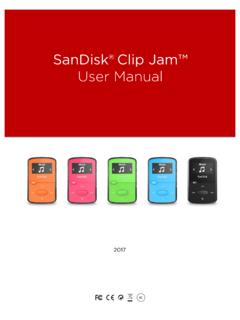
SanDisk® Clip Jam™
downloads.sandisk.comWindows® XP SP2 or Mac OS X 10.3 and Linux (mass storage class only), restart the player, and try again. •E: NOT When battery level reaches 20% device will notify: "Battery running low", at 5%- …

Absolute Beginner’s Guide to Computer Basics,
ptgmedia.pearsoncmg.computers running the latest version of Microsoft’s operating system, Windows 7. If you’re running the previous version, Windows Vista, most of the advice and informa-tion will still work. But if you’re running the even older Windows XP, you should read the earlier Third Edition of …
HP Integrated Lights-Out 2 User Guide
h10032.www1.hp.comHP Integrated Lights-Out 2 User Guide for Firmware 1.75 and 1.77 Part Number 394326-009 April 2009 (Ninth Edition)

Install/Uninstall/Reinstall Xerox Windows Print Drivers ...
www.office.xerox.com7, Windows Server 2008, Windows 2003, Windows XP, and Windows Vista operating systems. We do not recommend upgrading a print driver, rather the recommendation is …

Upgrading to Windows 10 Education - OnTheHub
software.onthehub.comUpgrading from Windows 7, 8 or 8.1 Upgrading from Windows XP or Vista / Mac Upgrading from Windows 10 Home or Professional Windows 7 and Windows 8.1 users: 1. Go to . Microsoft’s Windows 10 Software Download Site. 2. Click the . Download Tool Now . button. 3. Follow the on-screen instructions to obtain and install your software.

Future Technology Devices International Ltd FT234XD
www.ftdichip.comWindows XP Embedded Windows CE 4.2, 5.0 and 6.0 Mac OS 8/9, OS-X Linux 2.4 and greater Royalty free D2XX Direct Drivers (USB Drivers + DLL S/W Interface) Windows 10 32,64-bit Windows 8/8.1 32,64-bit Windows 7 32,64-bit Windows Vista and Vista 64-bit Windows XP and XP 64-bit Windows 98, 98SE, ME, 2000, Server 2003, XP, Server 2008 and server 2012 R2
SanDisk® Clip Jam™
downloads.sandisk.comWindows® XP SP2 or Mac OS X 10.3 and Linux (mass storage class only), restart the player, and try again. •E: NOT When battery level reaches 20% device will notify: "Battery running low", at 5%- battery will turn off.

Installing (1.8.7) 9/2/2009 1 Installing jGRASP
www.jgrasp.org1.2 Installing on Windows 95/98/2000/XP/Vista . If you plan to compile and run Java programs on a Windows machine, the . jGRASP exe. install file is recommended. Prior to running jGRASP, you will also need to have installed the full JDK on your machine. If you are . not planning to compile and run Java programs (e.g., you plan to compile and run
Install/Uninstall/Reinstall Xerox Windows Print Drivers ...
www.office.xerox.com7, Windows Server 2008, Windows 2003, Windows XP, and Windows Vista operating systems. We do not recommend upgrading a print driver, rather the recommendation is removing and reinstalling the updated driver.