Transcription of ELECTRONIC FILING GUIDE FOR THE QUARTERLY WAGE AND ...
1 ELECTRONIC FILING GUIDE . FOR THE QUARTERLY WAGE. AND WITHHOLDING PROGRAM. DE 8300 Rev. 11 (4-19) (INTERNET) Cover + 31 pages CU. For information regarding the Employment Development Department (EDD) tax program and online forms, visit the EDD website. For information about tax reporting, payment options, and customer service questions, call between the hours of 8 and 5 , Pacifc Time (PT), Monday through Friday: Taxpayer Assistance Center 1-888-745-3886. Customers who are deaf or hard of hearing can reach the EDD through the California Relay Service at: 1-800-735-2929. The EDD is an equal opportunity employer/program. Auxiliary aids and services are available upon request to individuals with disabilities.
2 Requests for services, aids, and/or alternate formats need to be made by calling 1-888-745-3886 (voice) or TTY 1-800-547-9565. DE 8300 Rev. 11 (4-19) (INTERNET) Inside Cover + 31 pages TABLE OF CONTENTS. I. INTRODUCTION .. 1. II. ELECTRONIC REPORTING 2. E-fle and E-pay Mandate .. 2. Non-Compliance Penalty .. 2. Waiver Request .. 2. III. ELECTRONIC REPORTING OPTIONS .. 3. e-Services for Business Enrollment .. 3. Direct Entry or Import 3. Upload a Bulk Return File .. 4. Federal/State Employment Taxes (FSET) - Bulk Transmissions .. 4. IV. GENERAL INFORMATION .. 5. FILING Deadline .. 5. Late FILING Penalty .. 5. Adjustments to Wage and Withholding Data .. 5. APPENDIX A CSV FORMAT INSTRUCTIONS.
3 6. CSV Record Layout .. 6. APPENDIX B XML FORMAT INSTRUCTIONS .. 8. DE 9C Data Element Rules .. 8. Sample DE 10. APPENDIX C ICESA FORMAT INSTRUCTIONS .. 12. ICESA Format Description .. 12. ICESA File Format Requirements .. 12. Name Formatting .. 12. Required State Records .. 12. Optional State Records .. 12. Code E Employer Record Layout .. 13. Code S Employee Record Layout .. 14. Code T Total Record Layout .. 16. DE 8300 Rev. 11 (4-19) (INTERNET) i + 31 pages TABLE OF CONTENTS. APPENDIX D NO PAYROLL ICESA FORMAT 17. No Payroll ICESA File Format Requirements .. 17. Required State Records .. 17. Code E Employer Record Layout .. 18. Code N No Payroll Record Layout .. 19. Code T Total Record Layout.
4 19. APPENDIX E MMREF-1 FORMAT INSTRUCTIONS .. 20. MMREF-1 Format Description .. 20. MMREF-1 File Format Requirements .. 20. Name Formatting .. 20. Required State Records .. 20. Optional State Records .. 20. Code RE Employer Record Layout .. 21. Code RS State Supplemental Employee Record Layout .. 22. Code RST State Total Record Layout .. 24. APPENDIX F NO PAYROLL MMREF-1 FORMAT INSTRUCTIONS .. 26. No Payroll MMREF-1 File Format Requirements .. 26. Required State Records .. 26. Code RE Employer Record Layout .. 27. Code RN No Payroll Record 28. Code RST Total Record 28. APPENDIX G TABLES .. 29. Wage Plan Code Table .. 29. Employer Account and Wage Plan Code Correlation Table.
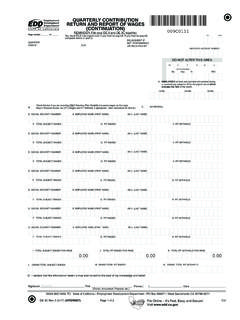
5 30. State Abbreviation Table .. 31. DE 8300 Rev. 11 (4-19) (INTERNET) ii + 31 pages I. INTRODUCTION. California law requires employers to report their employees' wage and withholding information on the QUARTERLY Contribution Return and Report of Wages (Continuation) (DE 9C). This GUIDE contains defnitions, requirements, instructions, technical specifcations, and general information for submitting the DE 9C to the Employment Development Department (EDD). electronically and should be used in conjunction with the current tax year's California Employer's GUIDE (DE 44) (PDF, MB). The DE 44 provides detailed information on the wage and withholding reporting requirements. DE 8300 Rev.
6 11 (4-19) (INTERNET) Page 1 of 31. II. ELECTRONIC REPORTING REQUIREMENT. E-fle and E-pay Mandate California state law mandates ELECTRONIC submission of tax returns, wage reports, and payroll tax deposits for all employers. For more information, visit E-fle and E-pay Mandate. Non-Compliance Penalty Effective January 1, 2019, in accordance with section 1114(b) of the California Unemployment Insurance Code (CUIC), any employer who, without good cause, fails to fle a report of wages electronically, will be charged a penalty of $20 for each wage item reported on a paper DE 9C and a penalty of $50 for each paper wage report fled. Waiver Request This mandate contains a waiver provision for employers who are unable to electronically submit employment tax returns, wage reports, and payroll tax deposits.
7 To request a waiver, employers must complete and submit the E-fle and E-pay Mandate Waiver Request (DE 1245W) (PDF). Employers will be notifed by mail if their waiver is approved or denied. An approved waiver will be valid for one year. Upon expiration of the approval period, an employer must fle and pay electronically or submit a new waiver request to avoid a non-compliance penalty. DE 8300 Rev. 11 (4-19) (INTERNET) Page 2 of 31. III. ELECTRONIC REPORTING OPTIONS. The EDD has the following ELECTRONIC options for fling the DE 9C: Direct Entry Import File Upload a Bulk Return File Federal/State Employment Taxes (FSET) Bulk Transmissions Note: e-Services for Business does not accept Portable Document Format (PDF) fles.
8 Changing the fle extension from PDF will result in an invalid fle and you will not be able to upload the fle. You must be enrolled in the EDD's e-Services for Business to use these ELECTRONIC reporting options. Tutorials and Frequently Asked Questions are available at e-Services for Business. e-Services for Business Enrollment To fle returns/reports electronically, you must establish a username and password. Tax preparers (payroll agents, payroll services, Certifed Public Accountants [CPA], or other employer representatives) can establish their own usernames and passwords to report on behalf of their clients. To enroll, go to e-Services for Business. Select Enroll and follow the prompts.
9 Direct Entry or Import File The Direct Entry or Import File option allows employers to complete the DE 9C information online and submit it to the EDD electronically using a secure website. You can either import information from a Comma Separated Value (CSV) fle to populate the required employee tax and wage information or manually key in the information. The record layout for a CSV fle is located in Appendix A. To fle a return by Direct Entry or to import a CSV fle, log into e-Services for Business. DE 8300 Rev. 11 (4-19) (INTERNET) Page 3 of 31. III. ELECTRONIC REPORTING OPTIONS (Continued). Upload a Bulk Return File The Upload a Bulk Return File option allows employers to submit their DE 9C information as a fle attachment to the EDD electronically using a secure website.
10 The fle attachment size limit is 10 MB. The fle will be accepted in the following fle formats: eXtensible Markup Language (XML): To format your DE 9C XML fle, refer to Appendix B for the Data Element Rules and a sample XML DE 9C. Interstate Conference of Employment Security Agencies (ICESA): To format your DE 9C ICESA fle, refer to Appendix C for the fle specifcation. Magnetic Media Reporting and ELECTRONIC FILING (MMREF-1): To format your DE 9C MMREF-1 fle, refer to Appendix E for the fle specifcation. To Upload a Bulk Return File, log into e-Services for Business. Note: There is no test environment for the XML, ICESA, or MMREF-1 fle format. However, you can conduct the test using the Upload a Bulk Return File option on e-Services for Business.