Transcription of Economic Substance Return - DITC
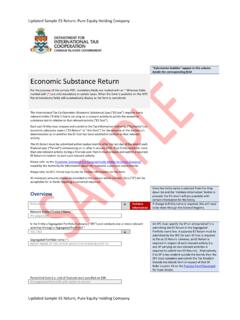
1 Updated Sample ES Return 1 Updated Sample ES Return Information bubbles appear in this column beside the corresponding field. Economic Substance Return For the purpose of this sample PDF, mandatory fields are marked with an * Whereas fields marked with (*) are only mandatory in certain cases. When the form is available on the DITC Portal mandatory fields will automatically display as the form is completed. The International Tax Co-Operation ( Economic Substance ) Law ("ES Law") requires every relevant entity (" entity ") that is carrying on a relevant activity to satisfy the Economic Substance test in relation to that relevant activity ( ES Test ) . Each such entity must prepare and submit to the Tax Information Authority ( Authority ) an Economic Substance report ( ES Return or this form ) for the purpose of the Authority's determination as to whether the ES Test has been satisfied in relation to that relevant activity. The ES Return must be submitted within twelve months after the last day of the end of each financial year ( Period ) commencing on or after 1 January 2019.
2 If an entity conducts more than one relevant activity during a financial year then it must prepare and submit a separate ES Return in relation to each such relevant activity. Please refer to the ' Economic Substance For Geographically Mobile Activities Guidance' issued by the Authority for information about the Economic Substance requirements. Please refer to DITC Portal User Guide for further information on this form. All monetary amounts should be provided to the nearest whole number. Zero ("0") will be acceptable for all fields requiring a numerical response. Once the entity name is selected from the drop down list and the Validate Information button is pressed, the ES Return will pre-populate with certain information for the entity . Overview entity Name Validate Information If change to entity name is required, this will need to be done through the General Registry. Relevant entity (" entity ") Name * Pre-populated Is the entity a Segregated Portfolio Company ("SPC") and conducts one or more relevant activities through a Segregated Portfolio?
3 * YES / NO An SPC must specify the SP on whose behalf it is submitting the ES Return in the Segregated Portfolio name box. A separate ES Return must be submitted by the SPC for each SP that is required to file an ES Return . Likewise, an ES Return is required in respect of each relevant activity ( one SP carrying on two relevant activities is required to submit two ES Returns). Alternatively, if an SP is tax resident outside the Islands then the SPC must complete and submit the Tax Resident Outside the Islands form in respect of that SP. Refer to point 19 on the Practice Point Document for more details. Segregated Portfolio Name (*) INSERT NAME OF THE SP FOR WHICH THIS FORM RELATES TO Updated Sample ES Return 2 Updated Sample ES Return Does the entity (or Segregated Portfolio, as the case may be) have a foreign branch which is also carrying on a relevant activity and for which it wishes to submit the tax resident outside the Islands form?
4 * YES / NO An entity which has a foreign branch that is carrying on a relevant activity outside the Islands will not be required to satisfy the ES Test with respect to that foreign branch if the entity satisfies the Authority that the foreign branch is tax resident outside the Islands. The financial performance of any such foreign branch should be excluded from this ES Return . The entity must complete the remainder of this ES Return with respect to its relevant activity and should also complete a Tax Resident Outside the Islands Form with respect to the relevant activity carried on by its foreign branch outside the Islands. Name of Foreign Branch (*) INSERT TEXT Relevant Activity carried on by Foreign Branch (*) List of Relevant Activities Period End Date ( end of financial year) specified on ESN Pre-populated from ESN with option to correct Period End Date (for purposes of this ES Return ) * The first Period will be the first financial year commencing after the operative date of the ES Laws.
5 The entity should refer to both the ES Law and The International Tax Co-Operation ( Economic Substance )(Prescribed Dates) Regulations, 2018. Please refer to User Guide for examples. YYYY-MM-DD Period Start Date ( start of financial year) * YYYY-MM-DD Period Days Pre-populated Reporting Period Pre-populated Responsible Person Pre-populated from ESN The Responsible Person can only be changed by resubmitting the ESN Notification via CAP. The Responsible Person may appoint secondary users on the DITC Portal. IN: General Registry Number Pre-populated from ESN If change to GR number is required, this will need to be done through General Registry. TIN This field is always pre-populated with "NOTIN" on the ES Return because the Islands do not issue Tax Identification Numbers. Pre-populated NOTIN Type Income: Relevant Activity * The relevant activity is pre-populated to reflect the selection made on the ESN (or first one stated if more than one) but can be amended here.
6 If the entity has more than one relevant activity then it must select one relevant activity for the purpose of this ES Return and complete a separate ES Return for each one of its relevant activities. Distribution and Service Centre Business Intellectual Property Business Banking Business Fund Management Business Insurance Business Headquarters Business Financing and Leasing Business Shipping Business None FI Number (CRS/FATCA) Pre-populated from ESN with option to update / correct Where the entity indicated on its ESN that it has an FI number but the number was not available at the time of filing the ESN, it will be required to complete here. Updated Sample ES Return 3 Updated Sample ES Return IRS GIIN (FATCA) Pre-populated from ESN with option to update / correct Where the entity indicated on its ESN that it has a GIIN but the number was not available at the time of filing the ESN, it will be required to complete here.
7 CIMA licence / registration type and number Pre-populated from ESN with option to update / correct Where the entity indicated on its ESN that it has a CIMA number but the number was not available at the time of filing the ESN, it will be required to complete here. Relevant Income Currency used to complete this ES Return . * The entity must use one currency for all financial data in the ES Return . USD etc. Annual Income: Total income for the Period. * The OECD NTJ schema uses the term "Annual Income". This element should contain the total annual gross income of the entity ( not limited to relevant income). Insert Monetary Amount Gross Income: Total relevant income for the Period. * The OECD NTJ schema uses the term "Gross Income". The ES Law defines relevant income as follows; "relevant income , in relation to an entity , means all of that entity s gross income from its relevant activities and recorded in its books and records under applicable accounting standards.
8 For the avoidance of doubt, relevant income for the purposes of the ES Law is gross income and not accounting income/profit. Gross income is equal to gross receipts/gross revenue, whether in the form of cash or property, which the entity derived from its pure equity holding company business. Insert Monetary Amount Type of Income: Total relevant income received from related parties for the Period * Related Parties should be interpreted as "Constituent Entities" as defined in the ES Law. Please note that the balance ( Total Relevant Income less Relevant Income from Related Parties) will be assumed to be relevant income received from unrelated parties. UNKNOWN may lead to further enquiries. Insert Monetary Amount or UNKNOWN Total passive income that is also relevant income received for the Period * Insert Monetary Amount or UNKNOWN Passive relevant income should be interpreted as income in respect of which, broadly speaking, the recipient does not participate in the business activity giving rise to the income, dividends, interest, rental income, royalties, etc.
9 Please note that the balance will be assumed to be active relevant income ( Total Relevant Income less Passive Relevant Income). UNKNOWN may lead to further enquiries. entity Details: Status Pre-populated from General Registry Date ceased to be active Pre-populated from General Registry Updated Sample ES Return 4 Updated Sample ES Return Immediate Parent Details: Immediate Parent is defined in the Schedule to the ES Law. All fields relating to an Immediate Parent must be completed for each one. How many Immediate Parents does the entity have? * ADD Use the ADD button for each Immediate Parent. This information is required under the ES Law. If UNKNOWN is selected please provide explanation in Other section below. UNKNOWN Name of entity * NONE entity does not have an Immediate Parent. May be a corporate or a non-corporate entity , for example a partnership. TIN or Similar * This data element provides the tax identification number (TIN) used by the tax administration of the jurisdiction of tax residence of the immediate parent.
10 If the immediate parent does not have a TIN the value NOTIN should be entered. TIN issued by (*) This attribute describes the jurisdiction that issued the TIN. It should be always provided, unless NOTIN is entered in the TIN element. Jurisdiction of tax residence * Identification Number other than TIN * This data element can be provided (and repeated) if there are other identification numbers (INs) available, such as a company registration number or an entity Identification Number (EIN). If that entity does not have any other INs, the value NONE should be entered. Type of Identification Number (*) Jurisdiction that issued other Identification Number (*) Legal Address Type * Residential Or Business Residential Business Registered office Unknown Country Code * Country code selected should be the country the address relates to. Street Building Identifier Suite Identifier Floor Identifier District Name Post Office Box Post Code City * Country Subentity For example; province or state.