Transcription of Thrift Savings Plan
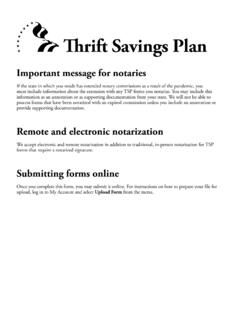
1 Remote and electronic notarizationWe accept electronic and remote notarization in addition to traditional, in-person notarization for TSP forms that require a notarized Savings PlanTHRIFT Savings plan TSP-65 REQUEST TO COMBINE CIVILIAN AND UNIFORMED SERVICES TSP ACCOUNTSDo Not Write Below This Line FORM TSP-65 (12/2020) PREVIOUS EDITIONS OBSOLETE*PIIS00229401200000000 PIIS*StateCity Zip CodeStreet Address Line 2 Street Address or Box Number (For a foreign address, see instructions.)Foreign address? Check : Please complete the following. No other acknowledgement is acceptable (see instructions).The person who signed Item 11 is known to or was identified by me and, before me, signed or acknowledged to have signed thisform. In witness thereof, I have signed below on this day of , . My commission expires: IV. CERTIFICATION By signing below, you are authorizing the TSP to combine your civilian and uniformed serv ices TSP accounts.
2 You are certifying that you understand that tax-exempt amounts from the traditional balance of your uniformed services account, if any, cannot be transferred to a civilian TSP account. You are also certifying that, if you are transferring a uniformed services account into a CSRS account and you did not complete Section III, you are an unmarried participant. Warning: Any intentional false statement in this application or willful misrepresentation concerning it is a violation of law that is punishable by a fine or imprisonment for as long as 5 years, or both (18 1001). 14. 15. III. SPOUSE S CONSENT TO TRANSFER UNIFORMED SERVICES ACCOUNT INTO CSRS ACCOUNT Spouse must read the instructions and complete Items 10 12. Spouse's signature must be : By signing below, I consent to my spouse s request to transfer the money in his or her uniformed services TSP account to a CSRS civilian TSP account.
3 I understand that I am giving up the right to consent to a loan or withdrawal from the funds that are transferred. 10. 11. 12. 13. Participant: If you cannot obtain your spouse s signature, provide your spouse s name (in Item 10) and Social Security number here and submit Form TSP-16, Exception to Spousal Requirements, along with this request. I. INFORMATION ABOUT YOU 1. 2. 3. 4. 5. 6. 7. 8. Last NameFirst NameMiddle Name/Date of Birth (mm/yyyy)TSP Account Number II. REQUEST TO COMBINE ACCOUNTS Indicate how you want to combine your TSP accounts. (Restrictions apply; see instructions.) 9. Transfer my uniformed services TSP account into my civilian TSP account. (Complete Section III if married CSRS.)
4 OR Transfer my civilian TSP account into my uniformed services TSP account. (Go to Section IV.)Spouse's SignatureParticipant's SignatureDate Signed (mm/dd/yyyy)//Date Signed (mm/dd/yyyy)//Spouse s Name (Last, First, Middle)JurisdictionNotary s SignatureNotary s Printed NameDate (mm/dd/yyyy)[seal]YearMonthSpouse s Social Security Number--Notary s Phone Number( )FORM TSP-65 (12/2020) PREVIOUS EDITIONS OBSOLETETSP-65, INFORMATION AND INSTRUCTIONSPRIVACY ACT NOTICE. We are authorized to request the information you pro vide on this form under 5 chapter 84, Federal Employees Retirement System. We will use this information to identify your TSP account and to process your transaction. In addition, this information may be shared with other federal agencies for statistical, auditing, or archiving purposes. We may share the information with law enforcement agencies investigating a violation of civil or criminal law, or agencies implementing a statute, rule, or order.
5 It may be shared with congressional offices, private sector audit firms, spouses, former spouses, and beneficiaries, and their attorneys. We may disclose relevant portions of the information to appropriate parties engaged in litigation and for other routine uses as specified in the Federal Register. You are not required by law to provide this information, but if you do not provide it, we will not be able to process your this form only if: You have both a civilian and a uniformed services TSP account; and You are separated from federal civilian service or the uniformed serv ices, or TSP account that you want to transfer must have a total vested account balance that is greater than $200 to be eligible. Money that you transfer will be deposited as employee contributions into the traditional or Roth balance of the combined account based on the way it was identified in the original account.
6 These funds will be allocated according to the most recent contribution allocation on file for your remaining account. They will also be subject to the rules and regulations applicable to all employee contributions for that account. However, they are not subject to the Internal Revenue Code (IRC) elective deferral limit, which limits the amount of contributions that you can make to a retirement plan in a year. You must combine accounts by the end of the calendar year prior to the year you turn age 72. If you submit this form in or after the year you turn 72, it will be rejected and you will need to take required minimum distributions (RMDs) from each account. Note: Before 2020, the deadline was age 70 . So if you were born before July 1, 1949, you can no longer combine accounts, even if you are not yet Note Regarding Tax-Exempt Contributions: Any tax-exempt contributions from combat zone pay that you may have in the traditional (non-Roth) balance of your uniformed services account cannot be transferred into your civilian account.
7 They must remain in your uniformed services account, where they will continue receiving tax-deferred earnings. SECTION I. Provide all the information requested in this section. For date of birth, provide only the month and year. A new address that you provide on this form will only be used to update your address on an account related to employment from which you have already you have a foreign address, check the box in Item 4 and enter the foreign address as follows in Items 5 8: First address line: Enter the street address or post office box number, and any apartment address line: Enter the city or town name, other principal subdivision ( , province, state, county), and postal code, if known. (The postal code may precede the city or town.)City/State/Zip Code fields: Enter the entire country name in the City field; leave the State and Zip Code fields blank. If you use an Air/Army Post Office (APO) or Fleet Post Office (FPO) address, enter that address in the two available address lines (include the unit designation).
8 Enter APO or FPO, as appropriate, in the City field. In the State field, enter AE as the state abbreviation for Zip Codes beginning with 090-098, AA for Zip Codes beginning with 340, and AP for Zip Codes beginning with 962-966. Then enter the appropriate Zip Code. SECTION II. You can only transfer an account related to employment from which you have separated. Here are your three account-combining options: You are separated from your federal civilian job, but you are still a member of the uniformed services your only option is to transfer your civilian account into your uniformed serv ices account. You are separated from the uniformed services, but still a federal civilian employee your only option is to transfer your uniformed services account into your civilian account. You are separated from both federal civilian employment and the uniformed services you can combine your accounts in any way you III.
9 Information and warning for Civil Service Retirement System (CSRS) participants. Your spouse must provide his or her name and signature and date the form in Items 10 12 only if you are transferring your uniformed services account into your civilian CSRS account. This is because your spouse s rights are diminished when you make this transfer. Here is a summary of your spouse s rights:Under Uniformed Services Your spouse must consent to a loan or an in-service withdrawal from your account regardless of your account balance. When you separate from service and withdraw your balance, your spouse is entitled to a joint life annuity with you, with a 50% survivor benefit, level payments, and no additional features if your account balance is more than $3, CSRS Your spouse is entitled only to receive notification of any loans or withdrawals from your , if you transfer your uniformed services account into your CSRS civilian account, your spouse will no longer have the right to consent (or refuse to consent) to any future loans or withdrawals from the money that was formerly in your uniformed serv ices : If you are covered by FERS or if you are combining your CSRS account into your uniformed services account, your spouse should not complete this the notary: If your spouse signs the form, make sure that the notary provides the requested information on this form.
10 No other acknowledgement is acceptable. This is because your form will be filed with a federal agency in Washington, Item 13. If you are unable to obtain your spouse s signature, you must provide your spouse s Social Security number and submit Form T S P -16, Exception to Spousal Requirements (TSP-U-16 for uniformed ser vices), along with this IV. Read the certification and sign and date Items 14 and 15, in order to authorize the TSP to combine your accounts as requested. After you complete the form, make a copy for your records and send the original documents to the : Thrift Savings plan Box 385021 Birmingham, AL 35238 Fax: 1-866-817-5023 Online: Log in to My Account and select Upload Form from the : Submit this request one time only. We will automatically cancel the second request we receive. If you need to make a change or correction on your form, call us to cancel your first request.