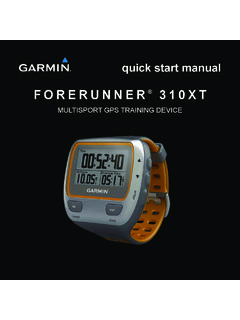
Transcription of FORERUNNER 310XT - Garmin International | Home
1 FORERUNNER 310 XTowner s manualMULTISPORT GPS TRAINING DEVICEAll rights reserved. Except as expressly provided herein, no part of this manual may be reproduced, copied, transmitted, disseminated, downloaded or stored in any storage medium, for any purpose without the express prior written consent of Garmin . Garmin hereby grants permission to download a single copy of this manual onto a hard drive or other electronic storage medium to be viewed and to print one copy of this manual or of any revision hereto, provided that such electronic or printed copy of this manual must contain the complete text of this copyright notice and provided further that any unauthorized commercial distribution of this manual or any revision hereto is strictly in this document is subject to change without notice.
2 Garmin reserves the right to change or improve its products and to make changes in the content without obligation to notify any person or organization of such changes or improvements. Visit the Garmin Web site ( ) for current updates and supplemental information concerning the use and operation of this and other Garmin , the Garmin logo, FORERUNNER , Auto Pause , Auto Lap , Virtual Partner are trademarks of Garmin Ltd. or its subsidiaries, registered in the USA and other countries. Garmin Connect , ANT , ANT Agent , ANT+ , GSC 10, and USB ANT Stick are trademarks of Garmin Ltd. or its subsidiaries. These trademarks may not be used without the express permission of and Analyzed by Firstbeat are registered or unregistered trademarks of Firstbeat Technologies Ltd.
3 This product was produced under the following United States patents and their foreign equivalents. EP1507474 (A1), US7460901, EP1545310 (A1),US7192401 (B2) and U20080279. WO03099114(A1) (Pat. Pend.), EP1507474 (A1), US7460901(B2), WO2004016173 (A1) (Pat. Pend.),EP1545310 (A1) (Pat. Pend.), U20080279 ( )Other trademarks and trade names are those of their respective owners. 2009 2013 Garmin Ltd. or its subsidiariesForerunner 310XT Owner s Manual i Table of ContentsIntroduction ..1 More Information ..1 Product Registration ..1 Contact Garmin .. Started ..3 Charging the on the Device ..3 Acquiring Satellite Signals ..4 Pairing the Heart Rate Monitor (Optional).
4 5 Customizing Your Sport Settings (Optional) ..6Go Work Out! ..6 Downloading Free Software ..7 Sending Workout Data to Your Computer ..7 Locking the Keys ..7 FORERUNNER Backlight ..7 Training ..10 About the Training Page ..10 Sport Mode ..10 Auto Lap ..10 Auto Pause ..11 Auto Scroll ..12 Heart Rate ..12 Virtual Partner ..13 Alerts ..14 Workouts ..15 Courses ..18 Multisport Workouts ..19 Swimming with Your FORERUNNER ..21 Using the Countdown Timer ..22 History ..23 Saving History ..23 Viewing Activity History ..23 Viewing Totals ..23 Deleting History ..24ii FORERUNNER 310XT Owner s Manual Navigation ..25 Adding the Map Page ..25 Marking Locations.
5 25 Finding and Going to a Location ..26 Editing or Deleting a Location ..26 Using Back to Start ..27 Viewing GPS Information ..27 Settings ..28 Data Fields .. Profile ..36 About FORERUNNER ..36 Using Accessories ..37 Pairing Accessories ..37 Heart Rate Monitor ..37 Foot Pod ..39 GSC 10 Bike Sensor ..41 Bike Meter ..42 Appendix ..43 Resetting the User Data ..43 Caring for the FORERUNNER ..43 Updating the FORERUNNER Software Using Garmin Connect ..44 Battery Information ..44 Specifications ..44 Software License of Conformity ..46 Troubleshooting ..47 Heart Rate Zone Table ..48 Index ..49 FORERUNNER 310XT Owner s Manual 1 IntroductionIntroductionwarning: Always consult your physician before you begin or modify any exercise program.
6 See the Important Safety and Product Information guide in the product box for product warnings and other important product contains a non-replaceable lithium-ion InformationFor information about accessories, go to , or contact your Garmin RegistrationHelp us better support you by completing our online registration today. Go to Keep the original sales receipt, or a photocopy, in a safe place. Contact GarminContact Garmin Product Support if you have any questions while using your FORERUNNER . In the USA, go to , or contact Garmin USA by phone at (913) or (800) the UK, contact Garmin (Europe) Ltd. by phone at 0808 2380000. In Europe, go to and click Contact Support for in-country support information, or contact Garmin (Europe) Ltd.
7 By phone at +44 (0) FORERUNNER 310XT Owner s ManualIntroductionKeys power Press and hold to turn the FORERUNNER on and off. Press to turn on and to adjust the backlight. A status page appears. Press to pair with your ANT+ weight scale (page 34). mode Press to view the timer and the menu. The map and the compass also appear if they are active. Press to exit a menu or a page. Your settings are saved. Press and hold to switch sport modes. lap/reset Press to create a new lap. Press and hold to reset the timer. start/stopPress to start or to stop the timer. enterPress to select options and to acknowledge messages. arrows (up/down) Press to scroll through menus and settings.
8 Press and hold to scroll quickly through the settings. Press to scroll through training pages during a workout. On the Virtual Partner page, press and hold to adjust the Virtual Partner 310XT Owner s Manual 3 Getting StartedGetting StartedCharging the Battery Caution: To prevent corrosion, thoroughly dry the charging contacts and the surrounding area before : The FORERUNNER will not charge when outside the temperature range of 32 F to 122 F (0 C to 50 C).1. Plug the USB connector on the charging clip cable into the AC Plug the AC adapter into a standard wall Align the charging clip posts with the contacts on the back of the 4. Clip the charger securely over the face of the clipA fully charged battery will last up to 20 hours, depending on usage.
9 Turning on the DevicePress and hold to turn on your FORERUNNER . 4 FORERUNNER 310XT Owner s ManualGetting StartedConfiguring the ForerunnerThe FORERUNNER uses your user profile to calculate accurate calorie data. See page 9 for information on activity class and lifetime athlete Follow the on-screen instructions to configure the FORERUNNER and set your user profile. 2. Press to view choices and change the default selection. 3. Press enter to make a you are using an ANT+ heart rate monitor, select Yes during the configuration to allow the heart rate monitor to pair (connect) with your FORERUNNER . See page 5 for more you initially turn on the FORERUNNER and are completing the initial setup, use the table on page 9 to set your activity class.
10 Indicate if you are a lifetime athlete. A lifetime athlete is an individual who has trained intensely for many years (with the exception of minor injuries) and has a resting heart rate of 60 beats per minute (bpm) or Satellite SignalsIt may take 30 60 seconds to acquire satellite signals. Go outdoors to an open area. For the best reception, ensure that the face of the FORERUNNER is oriented toward the the FORERUNNER has acquired satellite signals, the training page appears with the satellite icon () at the : By default, the settings on your FORERUNNER update the time and correct time zone automatically according to satellite 310XT Owner s Manual 5 Getting StartedPairing the Heart Rate Monitor (Optional)While you are trying to pair your heart rate monitor with your FORERUNNER for the first time, move 10 m away from other heart rate the Heart Rate MonitorThe heart rate monitor is on standby and ready to send data.