Transcription of Withdrawal Instructions PW 2 Applicant (GC / LMP / FSC ...
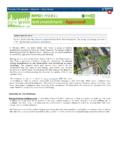
1 12/2020 Withdrawal Instructions Effective December 28, 2020, some Withdrawal requests are submitted in DOB NOW: Build. Use the below questions to determine if the attached Withdrawal Letter (submitted to the Help form at ) applies to your request. Is this a PW1/PW2 filing?complete Withdrawal Letter (next page) and upload via Help FormIs the filing already permitted?Was the filing started after July 1, 2019?Is this a Withdrawal of the Applicant of Record or Permit Applicant ?YesYesYesNo (Electrical / Elevator / LAA filing)NoNo ( Withdrawal of Job Filing / Owner / Progress Inspector / Special Inspector)NoYes PW1 Applicant of Record (PE/RA) or PW2 Applicant (GC / LMP / FSC / OBI / Sign Hanger)Request Withdrawal in DOB NOW: BuildFor PW1 Applicant of Record, go to Job Filings Dashboard and select Withdrawal under Filing PW2 Applicant , go to Work Permits Dashboard and select Withdrawal under Filing LETTER 12/18 Date: _____ DOB NOW: Build Job Filing Number: _____ Address: _____ _____ Withdrawal Request Type: ___ Applicant ___ Contractor ___ Job ___ Filing ___ Progress Inspector ___ Special Inspector ___ Work Type Work Type Withdrawal .
2 ___ Antenna ___ Curb Cut ___ Elevator ___ Fence ___ Limited Alteration Application ___ Place of Assembly ___ Plumbing ___ Sidewalk Shed ___ Sign ___ Sprinkler ___ Standpipe ___ Supported Scaffold ___ Temporary Place of Assembly Note, if the job is permitted, the inspection results must be attached to this Withdrawal request. I, _____, Applicant / Contractor/ Owner of record of the property at _____ submit the above mentioned Withdrawal request. _____ Signature Notary Seal _____ Notary Signature