Example: barber
Search results with tag "C930e"

Logitech® Webcam C930e Setup Guide
www.logitech.comby the operating system? Connect the camera in any USB 2.0/3.0 port. Once the camera is connected it takes a few moments before the new hardware is recognized. To ensure that the camera has installed correctly on the Windows 8 system check the following: Under Control Panel > System and Security > System > Device Manager • Review the Imaging ...
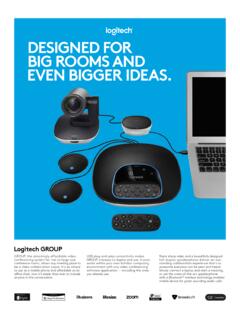
DESIGNED FOR BIG ROOMS AND EVEN BIGGER IDEAS.
www.logitech.comanother Logitech ConferenceCam or Webcam C930e in the other location. 5 camera presets Multiple camera presets make it easy to frame and focus the lens on frequently used views — such as the conference table, whiteboard, and close-ups — and quickly return to each view at the touch of a button. Plug-and-play camera setup