Example: bachelor of science
4 Easy Steps - www.TelecomUserGuides.com
6 Plantronics CS55 Setup Guide STEP 3 CONNECT POWER AND CHARGE HEADSET 1.Plug the Base Power Adapter into a wall outlet, then plug the power cord into the YELLOW labeled connector on the bottom of the Headset Base. The RED Power light on the left front of the Headset Base will turn on.
Tags:
Information
Domain:
Source:
Link to this page:
Documents from same domain

V-9927A DIGITAL MULTI-TONE GENERATOR - …
www.telecomuserguides.comVSP-9927A V-9927A DIGITAL MULTI-TONE GENERATOR SPECIFICATIONS Power Requirements:-24VDC “B” Battery at 100mA Operating Environment: Temperature: 0 to …

Jabra SPEAK 510 - Manual and Brochures
www.telecomuserguides.com2 enGlIsh jabra speak 510 welcome thank you for purchasing the Jabra speak 510 .we hope you will enjoy it! jabra speak 510 features • Answer, end, reject and mute calls .
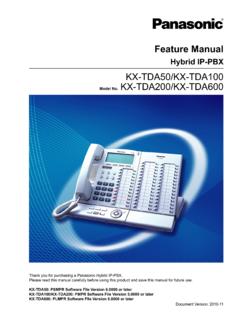
Feature Manual - Manual and Brochures
www.telecomuserguides.comFeature Manual Thank you for purchasing a Panasonic Hybrid IP-PBX. ... Provides tables listing capacity of system resources, exclusive features for each PBX model, tone and ring tone tables, and the revision history of this Feature Manual. ... Digital Proprietary Telephone DSS Direct Station Selection DTMF Dual Tone Multi-Frequency E EFA ...
Operating Manual - www.TelecomUserGuides.com
www.telecomuserguides.comOperating Manual Thank you for purchasing a Panasonic Hybrid IP-PBX. ... DPT ® Digital Proprietary Telephone IP-PT ® IP Proprietary Telephone PS ® Portable Station PT ® Proprietary Telephone SLT ® Single Line Telephone • The suffix of each model number is omitted.

Hybrid IP-PBX KX-TDA50 - Telecomuserguides.com
www.telecomuserguides.comIn this manual, the suffix of each model number (e.g., KX-TDA50G) is omitted unless necessary. Safety Notices Please observe the safety notices in this manual in order to avoid danger to users or other people, and prevent damage to property. ... • DPT ® Digital proprietary telephone

Nortel Communication Server 1000 IP Phone 1150E
www.telecomuserguides.comNortel Communication Server 1000 IP Phone 1150E User Guide Title page. Revision history 3 Revision history May 2007 ... This document is up-issued to support Nortel Communication Server 1000 Release 4.5 software. This document was up-issued to 01.01 to reflect a change in technical ... feature keys and provides you with passwords and other codes as
Related documents

Voice Partner Solutions Guide - Polycom Community
community.polycom.comVoice Partner Solutions Guide Plantronics Audio Devices and Adapters ... CS50/55/60/70 Wireless System EHS Adapters for Polycom ... Supports USB audio. Provides call control with latest USB headsets. Does not support CS50 USB. No special setup is required for using USB headsets 12. The phone can be setup as a Lync phone. EHS setup is similar ...

Plantronics Spokes for Mac v1.0 Installation Notes
www.unifiedcommunications.comOn Plantronics CS50/60-USB (FW: 2033), mute cannot be set from Skype UI. The device does not support setting MUTE from the host side. 3. Blackwire C220 cannot be muted from Skype. 4. Installer - User is sometimes shown the "Destination Select" option - "Install for me

PLANTRONICS® - Insight
www.insight.comCS50, CS500's, CS-XD S11, S12 13 CT14 14 SHR's, SHS's 8 D261N's 5 SMS 's 26 ... Quick Disconnect on Cable USB Universal Serial Bus Interference Module INDEX, NOTES AND ABBREVIATIONS ... 17593-60 VOICE TUBE ASSY, COOL BLUE 9.95 17593-20 VOICE TUBE ASSY, OUTR. ORANGE 9.95

Updated from Plantronics October 2017 - Headsets Direct
www.headsetsdirect.comUpdated from Plantronics October 2017 Item Number Item Description Pricing DISTY 80933-11 .AUDIO 326,PC HEADSET,BLISTER PACK,US 10.20 7.40

Headset Parts & accessories - SKC
shop.skccom.com4 Plantronics headset Parts & accessories Guide 4.08 72910-01 65116-01 60961-28 72907-01 72913-01 64401-01 72907-02 spares and replaCement parts PARt No. DEScRiPtioN 72910-01 cS70N Spare Headset 72908-01 cS70 Spare Headset (not shown) 72907-01 voice tubes, Standard (2)

CS50-USB & CS60-USB DECT™ WIRELESS HEADSET SYSTEM
adcombhs.comIn addition to setting up the CS50-USB/CS60-USB through your computer operating system, your softphone may require you to choose which audio device you wish to use and carry out a short test to match this device to the softphone.
FP 37477: Using Headsets with Polycom Phones
support.polycom.comUsing Headsets with Polycom® Phones: Feature Profile 37477 3 compatible with a number of different headset types, including analog, USB, electronic hookswitch (EHS), and Bluetooth headsets.
Related search queries
Voice Partner Solutions Guide, Voice Partner Solutions Guide Plantronics, CS50, CS50 USB, Plantronics Spokes for Mac v1.0 Installation, Plantronics CS50/60-USB, PLANTRONICS, USB Universal Serial Bus, Updated from Plantronics October 2017, Headset Parts & accessories, Plantronics headset Parts & accessories, CS60-USB DECT™ WIRELESS HEADSET SYSTEM, 37477: Using Headsets with Polycom Phones, Using Headsets with Polycom® Phones