Example: stock market
AC1750 WiFi Cable Modem Router
Chapter 9 Troubleshooting. ... If this LED is off, the WiFi radios are turned off and you cannot use WiFi to connect to the modem router. Power • Green. Power is supplied to the modem router. • Off. No power is supplied to the modem router. Downstream • Solid amber. One downstream channel is locked.
Tags:
Information
Domain:
Source:
Link to this page:
Documents from same domain

GS748T Gigabit Smart Switch - Netgear
www.downloads.netgear.com6 GS748T Gigabit Smart Switch Overview The NETGEAR GS748T Gigabit Smart Switch provides 48 twisted-pair ports with four built-in Small Form Factor (SFP) GBIC slots that support nonstop 1000M fiber networks.

Gigabit Ethernet Switch 10/100/1000 Mbps GS605 / …
www.downloads.netgear.comUnpack the Box and Verify the Contents When you open the box, verify that you received everything. The package includes: • 5/8-port Gigabit Ethernet Switch GS605/GS608

AC750 WiFi Router - Netgear
www.downloads.netgear.comAC750 WiFi Router User Manual Model R6020 September 2017 202-11750-03 350 E. Plumeria Drive San Jose, CA 95134 USA

Nightha wk A C2300 Smar t WiFi Router - Netgear
www.downloads.netgear.comNightha wk A C2300 Smar t WiFi Router User Manual Model R7000P July 2017 202-11702-02 350 E. Plumeria Drive San Jose, CA 95134 USA

N300 Wireless ADSL2+ Modem Router …
www.downloads.netgear.com350 East Plumeria Drive San Jose, CA 95134 USA October 2013 202-10870-04 N300 Wireless ADSL2+ Modem Router DGN2200v3. User Manual

N600 Wireless Dual Band Router WNDR3400v2 …
www.downloads.netgear.com2 N600 Wireless Dual Band Router WNDR3400v2 . Support. Thank you for selecting NETGEAR products. After installing your device, locate the serial number on the label of your product and use it to register your product

2. Now, Configure the Switch with the NETGEAR …
www.downloads.netgear.comTitle: Netgear FS728TP Quick Start Guide Author: Netgear Technical Publications Subject: Netgear FS728TP Smart Switch Quick Start Guide Keywords

FS726TP Hardware Installation Manual - Netgear
www.downloads.netgear.comJune 2005 NETGEAR, Inc. 4500 Great America Parkway Santa Clara, CA 95054 USA Phone 1-888-NETGEAR FS726TP Hardware Installation Manual

GS110TP Hardware Installation Guide
www.downloads.netgear.comGS110TP Hardware Installation Guide 1-2 Introduction v1.0, March 2010 The GS110TP Smart PoE Switch is a free-standing switch. It is IEEE-compliant and offers low

Installation ReadyNAS OS 6 Desktop Storage - …
www.downloads.netgear.com4 Basic Setup After you follow these instructions, your ReadyNAS is ready to use in a production environment. Setup takes approximately 15 minutes.
Related documents

Cisco Meraki Z1
meraki.cisco.comtime troubleshooting through any web browser. New features, bug fixes, and enhancements are delivered seamlessly over the web, so you never have to manually download software updates or worry ... Dual 802.11n radios, up to 600 Mbps data rate The Z1 features two powerful radios and advanced RF design.
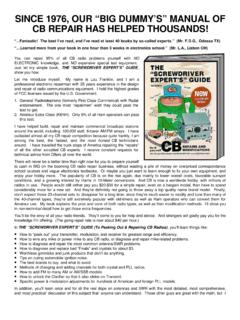
SINCE 1976, OUR “BIG DUMMY’S” MANUAL OF CB REPAIR …
www.cbcintl.comcourses and vague theoretical textbooks. Such products often emphasize troubleshooting methods and classic analyses for problems which rarely even occur in CB radios. On the other hand, I’ve managed to boil down years of real, practical CB radio situations into an illustrated manual that anyone of average intelligence can understand.
Somfy RTS Troubleshooting Guide
www.automatedshadeinc.comApr 19, 2012 · TV’s, microwave ovens, fluorescent lights, lighting dimmers, computers, short wave radios, AM and FM radio signals among many other sources. Since many sources of RF interference exist and are difficult to trace to the originating sources or …

N600 Wireless Dual Band Gigabit Router WNDR3700v3 …
www.downloads.netgear.comTroubleshooting ... If both wireless radios are off (2.4 GHz and 5 GHz LEDs are off), the WPS will not work. For more information on modes, see “Configuring Your Wireless Settings and Security Options” on page 20, and the online Reference Manual, available on the Resource CD.
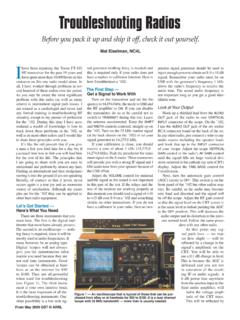
Troubleshooting Radios - W8KVK
w8kvk.comwhen used for troubleshooting (see Figure 1). The third instru-ment is your own intuitive brain. It is the most important of all the troubleshooting instruments. One other possibility is a low tech sig-Troubleshooting Radios Before you pack it up and ship it off, check it out yourself. Mal Eiselman, NC4L nal generator (nothing fancy is needed) and

T6200 User Guide - Motorola Solutions
www.motorolasolutions.comThe Motorola Talkabout® T6200, T6210, and T6220 radios are durable two-way radios that operate on Family Radio Service (FRS) frequencies, require no service fee or license, and can be used anywhere in the United States and other areas as listed by the FCC. These radios offer more than just a way of keeping in touch.
i-Pilot Troubleshooting Guide - Minn Kota Motors
www.minnkotamotors.comi-Pilot Troubleshooting . 6. overshoots the recorded Spot-Lock location or keep close enough to the recorded Spot-Lock location a. I-Pilot/i-Pilot Link is voltage sensitive, check the connections between the batteries and the motor and have the batteries load tested. b. Check for weeds or other debris wrapped around and under the prop.

MN002895A01 final.book Page 1 Thursday, January 5, 2017 10 ...
www.motorolasolutions.comRDX™ Series Two-way Radios User Guide en-US fr-CA RDU4100, RDU4103 & RDV5100 Non-Display Model00 Non-Display Mode MN002895A01_final.book Page 1 …
Troubleshooting Your Radio Equipment
www.arrl.orgTroubleshooting Your Radio Equipment the repeater requires a CTCSS tone to acti- vate, is your CTCSS function switched on? Is the correct tone selected? Make sure the repeater offset is set to the proper value. This is a very common problem. If the repeater is listening 600 kHz below the output fre- quency, you can't activate it with your offset

Repair and Restoration of Antique Radio Equipment
www.glcharvat.comStep-by-step process 1. Do not power up your radio! • yes, it does not work • more harm than good 2. Find service manual 3. Replace all electrolytic and paper capacitors 4. Replace anything that looks damaged (burned or exploded)