Transcription of ADVANCED GENSET CONTROLLER - Datakom
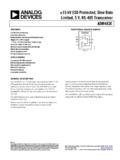
1 D-500 User Manual Rev_06 Firmware D-500 ADVANCED GENSET CONTROLLER The D-500 is a next generation GENSET control unit combining multi-functionality and wide communication possibilities together with a reliable and low cost design. The unit complies and mostly exceeds world s tightest safety, EMC, vibration and environmental standards for the industrial category. Software features are complete with easy firmware upgrade process through USB port. The Windows based PC software allows monitoring and programming through USB, RS-485, Ethernet and GPRS. The PC based Rainbow Scada software allows monitoring and control of an unlimited number of gensets from a single central location. AMF unit with uninterrupted transfer ATS unit with uninterrupted transfer Remote start CONTROLLER Manual start CONTROLLER Engine CONTROLLER Remote display & control unit Waveform display of V & I Harmonic analysis of V & I CTs at GENSET or load side Ethernet GSM-GPRS Internal GPRS modem (optional) Embedded web server Web monitoring Web programming GSM-SMS e-mail Modbus RS-485 Modbus TCP/IP SNMP USB Host (optional) USB Device RS-485 RS-232 (optional) Micro SD card slot (optional) J1939-CANBUS 2 phases 3 wires, L1-L2 2 phases 3 wires, L1-L3 3 phases 3 wires, 3 CTs 3 phases 3 wires, 2 CTs (L1-L2) 3 phases 3 wires, 2 CTs (L1-L3)
2 3 phases 4 wires, star 3 phases 4 wires, delta 1 phase 2 wires FUNCTIONALITIES COMMUNICATIONS TOPOLOGIES DESCRIPTION D-500 User Manual Rev_06 Firmware K35D05-EN - 2 - Any unauthorized use or copying of the contents or any part of this document is prohibited. This applies in particular to trademarks, model denominations, part numbers and drawings. This document describes minimum requirements and necessary steps for the successful installation of the D-500 family units. Follow carefully advices given in the document.
3 These are often good practices for the installation of GENSET control units which reduce future issues. For all technical queries please contact Datakom at below e-mail address: If additional information to this manual is required, please contact the manufacturer directly at below e-mail address: Please provide following information in order to get answers to any question: - Device model name (see the back panel of the unit), - Complete serial number (see the back panel of the unit), - Firmware version (read from the display screen), - Measuring-circuit voltage and power supply voltage, - Precise description of the query. FILENAME DESCRIPTION 500-Rainbow Installation Rainbow Plus D-500 D-700 Installation Guide 500-Rainbow Usage Rainbow Plus D-500 D-700 Usage Guide 500-DYNdns account setting Dynamic DNS Account Setting for D-500 D-700 500-Ethernet Configuration Ethernet Configuration Guide for D-500 D-700 500-GSM Configuration GSM Configuration Guide for D-500 D-700 500-Firmware Update Firmware Update Guide for D-500 D-700 500-MODBUS Modbus Application Manual for D-500 D-700 500-snmp_E_34076_D500 MIB file for SNMP Application of D-500 D-700 500-Rainbow Scada Installation Rainbow Scada Installation Guide 500-Rainbow Scada Usage Rainbow Scada Usage Guide QUERRIES RELATED DOCUMENTS ABOUT THIS DOCUMENT COPYRIGHT NOTICE D-500 User Manual Rev_06
4 Firmware K35D05-EN - 3 - REVISION DATE AUTHOR DESCRIPTION 02 MH Remote Monitoring and SNMP functionality added 03 MH Revised for firmware version 03 MH Revised for firmware version 04 MH Revised for firmware version 05 MH Revised for firmware version 06 MH Revised for firmware version CAUTION: Potential risk of injury or death. WARNING: Potential risk of malfunction or material damage. ATTENTION: Useful hints for the understanding of device operation. REVISION HISTORY TERMINOLOGY D-500 User Manual Rev_06 Firmware K35D05-EN - 4 - The D-500 family units are available in various options and peripheral features.
5 Please use below information for ordering the correct version: D500 -M -C -G -T -00 Screw type bracket Stock Code=J10P01 (per unit) Self Retaining type bracket Stock Code=K16P01 (per unit) Sealing Gasket, Stock Code= K35P01 SPARE PARTS ORDERING CODES Family Code With Internal GSM-GPRS Modem With USB-Host, RS-232, micro-SD card With Sealing gasket With Conformal Coating Variant 00: standard unit : customer specific products D-500 User Manual Rev_06 Firmware K35D05-EN - 5 - Electrical equipment should be installed only by qualified specialist. No responsibility is assured by the manufacturer or any of its subsidiaries for any consequences resulting from the non-compliance to these instructions.
6 Check the unit for cracks and damages due to transportation. Do not install damaged equipment. Do not open the unit. There are no serviceable parts inside. Fuses must be connected to the power supply and phase voltage inputs, in close proximity of the unit. Fuses must be of fast type (FF) with a maximum rating of 6A. Disconnect all power before working on equipment. When the unit is connected to the network do not touch terminals. Short circuit terminals of unused current transformers. Any electrical parameter applied to the device must be in the range specified in the user manual. Although the unit is designed with a wide safety margin, over-range parameters may reduce lifetime, alter operational precision or even damage the unit. Do not try to clean the device with solvent or the like.
7 Only clean with a dump cloth. Verify correct terminal connections before applying power. Only for front panel mounting. SAFETY NOTICE Failure to follow below instructions will result in death or serious injury Current Transformers must be used for current measurement. No direct connection allowed. D-500 User Manual Rev_06 Firmware K35D05-EN - 6 - 1. INSTALLATION INSTRUCTIONS 2. MOUNTING DIMENSIONS SEALING, GASKET ELECTRICAL INSTALLATION 3. TERMINAL DESCRIPTIONS BATTERY VOLTAGE INPUT AC VOLTAGE INPUTS AC CURRENT INPUTS DIGITAL INPUTS ANALOG SENDER INPUTS AND SENDER GROUND CHARGE INPUT TERMINAL MAGNETIC PICKUP INPUT MAINS CONTACTOR OUTPUT GENERATOR CONTACTOR OUTPUT DIGITAL OUTPUTS INPUT/OUTPUT EXTENSION RS-485 PORT J1939-CANBUS PORT ETHERNET PORT USB DEVICE PORT USB HOST PORT (OPTIONAL) RS-232 PORT (OPTIONAL) MICRO-SD MEMORY CARD SLOT (OPTIONAL) GSM MODEM (OPTIONAL) 4.
8 TOPOLOGIES SELECTING THE TOPOLOGY 3 PHASE, 4 WIRE, STAR 3 PHASE, 3 WIRE, DELTA 3 PHASE, 4 WIRE, DELTA 3 PHASE, 3 WIRE, DELTA, 2 CT (L1-L2) 3 PHASE, 3 WIRE, DELTA, 2 CT (L1-L3) 2 PHASE, 3 WIRE, DELTA, 2 CTs (L1-L2) 2 PHASE, 3 WIRE, DELTA, 2 CTs (L1-L3) 1 PHASE, 2 WIRE TABLE OF CONTENTS D-500 User Manual Rev_06 Firmware K35D05-EN - 7 - 5. FUNCTIONALITIES CT LOCATION SELECTION AMF FUNCTIONALITY ATS FUNCTIONALITY REMOTE START FUNCTIONALITY ENGINE CONTROLLER FUNCTIONALITY REMOTE DISPLAY UNIT FUNCTIONALITY 400HZ OPERATION 6. CONNECTION DIAGRAMS AMF FUNCTIONALITY, CTs AT LOAD SIDE AMF FUNCTIONALITY, CTs AT ALTERNATOR SIDE ATS FUNCTIONALITY REMOTE START FUNCTIONALITY ENGINE CONTROL FUNCTIONALITY REMOTE DISPLAY PANEL FUNCTIONALITY 7.
9 TERMINAL DESCRIPTION 8. TECHNICAL SPECIFICATIONS 9. DESCRIPTION OF CONTROLS FRONT PANEL FUNCTIONALITY PUSHBUTTON FUNCTIONS DISPLAY SCREEN ORGANIZATION AUTOMATIC DISPLAY SCROLL MEASURED PARAMETERS LED LAMPS 10. WAVEFORM DISPLAY & HARMONIC ANALYSIS 11. DISPLAYING EVENT LOGS 12. STATISTICAL COUNTERS FUEL FILLING COUNTER FUEL CONSUMPTION MONITORING 13. OPERATION OF THE UNIT QUICK START GUIDE STOP MODE AUTO MODE RUN MODE, MANUAL CONTROL TEST MODE 14. PROTECTIONS AND ALARMS DISABLING ALL PROTECTIONS SERVICE REQUEST ALARM SHUTDOWN ALARMS LOADDUMP ALARMS D-500 User Manual Rev_06 Firmware K35D05-EN - 8 - WARNINGS NON-VISUAL WARNINGS 15.
10 PROGRAMMING RESETTING TO FACTORY DEFAULTS ENTERING THE PROGRAMMING MODE NAVIGATING BETWEEN MENUS MODIFYING PARAMETER VALUE PROGRAMMING MODE EXIT 16. PROGRAM PARAMETER LIST CONTROLLER CONFIGURATION GROUP ELECTRICAL PARAMETERS GROUP ENGINE PARAMETERS GROUP ADJUST DATE AND TIME WEEKLY OPERATION SCHEDULE EXERCISER SCHEDULE SENDER CONFIGURATION DIGITAL INPUT CONFIGURATION OUTPUT CONFIGURATION SITE ID STRING ENGINE SERIAL NUMBER MODEM1-2/SMS1-2-3-4 TELEPHONE NUMBERS GSM MODEM PARAMETERS ETHERNET PARAMETERS SNTP PARAMETERS SYNCHRONIZATION PARAMETERS 17. CRANK CUTTING 18. OVERCURRENT PROTECTION (IDMT) 19. MOTORIZED CIRCUIT BREAKER CONTROL 20. J1939 CANBUS ENGINE SUPPORT 21. GPS SUPPORT 22. ETHERNET CONFIGURATION 23. GSM CONFIGURATION 24. DYNAMIC DNS FEATURE 25. ACCESSING THE EMBEDDED WEB SERVER 26.