Example: tourism industry
Arlo Pro 3 User Manual
Your Pro 3 Camera consists of two parts, the housing and the camera with a battery compartment. Arlo Pro 3 Camera features • HDR. See a clear picture in every detail through your Pro 3 Camera’s high ... Remove the battery by pulling on it until it slides out of the camera. 4. Align the battery and insert it into the battery compartment.
Tags:
Information
Domain:
Source:
Link to this page:
Documents from same domain

Protect What Matters Most - ARLO
www.arlo.comFeatures 100% Wire-Free Free of power cords and wiring hassles Weather-resistant Put Arlo anywhere—indoors or out Rechargeable Battery 2 …
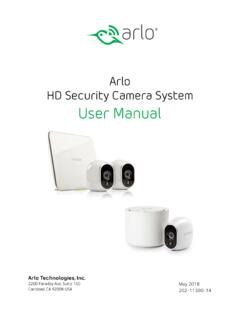
Arlo HD Security Camera System User Manual
www.arlo.comIf you are using a computer, enter arlo.netgear.com in the address bar of a browser. The Devices page displays. 2. Log in to the old Arlo account. 3. Tap or click Settings > My Devices. A list of devices including the base station and cameras displays. 4. Tap or click the camera. The settings for the camera display. 5.
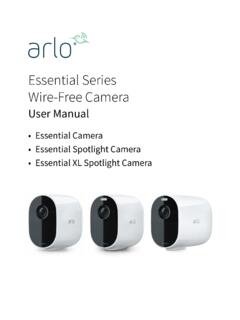
Essential Series Wire-Free Camera - Arlo
www.arlo.comArlo Essential Series Wire-Free Camera User anual 3. Tilt and swivel to adjust the camera angle. Connect an optional Essential Solar Panel (sold separately) You can use the Essential Solar Panel (VM3600) to harvest power from the sun to keep your camera battery charged. camera..

Arlo Pro 4 Wire-Free Spotlight Camera
www.arlo.com• Fast and easy wire-free set up. Magnetic mount makes it easy to install and adjust. • 160 degree view. Keep an eye on more of what matters with a wider field of view. • Magnetic charging. Fast charging cable easily snaps into place. • 2-Way Audio. Hear and speak to visitors clearly with superior audio quality. • Built in smart siren ...
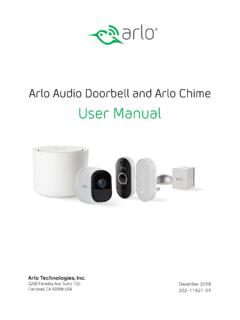
Arlo Audio Doorbell and Arlo Chime User Manual
www.arlo.comchime The Arlo Audio Doorbell is compatible with AC-powered mechanical and digital chimes operating between 8-24 volts. The Arlo Audio Doorbell isn’t compatible with wireless door chimes or any chime or intercom system using a DC transformer. Set the chime switch The chime switch is located inside the Arlo Audio Doorbell. This switch is only used

Essential Video Doorbell Wired - Arlo
www.arlo.combut it can still be configured to trigger recordings on other cameras or vice versa. • Can I pair the wired Arlo Essential Video Doorbell with other Arlo cameras? ... The estimated voltage is commonly printed on transformers. This is typically accurate, but it isn’t as precise as using a multimeter. Get Started 11 Essential Video Doorbell ired
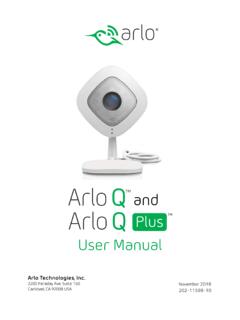
Arlo Q and Arlo Q Plus User Manual
www.arlo.com2. Connect your own Ethernet cable to the PoE adapter. 3. Connect the other end of the Ethernet cable to an Ethernet switch or a router. 4. Connect the included micro USB cable to the side of the PoE adapter. 5. Connect the other end of the micro USB cable to the USB power adapter. 6. Plug the USB adapter into a wall socket. 7.
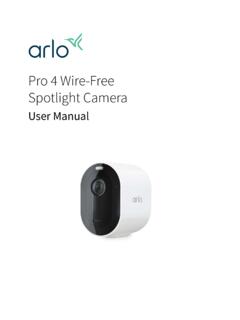
Arlo Pro 4 Wire-Free Spotlight Camera User Manual
www.arlo.comPro 4 Spotlight Camera User Manual Pro 4 Spotlight Camera features • 2K video with HDR. Zoom in on objects and see clearer details and colors in 2K HDR. • Color night vision. See what’s lurking with color night vision or black and white. • Integrated spotlight. Light up the night and ward off unwelcome guests. • Fast and easy wire ...

Arlo Quick Start Guide
www.arlo.com• Mount your Arlo camera at least 7 feet (2.1 meters) above the floor or ground and angle it slightly downward. • Place your camera within 10-15 feet (3.0–4.6 meters) of where motion is expected. • Make sure that side-to-side traffic crosses the camera’s field of view. • The best area for motion detection is 5 to
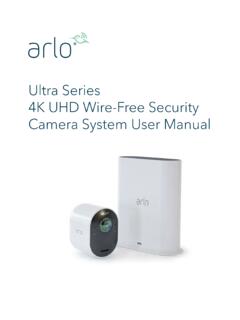
Arlo Ultra User Manual
www.arlo.comSee a full panoramic view with auto image correction that reduces the fisheye effect. The camera has an 180-degree diagonal field of view with a matching wide range for motion detection. • Noise canceling technology. Listen and speak to visitors with crystal clear, full 2-way audio that reduces wind and noise. • Auto Zoom and Tracking. Auto ...
Related documents

POWER CABLE INSTALLATION GUIDE - Anixter
www.anixter.comarc with no reverse bends. At the pull-out, the pulling rope exits the duct directly to a pulling sheave. Figure F-1 Pulling Cable in Duct 1 IEEE 532-1993 “Guide for Selecting and Testing Jackets for Underground Cables.” PVC -10°C 14°F EPR -40°C -40°F PE -40°C -40°F XLPE -40°C -40°F SOLONON -40°C -40°F PVC (Arctic) -40°C -40°F
Yellow 77 PRO Wire Pulling Lubricant Safety Data Sheet
www.idealind.comPRO Wire Pulling Lubricant SDS#: ID022 Revision Date: August 2, 2018 Page 3 of 10 Indication of immediate medical attention and special treatment needed: If any symptoms are observed, contact a physician and give them this SDS sheet. SECTION 5: Fire-fighting measures Suitable extinguishing media : Not flammable by OSHA criteria. Use ...

3Dconnexion SpaceMouse Pro
3dconnexion.comThe SpaceMouse Pro features four additional programmable function buttons, located above the controller cap. It instantly recognizes the applications you are using, as well as their environments , and automatically assigns the most used ... Up / Down: Zoom by pulling the cap upwards or pushing the cap downwards parallel to the screen. Speed

AtriClip® LAA Exclusion System with Preloaded Gillinov ...
www.atricure.com14. Deploy the Clip by slowly pulling the Deployment Tab (11) at the proximal end of the handle. NOTE: The Deployment Tab (11) with steel cables may be completely removed from the end of the Handle. 15. Unlock the end effector articulation (10) and carefully remove it from the LAA as shown below leaving the Clip and attachment suture behind.
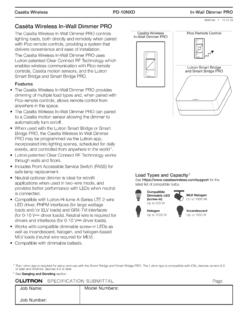
Caséta Wireless In-Wall Dimmer PRO
www.lutron.comCaséta Wireless PD-10NXD In-Wall Dimmer PRO Caséta Wireless In-Wall Dimmer PRO The Caséta Wireless In-Wall Dimmer PRO controls lighting loads, both directly and remotely when paired ... remove power by pulling the FASS out completely on dimmer. After servicing load, push the FASS back in fully to restore power to the control. On FASS Front ...

CHEMICAL GLOVE RESISTANCE GUIDE - MSC Industrial Direct
cdn.mscdirect.comProduct Name / Style ChemTek™ Barrier ®Chemi-Pro Neoprene Scorpio Solvex ®AlphaTec PVA ™Snorkel ChemTek Type CAS Chemical name % 38-514 02-100 87-224 29-865 08-352 08-354 37-145 58-435 15-554 04-414 38-612

NACON™. “REVOLUTION UNLIMITED Pro Controller” …
media.nacongaming.comNACON™. “REVOLUTION UNLIMITED Pro Controller” is a product distributed by Bigben. ©2O19 Bigben Interactive RCS Lille B32O992977 - 59814 Lesquin Cedex. NACON, 396 - 466 Rue de la Voyette CRT2 59273 FRETIN, FRANCE Complies with IMDA Standards DB102988

Walkerduct Pro Series - Construction
sweets.construction.comstandards. Walkerduct Pro Series is ideal for retail stores, schools, casinos, and office buildings. Pro Series presets can be positioned together to create one activation location. Flush activations offer a full range of power and communication connections. Pro Series presets offer large access area into the duct.