Example: bankruptcy
AUTOMATIC FRONT LOADING WASHING MACHINE USER …
1. Correct the inst allation ofthe produ ct. 2. Provi deI nst ruc ion on us eof the product or cha nge setup uct. 3. Replace house fuses or correc thouse wiri ng. 4. Correctingfaul t(s) caused by he user. 6 5. Noise or vibrati on hat is consi dered normal. . Wa ter on the floor du eto incrre ct loading r exc es ive uds. 7.
Tags:
Information
Domain:
Source:
Link to this page:
Documents from same domain

and User guide - Fisher & Paykel
www.fisherpaykel.com2 Installation instructions Unpacking To ensure the best performance from your new washer please follow the instructions below. Removing the packaging 1 Remove the outer packaging. 2 Tilt the machine backwards and walk it off the bottom packer one foot at a time.

E372B, E402B, E442B, E522B, RF372B ... - Fisher & Paykel
www.fisherpaykel.comINSTALLATION GUIDE / USER GUIDE NZ AU GB IE EU AE HK SG E372B, E402B, E442B, E522B, RF372B, RF402B, RF442B, ... about model and specification availability in your country, please go to our website ... product and cabinetry ventilation must be followed

591090E FP PRO Range installA4 USCA - fisherpaykel.com
www.fisherpaykel.comInstallation, electrical connections, and grounding must comply with all applicable codes. In the absence of local codes, the range should be installed in accordance with the latest edition of National Fuel Gas Code ANSI Z223.1 and National Electrical Code ANSI / NFPA 70.

FRONT LOADING CLOTHES WASHER - Fisher & Paykel
www.fisherpaykel.comclothes are receiving the best possible care. Take the time to read these instructions carefully before you begin using your washer. Follow the instructions in this User guide to ensure you get the performance you expect from your washer and the best possible wash results. Keep this manual for future reference. We hope you enjoy your new washer.

DishDrawer® User guide - Fisher & Paykel
www.fisherpaykel.comWARNING! - When using your dishwasher, follow basic precautions, including the following: Read all instructions before using the DishDrawer®. The information in this manual must be followed to minimise the risk of fire or explosion or to prevent property damage, personal injury or …

Installation instructions - Fisher & Paykel
www.fisherpaykel.comflammable propellant in this appliance. Never store volatile or flammable materials in your refrigerator as they may explode. Never freeze liquids in glass containers. Liquid expands during freezing, which may cause the container to explode. Never freeze carbonated drinks. They may explode. Do not consume food if it is too cold. Food removed ...

INSTALLATION INSTRUCTIONS - Fisher & Paykel
www.fisherpaykel.comIf the Drain hoses supplied are not long enough to reach your services, you must use a Drain Hose Extension Kit P/N 525798 which will extend the drain hoses by 3.6 m. The kit is available from the nearest Fisher & Paykel Authorised Service Centre or our local website listed at the end of this document. Clamp (1) (for securing Drain hose joiner)

QUICK START GUIDE SETTING THE CLOCK - Fisher …
www.fisherpaykel.comsetting the clock the control panel first use 1 remove all cable ties & packaging holding the shelving in place ... quick start guide built-in oven 1 control panel

WATER FILTER REPLACEMENT INSTRUCTIONS
www.fisherpaykel.compressure. Ensure the supplied pressure-reducing valve is installed before ... 100°F (38°C) or drop below 33°F (0.6°C). ... 3 to remove dust in the ice tray collected during manufacture Repeat step 2 and transport. 4Empty the water from the ice bin and return it correctly.

SINGLE / DOUBLE BUILT IN OVEN (OB60 models only)
www.fisherpaykel.comCOOKING *Actual labels may di˜er from shown SINGLE / DOUBLE BUILT IN OVEN (BI models only) Serial label located under the control panel in the interior of the oven.
Related documents

CSPC Collector Quick Start Guide - Cisco
www.cisco.comCSPC ISO Image Inst allation Guide for instructions. In order to configure a CSPC and ensure a successful setup, a workflow wizard which simplifies the CSPC configuration is included with the CSPC 2. 9 and later releases. You should know the SNMP credentials that …
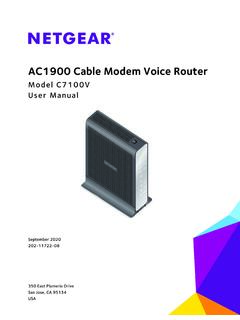
AC1900 Cable Modem Voice Router - Netgear
www.downloads.netgear.comTo set up your new modem router, use the inst allation guide. This chapter provides supplemental information that can help you with the setup. This chapter contains the following sections: • Package Contents • Front Panel • Top Panel WPS Button • Rear Panel • Product Label • Install an Optional Battery • Replace the Battery •

PREMIER+ 2 Embroidery User Guide
www.premierplusembroidery.comFor a full reference guide to each module of the PREMIER+™ 2 Embroidery System, look at the online help or print out the Reference Guide supplied in PDF ... use the Check PREMIER+™ 2 Embroidery System Inst allation option to check your installation. On Mac®, use Install Check in PREMIER+™ 2 Configure.

VLT® 2800 Quick Guide - Danfoss
files.danfoss.comVLT 2800 Quick Guide 1 Quick Guide ... VLT 2800 frequency converters allow side-by-side inst allation on a wall in any position as the units do not require ventilation on the side. Because of the need for cooling, there must be 10 cm free air passage above and below the frequency converter.