Transcription of Camera User Guide
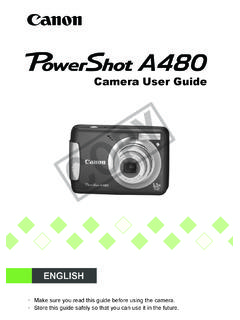
1 Camera user GuideDIGITAL CAMERAC amera user GuideENGLISHCDI-E388-010 CANON INC. 2008 PRINTED IN CHINA(EC251) Page 1 Monday, June 23, 2008 10:51 AMCOPY2 Check if the following items are included in your Camera package. If anything is missing, contact the retailer where you purchased the AlkalineBatteries (x2)Memory Card(32MB)Interface CableIFC-400 PCUAV CableAVC-DC400 Wrist StrapWS-DC5 Canon digital Camera Solution DiskWarranty Card Canon Customer Support LeafletCamera user GuideThis GuideDirect Print user GuideRead when you want to connect the Camera to a printer and Starter Guide Read when you want to connect the Camera to a how to install and use the software on the Canon digital Camera Solution ZoomBrowser EX/ImageBrower Software Guide (PDF) from: You can use the included memory card to try out your new Camera and take some test shots. Adobe Reader must be installed to view the PDF the Package Contents(EC251) Page 2 Monday, June 23, 2008 10:51 AMCOPY3 Language that displays on the screen appears inside [ ].
2 Buttons on the Camera body are represented by the following icons. : Troubleshooting tips for common problems. : Hints for getting more out of your Camera . : Notes for preventing malfunction. : Supplemental explanation. (p. xx): xx stands for reference page number. This Guide assumes all functions are at their default settings unless otherwise noted. This Camera can use various types of memory cards. These are collectively referred to as memory cards in this Used in this (Function/Set) buttonMENU buttonDISP. (Display) button(EC251) Page 3 Monday, June 23, 2008 10:51 AMCOPY4 Test ShotsTake some initial test shots and play them back to make sure the images were recorded correctly. Please note that Canon Inc., its subsidiaries and affiliates, and its distributors are not liable for any consequential damages arising from any malfunction of a Camera or accessory, including memory cards, that results in the failure of an image to be recorded or to be recorded in a way that is machine readable.
3 Warning Against Copyright InfringementPlease note that Canon digital cameras are intended for personal use and should never be used in a manner that infringes upon or contravenes international or domestic copyright laws and regulations. Please be advised that in certain cases the copying of images from performances, exhibitions, or commercial properties by means of a Camera or other device may contravene copyright or other legal rights even if the image was shot for personal use. Warranty LimitationsThis Camera s warranty is only effective in the country of sale. If there is a problem with the Camera while abroad, please return it back to the country of sale before proceeding with a warranty claim to a Canon Customer Support Help Desk. For Canon Customer Support contacts, please see the customer support list supplied with your MonitorThe LCD monitor is produced with extremely high-precision manufacturing techniques.
4 More than of the pixels operate to specification, but occasionally non-performing pixels may appear as bright or dark dots. The Camera is not damaged. This also has no effect on the recorded image. Camera Body TemperaturePlease take care when operating the Camera for an extended period as the Camera body may become warm. The Camera is not damaged. Read This First(EC251) Page 4 Monday, June 23, 2008 10:51 AMCOPY5 Capture Your Best Memories(EC251) Page 5 Monday, June 23, 2008 10:51 AMCOPY6 What Do You Want to Do?4 Shoot Shoot, Leaving It to the Camera to Make Settings .. 22 Just Taking Pictures (Easy mode) .. 54 Shooting Various Scenes .. 55 58- Take good shots of people- Take good landscapes- Shoot various other scenes Focus on faces .. 80 Shoot in places where I cannot use the flash (turn off the flash).. 59 Shoot pictures with me in them too (self-timer).. 60 Insert the date and time into my pictures.
5 63 Take close-up pictures of subjects (macro shooting) .. 64 Take sepia toned or black and white pictures .. 75 Change the size of picture I want to take (recording pixels) .. 70 Take pictures continuously .. 69 Shoot without Camera shake (image stabilization) .. 124 Shoot without Camera shake even in low light conditions (high ISO speed) .. 58, 72IF wPAt night (p. 55)At the beach (p. 57)Snowscapes(p. 57)CKids and pets(p. 55)Portraits(p. 55)J,OULandscape(p. 55)Nightscape(p. 57)Foliage(p. 57)Sunset(p. 57)HtyZIndoors(p. 56)Fireworks(p. 58)Aquarium(p. 58)Low light(p. 58)(EC251) Page 6 Monday, June 23, 2008 10:51 AMCOPYWhat Do You Want to Do?71 Look at my pictures .. 24 Automatically play back pictures (slide show).. 98 Look at pictures on a TV .. 100 Quickly search pictures .. 94 Erase pictures .. 25, 101 Protect pictures from accidental erasure.. 102 ViewE Shoot movies .. 28 Watch my movies.
6 30 Shoot/View Movies2 Easily print my pictures .. 26 Print Save images to a computer .. 31, 108, 109 Save3 Turn off sound .. 51 Other(EC251) Page 7 Monday, June 23, 2008 10:51 AMCOPY8 Chapters 1 3 explain the basic operations and frequently used functions of this Camera . Chapters 4 9 explain the advanced functions letting you learn further as you read them in the Package Contents ..2 Conventions Used in this Guide ..3 Read This First ..4 What Do You Want to Do? ..6 Safety Monitor the Batteries and Memory Card ..14 Setting the Date and Time ..18 Setting the Display the Shutter Pictures ..22 Viewing Images ..24 Erasing Movies ..28 Viewing Images to a Computer .. 31 Accessories ..36 Separately Sold Accessories ..38 Components ..42 Power Saving Function (Auto Power Down) ..42 Information Displayed on the Screen . 43 Switching the Menu - Basic Operations ..46 MENU Functions - Basic 47 Resetting the Memory Cards.
7 49 Changing 51 Changing the Image Display Time .. 529 Just Taking Pictures (Easy Mode).. 54 Shooting Various 55K Shooting Special 56! Turning the Flash 59h Turning the Flash 59Q Using the Self-Timer .. 60 Zooming in on Far Away Subjects .. 61 Inserting the Date and Time .. 63e Shooting Close-ups (Macro) .. 64u Shooting Far Away 65G Shooting in Program AE .. 68W Continuous Shooting .. 69 Changing the Recording Pixels (Image Size).. 70 Changing the Image Quality (Compression Ratio) .. 70 Changing the ISO Speed .. 72 Adjusting the Tone (White Balance) 73 Adjusting the Brightness (Exposure Compensation) .. 74 Changing the Tone of an Image (My Colors) .. 75 Table of Contents1 Getting Started ..132 Learning Shooting Special Scenes and Using Common 534 Making Settings for the Images You Want .. 67(EC251) Page 8 Monday, June 23, 2008 10:51 AMCOPY9 Changing the Composition to Shoot (Focus Lock).
8 76 Shooting Using a TV .. 77$ Customizing the Self-Timer .. 78 Changing the AF 80 Checking the Focus and People's Expressions (AF-Point Zoom).. 820 Selecting the Face to Focus On (Face Select and Track) .. 83 Checking the Focus Immediately after Shooting (Focus Check) .. 84 Changing the Metering 85% Shooting with AF Lock .. 85& Shooting with AE Lock .. 86( Shooting with FE Lock .. 87 Slowing Down the Shutter Speed (Long Shutter Mode) .. 88 Changing the Movie Mode .. 90 Changing the Image Quality in 90 Shooting Movies With Fixed Exposure 91 Other Shooting Functions .. 92 Playback 92 Quickly Finding 94; Organizing Images by Category (My Category) .. 96k Magnifying Images .. 97. Viewing Slideshows .. 98 Checking the Focus and People's Expressions (Focus Check Display) .. 99 Viewing Images on a TV .. 100+ Changing Image 101/ Erasing All 101: Protecting 102= Resizing Images.)
9 103\ Rotating 104] Correcting Red-Eye Effect .. 105^ Attaching Sound Memos .. 107 Transferring Images to a Computer ..108{ Designating Images for Transfer (DPOF) .. 109 Designating Images for Printing (DPOF) .. 111 Changing Functions .. 118 Changing Shooting Functions .. 121 Using Household 126 Using a Supplementary Flash .. 126 Handling Precautions .. 127 You Think There is a 128 Error Messages .. 132 Functions Available in Each Shooting Mode .. 136 Specifications .. 1425 Getting More Out of Your 796 Using Various Functions for 897 Using Various Playback and Other 938 Customizing the 1179 Useful Information for Using the Camera .. 125(EC251) Page 9 Monday, June 23, 2008 10:51 AMCOPY10 Before using the Camera , please ensure that you read the safety precautions described below. Always ensure that the Camera is operated correctly. The safety precautions noted on the following pages are intended to prevent injuries to yourself and other persons, or damage to the equipment.}
10 Be sure to also check the guides included with any separately sold accessories you Denotes the possibility of serious injury or the possibility of injury or damage to the equipment. Warnings Store this equipment out of the reach of children and : Putting the strap around a child's neck could result in card, day/date battery: Dangerous if accidentally swallowed. If this occurs, contact a doctor immediately. Do not trigger the flash in close proximity to human to the intense light produced by the flash may damage eyesight. In particular, remain at least one meter (39 inches) away from infants when using the flash. Do not attempt to disassemble or alter any part of the equipment that is not expressly described in this Guide . To avoid the risk of injury, do not touch the interior of the Camera if it has been dropped or otherwise damaged. Stop operating the Camera immediately if it emits smoke, a strange smell, or otherwise behaves abnormally.