Example: stock market
Control4 System Quick Start Guide
programmed keypads to control lighting, sound, video, and more However, even something as basic as a light switch can be programmed to do multiple things and run automated tasks Ask your installer to show you how to use your system You can customize Control4 lighting and keypads for countless scenarios and
Tags:
Information
Domain:
Source:
Link to this page:
Documents from same domain

Control4® EA-3 Controller
www.control4.comControl4® EA-3 Controller The versatile Control4 EA-3 Entertainment and Automation Controller is the perfect fusion of multi-room, high-resolution audio and
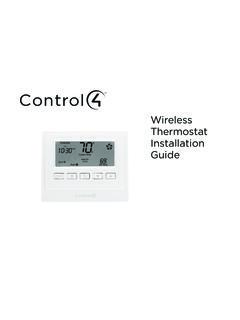
Wireless Thermostat Installation Guide - Control4
www.control4.comSupported Model CCZ-T1-W Wireless Thermostat - White WARNING! Install in accordance with all national and local electrical codes. WARNING! This product is not intended for use with line-voltage baseboard heaters.
Composer HE Getting Started Guide - Control4
www.control4.comComposer HE 2.9.0 Getting Started Guide Legal notices . 2. Legal notices . Control4 disclaimer . Control4 ® makes no representations or warranties with respect to this publication, and specifically disclaims any express or implied

SR-260 System Remote Control Data Sheet
www.control4.comControl4® System Remote Control SR-260 Control4 System Remote Control SR-260 (C4-SR260, C4-SR260-I) The Control4 SR-260 and SR-260-I remotes are …
Wireless Adaptive Phase Dimmer Data Sheet
www.control4.comControl4® Wireless Adaptive Phase Dimmer The Control4® Wireless Adaptive Phase Dimmer is the dimmer of choice for virtually any load type. This dimmer eliminates much of the guess-work associated with choosing the right dimmer for the job and prevents the need to replace the dimmer if the load type changes in the future.

CONTROL4® CHIME VIDEO DOORBELL
www.control4.comChime is the first video doorbell designed for the Control4 smart home. Chime allows homeowners to see and talk to visitors while controlling the most important smart home features. Customers can see and hear who’s at the door through the Control4 mobile app or touchscreen, and a 5MP camera with a 180-degree

Control4® Wireless Switch
www.control4.comControl4® Wireless Switch The Control4® Wireless Switch provides on/off control for a variety of load types. With its robust relay and high amperage rating, the Switch can handle even high in-rush loads such as fountain pumps or large banks of fluorescent lights. It can even be used to switch wall outlets.

CONTROL4 CA-10
www.control4.com• 4× the processing power and memory of the EA-5 to control thousands of devices—the CA-10 is designed for the largest Control4 systems • Project is stored on dual solid-state, field-replaceable drives in mirrored RAID configuration • Dual power supplies with automatic switch-over
DUAL-WAN GIGABIT VPN ROUTER USER INTERFACE MANUAL
www.control4.comUser Interface Manual About this Manual About this Manual This manual provides installers and end users with current information regarding the installation, setup, use, and maintenance of the product. The symbols below identify important information: Pro Tip – Pro tips provide extra value, utility, or ease of use. Pro tips may also link to extra

310 SERIES MULTI-WAN GIGABIT VPN ROUTERS Quick Start …
www.control4.comThank you for choosing our new line of Araknis 310 Routers. With Gigabit connectivity on all ports, Multi-WAN (up to 3), and advanced networking functionality (QoS, VLANs, VPN, port forwarding), these routers are top of the line and meant …
Related documents

PC1616/PC1832/PC1864 User Manual
cms.dsc.comAll the keypads have an audible indicator and command entry keys. The LED keypads have a group of zone and system status lights. The LCD keypad has an alphanumeric liquid crystal display (LCD). The keypad is used to send commands to the system and to display the current system status. The
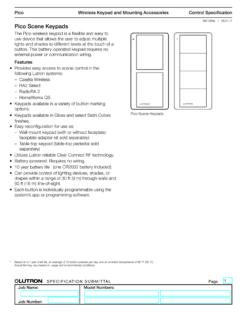
Pico Scene Keypads - Lutron Electronics Company Inc
www.lutron.comPico Scene Keypads The Pico wireless keypad is a flexible and easy to use device that allows the user to adjust multiple lights and shades to different levels at the touch of a button. This battery-operated keypad requires no external power or communication wiring. Features • Provides easy access to scene control in the following Lutron systems:

Lutron Keypad Brochure
www.lutron.comLutron keypads complete the experience, delivering an aesthetic, inviting, and intuitive control to ensure the perfect light for everything you do. Lutron offers a wide variety of colours, styles, finishes, and functions to help you create an environment that reflects your unique sense of design. Browse
ELECTRIC RANGE USER INSTRUCTIONS - Maytag
www.maytag.comPress TEMP/TIME “+” or “-” keypads to set a temperature other than 350°F (175°C) in 5° increments between 170°F and 525°F (75°C and 275°C). 3. Press START. 4. To change the temperature, repeat Step 2. Press START or wait 5 seconds for the change to take effect. 5. Press CANCEL when finished. BROIL Broiling 1.
BUILT-IN ELECTRIC SINGLE AND DOUBLE OVEN USER …
www.whirlpool.comPress the number keypads to set the desired temperature. If the temperature entered is not in the range of the temperatures allowed, the minimum or maximum allowed temperature will be displayed. Enter a temperature in the allowable range. 3. (Lower oven, single rack baking only) Press START. Rapid preheat will begin.

BUILT-IN ELECTRIC OVEN USER INSTRUCTIONS
www.whirlpool.comPress the number keypads to set the time of day. 3. Press START/ . LIGHT Oven cavity light While the oven door(s) are closed, press LIGHT to turn the light(s) on and off. The oven light(s) will come on when an oven door is opened. TIMER ON/OFF Oven timer The Timer can be set in hours or minutes up to 9 hours and 59 minutes. 1. Press TIMER ON ...