Example: confidence
Cyber Essentials: Requirements for IT infrastructure
• Organisational services include any software applications, Cloud applications, Cloud services, User Interactive desktops and Mobile Device management solutions owned or subscribed to by the applicant organisation. For example, Web applications, Microsoft 365, Google Workspace, MDM Containers, Citrix Desktop, VDI solutions, RDP desktop.
Tags:
Information
Domain:
Source:
Link to this page:
Documents from same domain
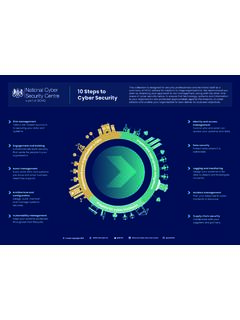
10 Steps to Cyber Security - NCSC.GOV.UK
www.ncsc.gov.ukIdentity and access management Control who and what can access your systems and data. Data security Protect data where it is vulnerable. Logging and monitoring

Summary of the NCSCS Security Analysis for the UK Telecoms ...
www.ncsc.gov.ukSummary of the NCSC’s security analysis for the UK telecoms sector 9 • The 5G core network uses a service-based architecture, utilising a broader range of data and services. This approach will have an increased attack surface over signalling networks and network APIs.
NCSC Cyber Security Toolkit for Boards - NCSC.GOV.UK
www.ncsc.gov.ukBoard members and Embedding cyber security into your structure and objectives. Cyber Security Toolkit for Boards 5 ... We want to keep adding to this toolkit as you encounter new cyber security challenges, so we'll need your practical experiences of the challenges and opportunities you encounter. Please let us know how

Cyber Essentials: Requirements for IT infrastructure
www.ncsc.gov.ukFigure 1: Scope of the requirements for IT infrastructure - Bring your own device (BYOD) In addition to mobile or remote devices owned by the organisation, user-owned devices which access organisational data or services (as defined above) are in scope. However, all mobile or remote devices used only for the purpose of: • native voice applications

Annual Review 2021
www.ncsc.gov.ukthe removal of more than 50,500 scams and more than 90,100 malicious URLs. > Up to 3 million additional key workers were protected from unintentionally accessing ... targeting all sectors from businesses to public services. In response, the NCSC has identified and mitigated numerous threats, whether
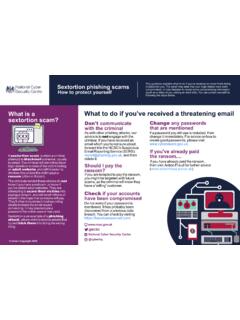
What to do if you’ve received a threatening email ...
www.ncsc.gov.ukemails in the hope that someone will pay. They'll often include technical sounding details to make the email sound convincing. It may also include a password the victim uses or has used. d Sextortion is an example of a phi shing attack, where victims receive emails that try and tric k them into doing the wrong
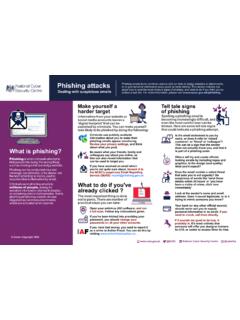
Phishing attacks - NCSC.GOV.UK
www.ncsc.gov.ukDealing with suspicious emails What is phishing? Make yourself a harder target Phishing is when criminals attempt to trick people into doing 'the wrong thing', such as clicking a link to a dodgy website. . Phishing can be conducted via a text message, social media, or by phone, but the term 'phishing' is mainly used to
Vulnerability Disclosure Toolkit 2 - NCSC.GOV.UK
www.ncsc.gov.ukvalidation and output encoding to all user-controlled content throughout the site to help mitigate cross-site scripting attacks. Input validation Only allow the characters you expect for the type of input you're receiving. For example: • if you expect an unsigned integer, only accept unsigned integers within the expected range
Cyber Essentials: Requirements for IT infrastructure
www.ncsc.gov.ukCyber Essentials: Requirements for IT infrastructure v3.0 4 • A corporate VPN is a Virtual Private Network solution that connects back to the applicants office location or to a virtual/cloud firewall. This must be administered by the applicant
Cyclops Blink - ncsc.gov.uk
www.ncsc.gov.ukControl T1071.001 Application Layer Protocol: Web Protocols Cyclops Blink can download files via HTTP or HTTPS. Command And Control T1573.002 Encrypted Channel: ... The purpose of this module is the discovery of system information from the WatchGuard device. The module gathers a wide variety of system information, at regular intervals, by ...
Related documents

Desktops User Guide - Citrix Virtual Apps
www.citrix.comInstalling Citrix Workspace app (full version) 3 Launching apps and desktops 6 Saving files to shared or network folder 6 ... don’t want to download the Citrix Workspace app software on the computer or device you’re using. The light version opens the apps in …

How to Log into Citrix from home - fenwayhealth.org
fenwayhealth.orgAfter installing the Citrix Workspace App (if necessary) - open up a web browser such as Internet Explorer, or Google Chrome. 2. Navigate to https://remote.fenwayhealth.org. ... the software on your machine. 5. You will be brought to a screen similar to the one below called the Citrix StoreFront. Here is where all

AIG Information Technology: Work from Anywhere Gen2
connect.virtualworkspace.aig.comCitrix Gen 2 External Access - AIG Asset/Personal AIG Information Technology: Work from Anywhere Gen2 Accessing AIG Citrix Generation 2 Environment Outside AIG Network through AIG-Issued Computer or Personal (BYOD) Devices. This document below outlines the step by step guide on how to configure AIG-issued and personal (BYOD) devices which include: