Transcription of DECEMBER 2021 BlueAlert SM
1 DECEMBER 2021. BlueAlert SM. A monthly newsletter for our provider community, featuring important updates and reminders about our company's policies and procedures. All information is broken out by line of business. BlueCross BlueShield of INSIDE THIS ISSUE. Tennessee, Inc. BlueCross BlueShield of Tennessee, Inc. COVID-19 Updates News About Upcoming Telehealth Updates This information applies to all lines of business unless stated otherwise. Submit Secondary Claims Through Availity for Faster Payment Self-Service Options Available for Claims Status Inquiry BlueCross to Stop Accepting provider Change Information by Email BlueCross Now Using Change Healthcare for EFT/ERA Enrollment Commercial Changes to Genetic Testing Program Prior Authorization for Commercial Plans Anesthesiology services Reminder Speech Therapy Additional Benefit Information Advanced Specialty Benefit Management (ASBM) Program Pharmacy Expansion Changes to Commercial Prior Authorization Requirements More BlueCare Tennessee Emergency Room Benefit Update Maternity Care Updates Beginning Jan.
2 1. Process Reminder: submitting provider Appeals for Payment Disputes Mileage Reimbursement for BlueCare Tennessee Members Be on the Lookout for Southeastrans Information Requests More Medicare Advantage BlueEssential (HMO C-SNP) SM Closure Update Update to the 2022 provider Assessment Form (PAF) Program Medicare Advantage and Dual Special Needs Plan Special Needs Plan Model of Care Training Patients with Diabetes Need Statin Medication Fill Pharmacy New Pharmacy Benefits Manager Coming in 2022. Refer to the TennCare Pharmacy Benefit Manager for Important Updates COVID-19 Updates Correction for New Prior Authorization Requirements on ADHD Medications Throughout the COVID-19 pandemic, we've made changes to help Updates to Key Online Resources our members and providers stay safe.
3 Please continue to visit the Latest Information and Changes for Coding Updates, provider Administration Manuals (PAMs) and Medical Policies provider FAQs at for up-to-date guidelines on how we have updated our policies to help you care for our members. Quality Care Rewards BlueCross Medicare Advantage 2022 Quality Program Measures 1 | DECEMBER 2021. News About Upcoming Telehealth Updates During the pandemic, we greatly expanded our telehealth Some examples of telehealth claims mistakenly received that coverage so providers could continue providing quality care to we'll deny: our members. We're deeply invested in supporting telehealth Comprehensive Eye exams or X-rays and will broadly cover many telehealth services even after this physical exams public health emergency has passed.
4 We're also reviewing Vaccinations codes to make sure we don't cover services that need to take Urinalysis place in a provider 's office and will start denying inaccurate Please continue to visit our telehealth section at telehealth claims beginning Jan. 1, 2022. We've been for the latest information. We'll also notify monitoring claims over time, and a small number (fewer than you about coding and coverage changes in future issues of .01%) appear to have been billed incorrectly so far. We don't the BlueAlert . believe these changes will affect many providers. Submit Secondary Claims Through Availity for Faster Payment Are you still submitting printed copies of your explanation Simply follow these steps to get started submitting your claims: of benefits (EOBs) for secondary claims?
5 Did you know if 1. Log in to Availity. you include your primary EOB payment data with your claim electronically, your claim will be processed quicker? Billing 2. Click the Claims & Payments drop-down list. secondary claims online will reduce manual pending claims and 3. Under Claims, select your claim type (Professional, Facility help processing times. or Dental*). We've made it easy for you to submit claims electronically 4. Enter your claim information on the claim form. through Availity. To do this, you'll need an Availity account with a Claims user role and be set up as an electronic provider 5. Once you've completed the form, click Submit. with us. If you need help or would like training, you can use the submitting Secondary Claims Electronically guide or call your eBusiness Regional Marketing Consultant.
6 If you have any technical issues, please call the eBusiness Service team at (423) 535-5717 (option 2). * Dental providers filing services that require submission of X-rays for clinical review or secondary-filed claims should continue submitting claims through their current method at this time. ^ Back to Inside This Issue Menu 2 | DECEMBER 2021. Self-Service Options Available for Claims Status Inquiry*. To find the status of your claims, please use one of the following self-service options: Electronic Data Interchange (EDI). Electronic Remittance Advice (ERA). (HIPAA X12 835) When claims are final, their status will be available via 835 ERA transactions, which also allow you to post claim results to your billing system. Blue CORE (HIPAA X12 276/277) You can work with your vendor to connect with us to get claims status in real time without exiting your system workflow.
7 Availity Automated Claims Status Option Remittance Advice The same ERAs that you Call the appropriate provider Service line (phone numbers receive for posting are available in Availity's Remittance are on the last page of this newsletter) and choose the Viewer. To view the status, log in to Availity and select option for Automated Claims Status. the Claims & Payments Remittance Viewer. After you've found the status of the claim using one of the If you want to see your legacy remittance, select the above methods, our customer service representatives are still BlueCross Payer Spaces and click on the Print/View available to answer specific questions you may have about a Remittance Advice tile. claim payment or denial. Please note, when you're calling to Claims Status To check the status of a claim , log in and discuss a claim payment or denial, you'll need to provide the select the Claims & Payments tab, then click Claims specific claim number.
8 If you have questions or need help with Status. An easy way to check status is to look for the Availity or EDI, you can contact eBusiness at (423) 535-5717, colors associated with the claim : green is processed, option 2. If you'd like training on Availity, please contact your yellow is pending and red means denied. eBusiness Regional Marketing Consultant. * This also applies to outsourced vendors acting on a provider 's behalf. BlueCross to Stop Accepting provider Change Information by Email Earlier, we posted news that we'd soon require all providers to use CAQH ProView for all updates to provider directory information, including office locations, hours, hospital affiliations and contact numbers. Starting Jan. 1, 2022, we'll return emails for requests to update provider data information and attach instructions on how to complete the process using CAQH ProView.
9 If you'd like to make updates to your information, please visit our BCBST Payer Space on Availity, and then click the provider Enrollment, Updates and Changes tile. You can also update your information by logging into the CAQH ProView application directly. For more information, please call 1-800-924-7141 and follow the prompts to our Network Contracts and Credentialing team. ^ Back to Inside This Issue Menu 3 | DECEMBER 2021. BlueCross Now Using Change Healthcare for EFT/ERA Enrollment BlueCross is transitioning to a new source for provider payment information. In the past, we used CAQH's EnrollHub but CAQH. is retiring this tool. As of Dec. 2, 2021, you'll be able to submit Electronic Funds Transfer (EFT) and Electronic Remittance Advice (ERA) changes and enrollments through Change Healthcare's Payer Enrollment services portal, which is accessible through Availity and If your information is correct in EnrollHub, you'll continue receiving payments and remittance advice as you always have.
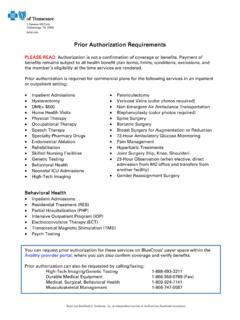
10 If you have questions, please call our Network Contracts and Credentialing service team by following the prompts on our provider Service Line at 1-800-924-7141. Please note, we'll continue using CAQH ProView for our provider enrollment, credentialing and directory efforts. Commercial This information applies to Blue Network P SM, Blue Network S SM and Blue Network L SM unless stated otherwise. Changes to Genetic Testing Program Prior Authorization for Commercial Plans Beginning Feb. 1, 2022, CPT code 0208U will no longer require prior authorization through eviCore's Genetic Testing Program. However, the following codes were added and will need prior authorization: 0285U 0290U 0296U 81349. 0286U 0291U 0297U 81523. 0287U 0292U 0298U. 0288U 0293U 0299U.