Example: quiz answers
Dell OptiPlex 780 Setup and Features Information
3 USB 2.0 connectors (2) 4 drive activity light 5 power button, power light 6 diagnostic lights (4) ... c The VGA cable to a DVI adapter d The dual monitor Y-adapter cable ... Processor Intel Core™2 Duo, Intel Core 2 Quad, Intel Pentium® Dual Core, and Intel Celeron ...
Tags:
Information
Domain:
Source:
Link to this page:
Documents from same domain

Dell™ S2240M/S2340M Monitor
downloads.dell.comThe Dell™ S2240M/S2340M flat panel display has an active matrix, Thin-Film Transistor, Liquid Crystal Display. The monitor's features include: S2240M: 54.61 cm (21.5 inches) viewable area display. 1,920 x 1,080 resolution, plus full-screen support for lower resolutions.

Dell S3220DGF Monitor User's Guide
downloads.dell.comThe Dell S3220DGF monitor has an active matrix, Thin-Film Transistor (TFT), Liquid Crystal Display (LCD), anti-static, and LED backlight. The monitor features include: ∞ 80.01 cm (31.5 in.) viewable area display (measured diagonally). 2560 x 1440 resolution, with full-screen support for lower resolutions.

Configuring iSCSI connectivity with VMware vSphere 6 and ...
downloads.dell.comiSCSI SAN Configuration Guide (available on the VMware website), this document provides a summary of the steps specific to connecting to a PS Series SAN. It covers the steps for utilizing the software iSCSI initiator inside the ESXi host. Users connecting their vSphere environment using iSCSI HBAs, both

Dell EMC Networking S4148-ON and S4128-ON
downloads.dell.comNote: The configuration steps in this section are only recommended when the switch is used as a dedicated SAN for iSCSI traffic. 2.1 Hardware configuration 1. Power on the two switches. 2. Connect a serial cable to the serial port of the first switch. 3. Using PuTTY or another terminal utility, open a serial connection session to the switch. 4.

Dell EMC PowerVault ME4 Series and VMware vSphere
downloads.dell.combest practices presented in this paper, the vSphere ESXi® hypervisor provides an optimized experience with ME4 Series storage. These recommendations include guidelines for SAN fabric design, HBA settings, and multipath configuration. There are often various methods for accomplishing the described tasks, and this

Dell Universal Dock
downloads.dell.comDell Universal Dock D6000 Quick Setup Guide Author: Dell Inc. Subject: Setup Guide Keywords: Electronics & Accessories#Docking Stations#dell universal dock d6000#dell-universal-dock-d6000#Setup Guide#Dell Universal Dock D6000 Quick …

Dell ControlVault Installation Instructions for the ...
downloads.dell.com• Dell Data Protection | Encryption (v8.0.1 and older) • BitLocker Drive Encryption – Available in certain flavors of Windows® operating systems Specific combinations of one or more of the above mentioned products already installed in your system may prevent a smooth migration to the latest Dell Da ta Protection security offering . ...

Inspiron 15-7559 Laptop Reference Guide - Dell
downloads.dell.comNOTE: The weight of your laptop varies depending on the configuration ordered and the manufacturing variability. Views Specifications System information Memory Ports and connectors Dimensions and weight Computer environment Storage Camera Touch pad Power adapter Communications Battery Video Audio Display Media‑card

Laptop Reference Guide - Dell
downloads.dell.comall-products#esuprt_laptop#esuprt_xps_laptop#xps 13 9350 laptop#xps-13-9350-laptop#Reference Guide Created Date: 9/30/2015 12:04:09 PM ...

Dell EMC Storage Compatibility Matrix for SC, PS, and FS ...
downloads.dell.comOverview 7 Dell EMC Storage Compatibility Matrix for SC, PS, and FS Series Arrays | DSCM 1.3 Conventions used in this document Blue Text is used for all section titles. When visible in body text or tables, blue text indicates a change or addition from the previous version of the Dell Storage Compatibility Matrix (DSCM).
Related documents

Compaq Presario CQ60 Notebook PC HP G60 Notebook PC
h10032.www1.hp.comIntel Core2 Duo processors (3-MB L2 cache, 1066-MHz FSB): P8600 2.4-GHz processor X X X X P8400 2.26-GHz processor X X X X P7350 2.0-GHz processor X X X X Intel Core2 Duo processors (2-MB L2 cache, 800-MHz FSB): T5900 2.2-GHz processor X X X X T5800 2.0-GHz processor X X X X Intel Pentium® Dual-Core processors

XPS 8500 Specifications - Dell
downloads.dell.comdual-channel DDR3 Speed up to 1600 MHz Capacities 2 GB, 4 GB, and 8 GB Configurations supported 2 GB, 4 GB, 8 GB, 12 GB, 16 GB, and 32 GB Minimum 2 GB Maximum 32 GB. ... • MS Duo • MS Pro-HG (4 bit mode) Power port Input voltage 100-240 VAC Input frequency 50 Hz-60 Hz Rated input current 8.0 A/4.0 A. Computer environment
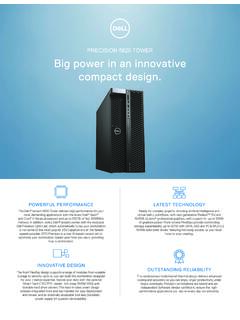
PRECISION 5820 TOWER Big power in an innovative ... - Dell
i.dell.comAdd-in cards Optional: Dell Precision Ultra-Speed Drive Duo (HH/HL,x8) & Ultra-Speed drive Quad (FH/FL,x16) with active cooling. Support for up to 2 and 4 M.2 PCIe NVMe SSDs respectively. Optional USB 3.1 (Gen 2) 10Gb/s Type C card (2 ports) 1 DP pass-through port Optional dual & quad display Teradici PCoIP remote workstation host PCIe cards

My Book Duo User Manual
images-na.ssl-images-amazon.comMy Book Duo is the ultimate dual-drive storage solution offering the capacity and security you need, with blazing-fast tran sfer speeds, hardware-configured RAID, and comprehensive local and cloud backup options. Quickly save and organize your …
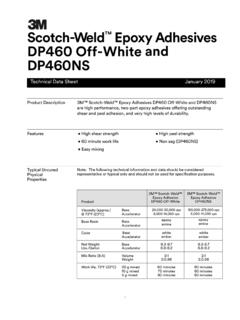
Scotch-Weld Epoxy Adhesives DP460 Off-White and DP460NS
multimedia.3m.comsupplied in dual syringe plastic duo-pak cartridges as part of the 3M™ EPX Applicator System. The duo-pak cartridges are supplied in 37 ml, 200 ml and 400 ml configurations. To use the 37 ml cartridge simply insert the duo-pak cartridge into the EPX applicator and start the plunger into the cylinders using light pressure on the trigger.

Samsung Galaxy A02s A025 User Manual
tracfonemanual.com3. Tap a picture or video to choose it. •If choosing a single picture, choose which screen or screens you want to apply the wallpaper to. •Videos and multiple pictures can only be applied to the Lock screen. •If choosing videos or pictures from the Gallery, tap on one or more items, and then tap Done. 4.