Transcription of DISH NETWORK RECEIVER INSTALLATION - Opticaltel
1 dish NETWORK RECEIVER INSTALLATION Step I: Cable/Q-Box INSTALLATION 1. Place the Q-Box near the satellite RECEIVER , either on the floor behind an entertainment center, or on a shelf next to the satellite RECEIVER . Q-Box units should never be dangled or hung from a wall plate, or from the back of the satellite RECEIVER or TV. 2. Connect the coaxial cable from the wall (or splitter) to the INPUT of the Q-Box. 3. Connect the RECEIVER connection of the Q-Box to the Satellite In of the RECEIVER . 4. Plug in the power cord for the RECEIVER . Step II: Connect RECEIVER to TV 1.
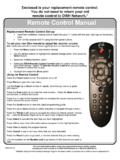
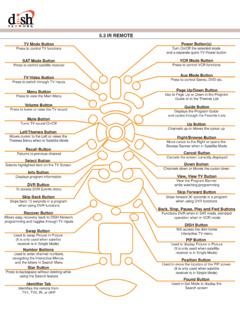
2 HDMI 2. Component 3. RCA 4. Coaxial Step III: Perform QAM Scan on RECEIVER 1. Press Menu on your dish NETWORK remote control 2. Select System Setup on the Menu screen by pressing 6 on your dish remote . 3. Select INSTALLATION on the System Setup screen by pressing 1 on your dish remote . 4. Select QAM Setup on the INSTALLATION screen by pressing 1 on your dish remote . 5. Make sure the Scan Range on the QAM setup screen says: From: 057 To: 861. If the scan range is correct, then skip to step 6, if it does not, continue to the following steps: a. Highlight the From or To field (depending on which one needs to be changed) using the left or right arrows on your dish NETWORK remote control .
3 B. Once highlighted, use the up or down arrows to change to the correct number (057 for the From field, 861 for the To field) 6. Once the Scan Range has the correct range, highlight the SCAN field on the right side of the screen using the arrows on your dish remote and press select on the dish remote . 7. Once the scan is complete, highlight DONE using the arrows on your dish remote and press select on your dish remote 8. After that, press the View Live TV button or continuously hit cancel on your dish NETWORK remote control until you are out of the menu If you have any additional problems installing the RECEIVER , please call our technical support at: (305) 507-7777 option 3 or toll free at (888) 787-8722 option 3.
4